- This can only be done by an Admin.
What are Customizable Object Creation Forms?
Customizable Object Creation Forms allow admins to define which fields must be completed when creating records in Manatal. This helps teams maintain clean, consistent data, reduce incomplete records, and ensure that essential information is captured from the start without adding heavy enforcement or complexity.
The feature is designed to support scaling teams where data consistency becomes increasingly important.
Customizable Object Creation Forms allow administrators to:
- Define which fields are required or optional
- Apply these rules to object creation forms
- Ensure required fields always contain a value after creation
Once a field is marked as required and filled, it cannot be removed in the object summary page unless it is later made optional again by an admin.
Which objects are supported?
Customizable Object Creation Forms are available for the following objects:
- Candidates
- Jobs
- Organizations
- Contacts
- Guests
Where Customizable Object Creation Forms are enforced
Customizable Object Creation Forms are enforced on key in-app creation flows, including:
- Creating Candidates via form
- Creating Jobs
- Creating Organizations
- Creating Contacts
- Creating Guests
They are not enforced on:
- Resume parsing [all flows where candidates are created directly via resume parsing]
- Open API
- Data imports
- Chrome Extension
Getting started with Customizable Object Creation Forms
Step 1: Open Customization settings
-
Head to the following page. Alternatively, click on "Administration" from your side menu and open the "Customization" category.
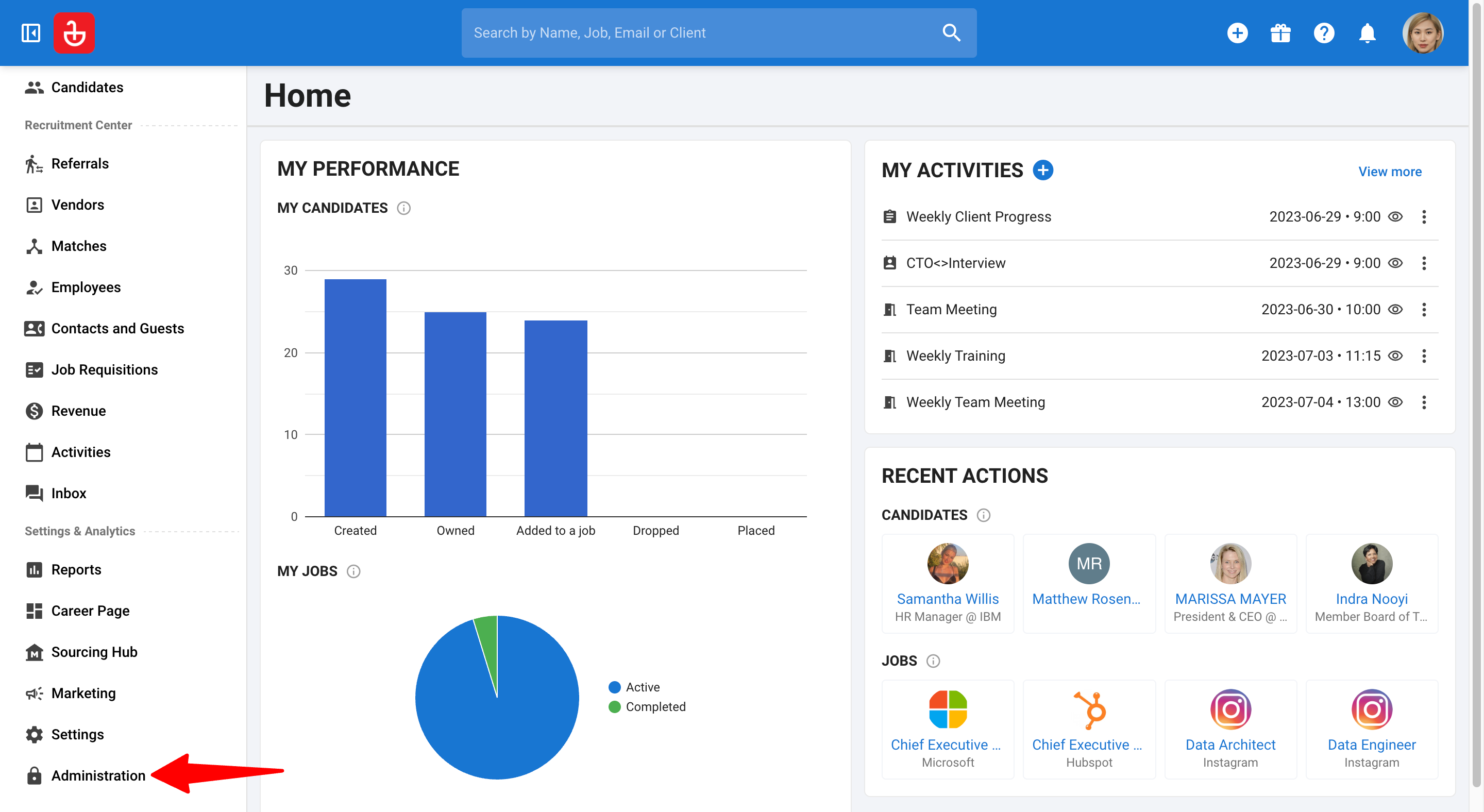
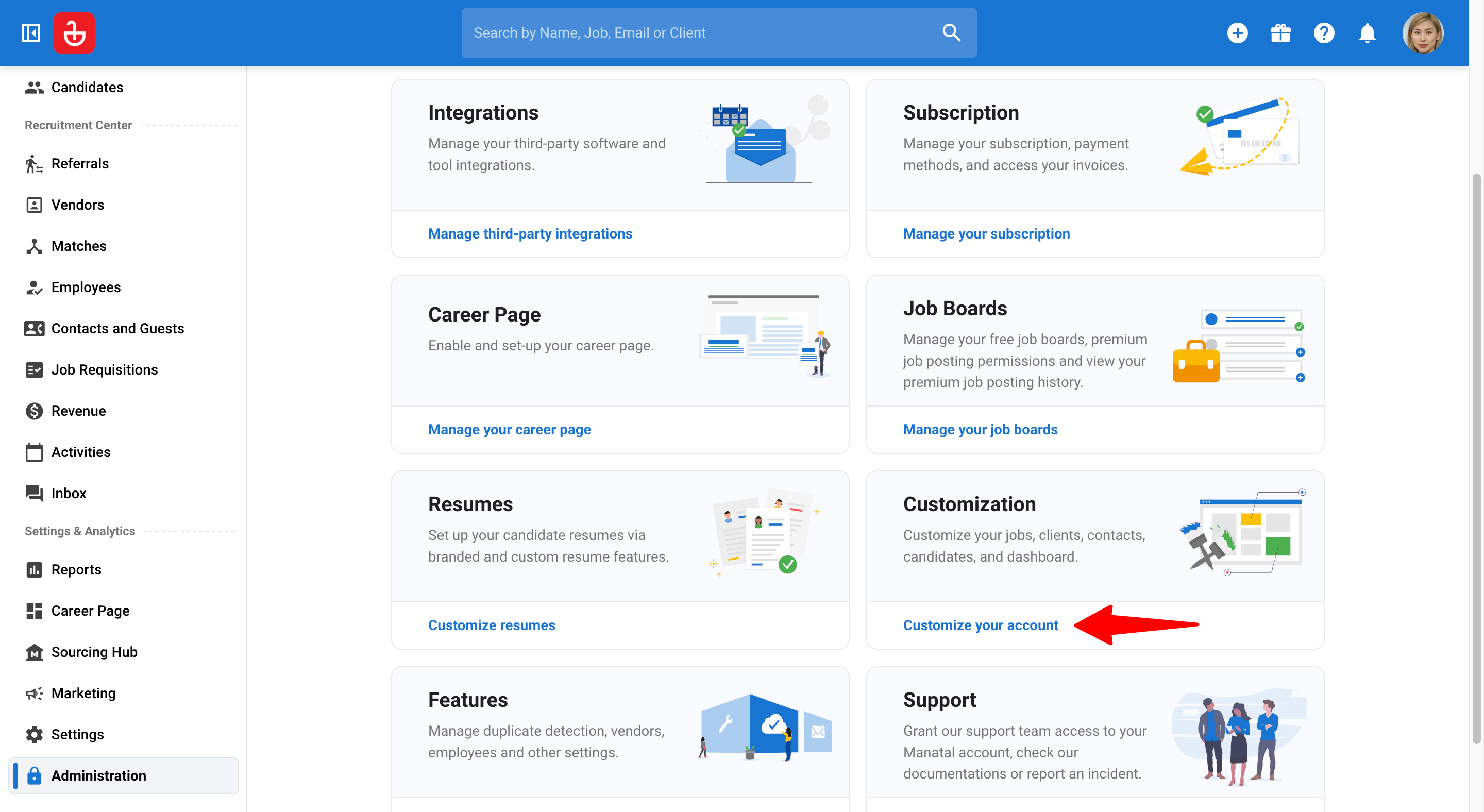
-
Choose the object you want to configure (e.g. Jobs).
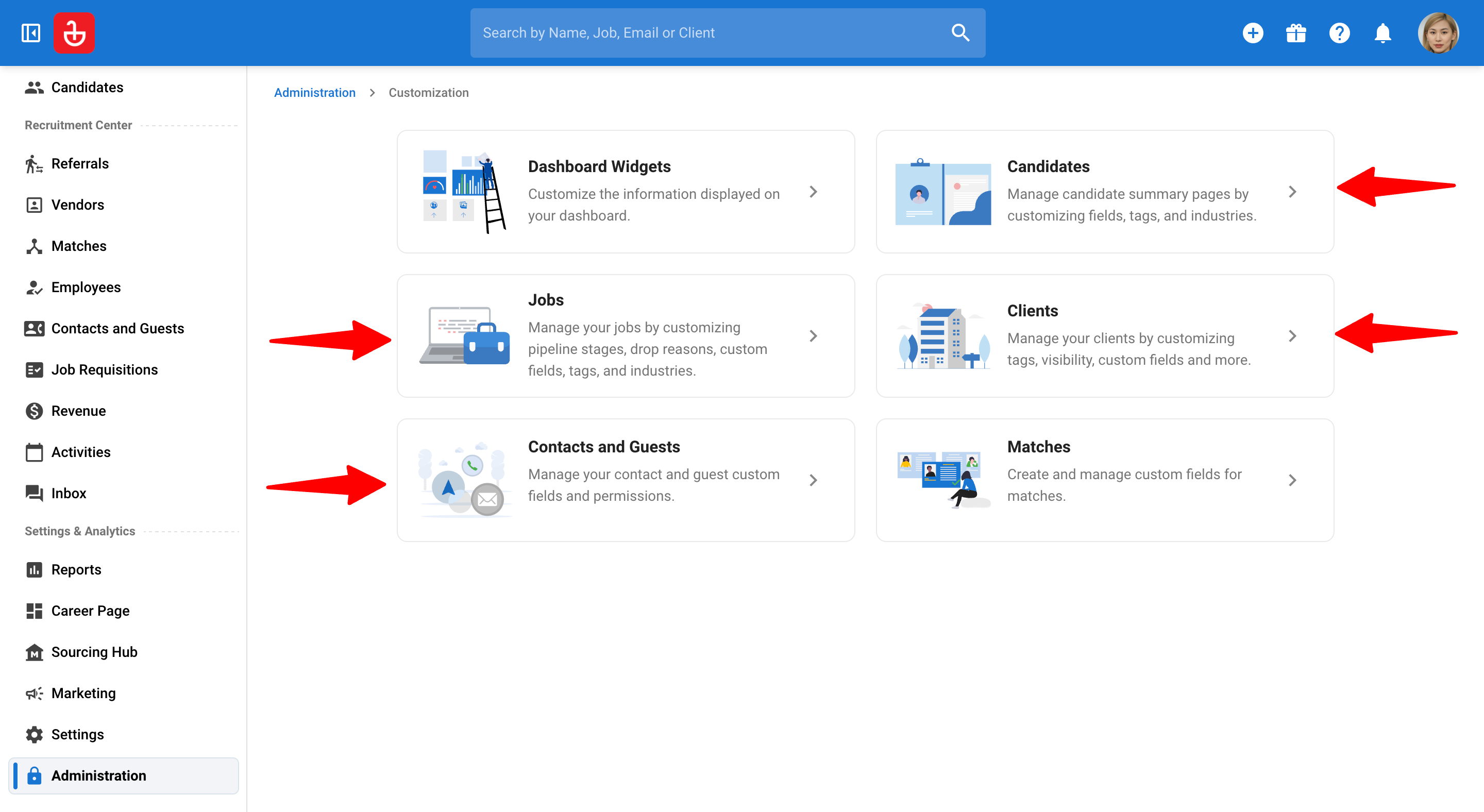
Step 2: Configure required fields
-
Click on the Object Creation Form Customization section.
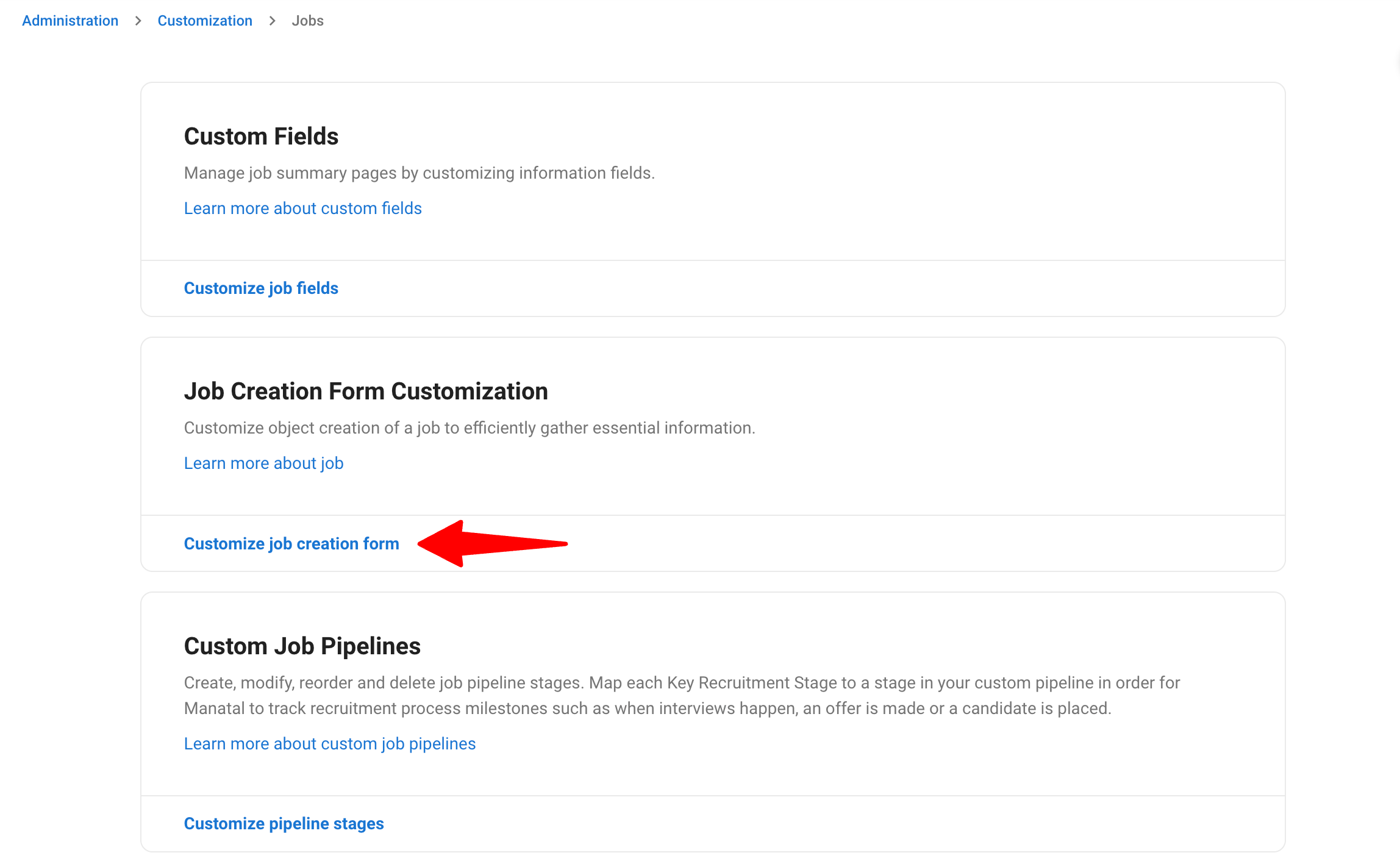
-
Click on "Add Field". Then select the fields to be added and click "Add".
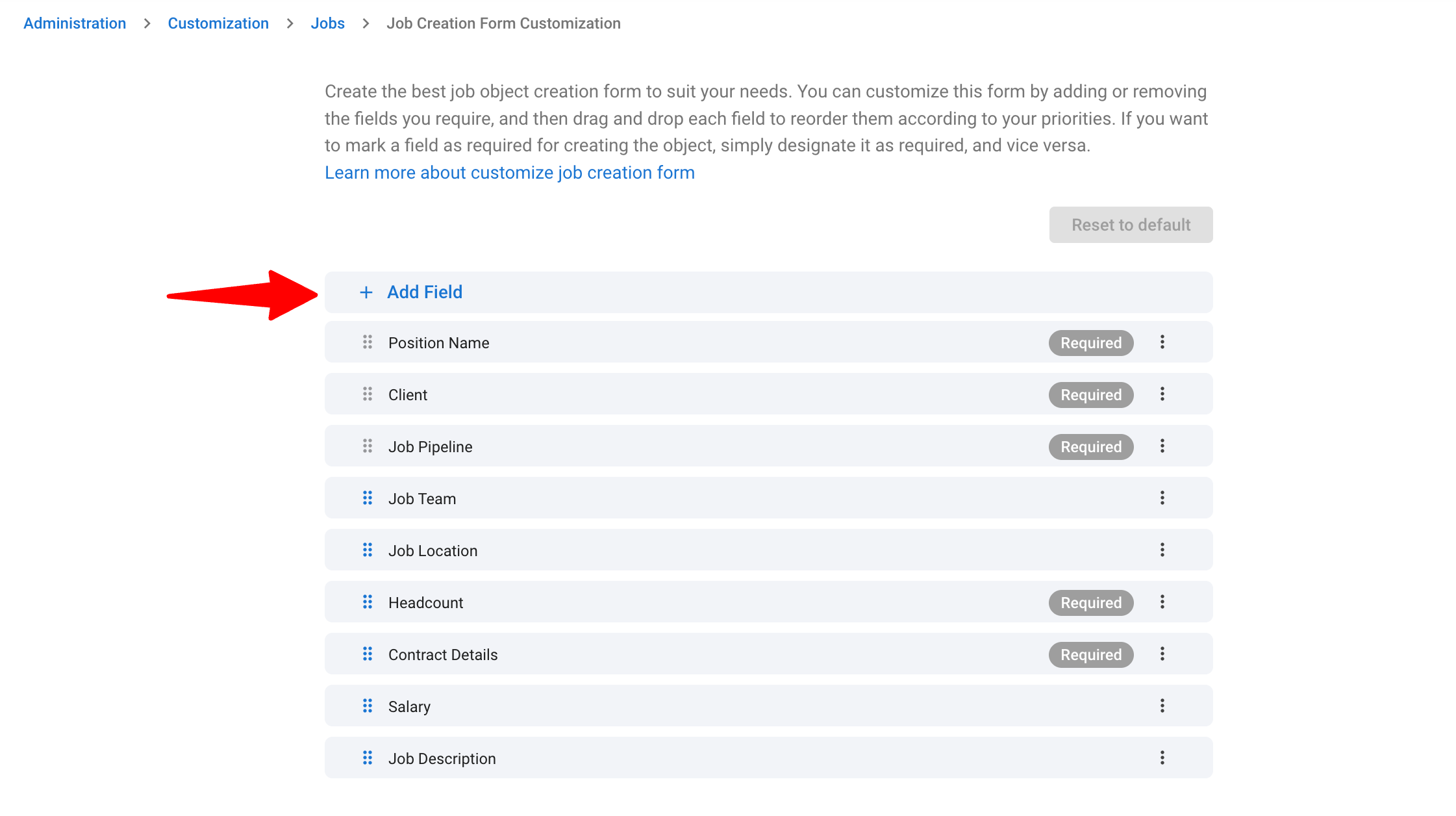
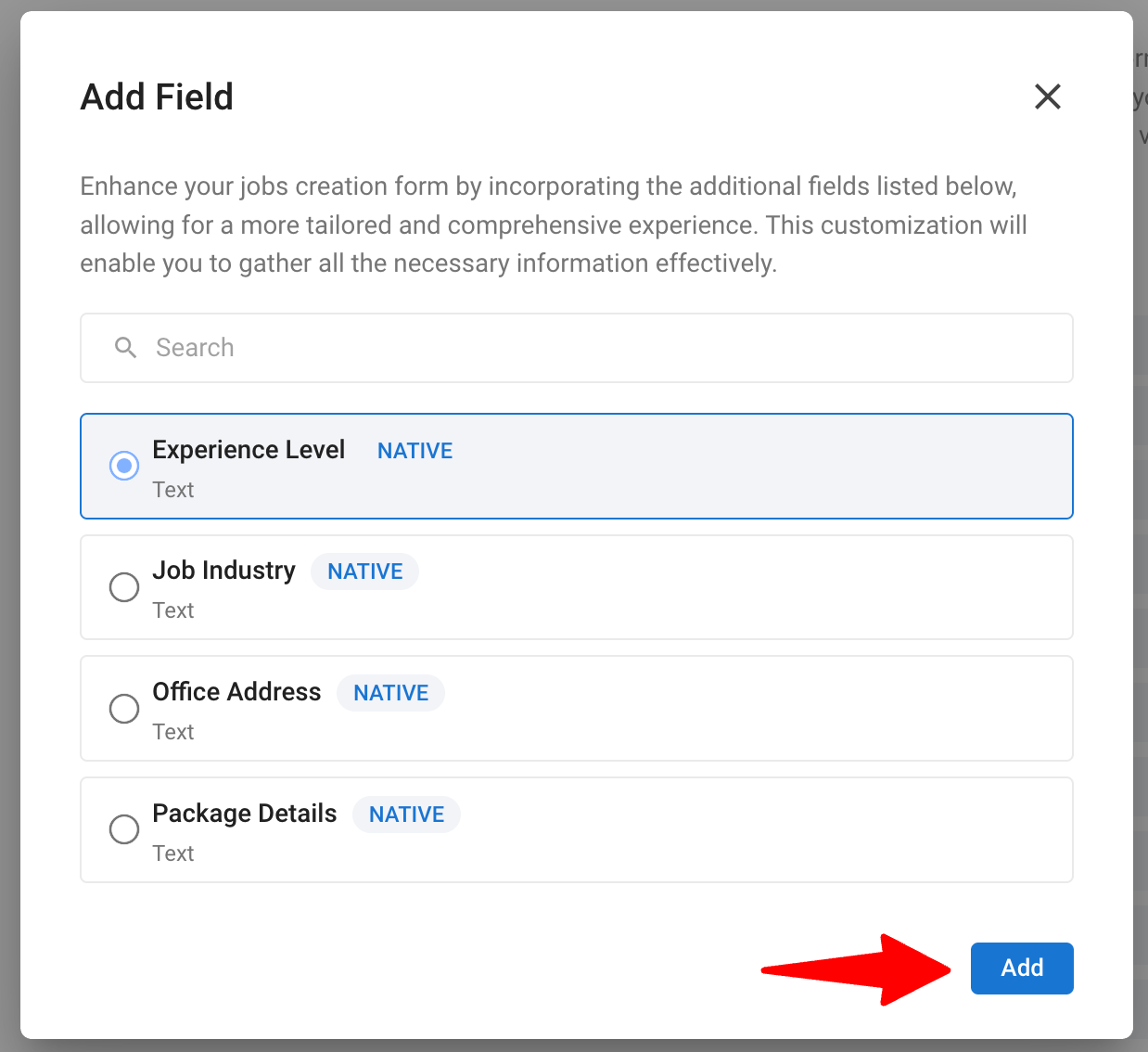
-
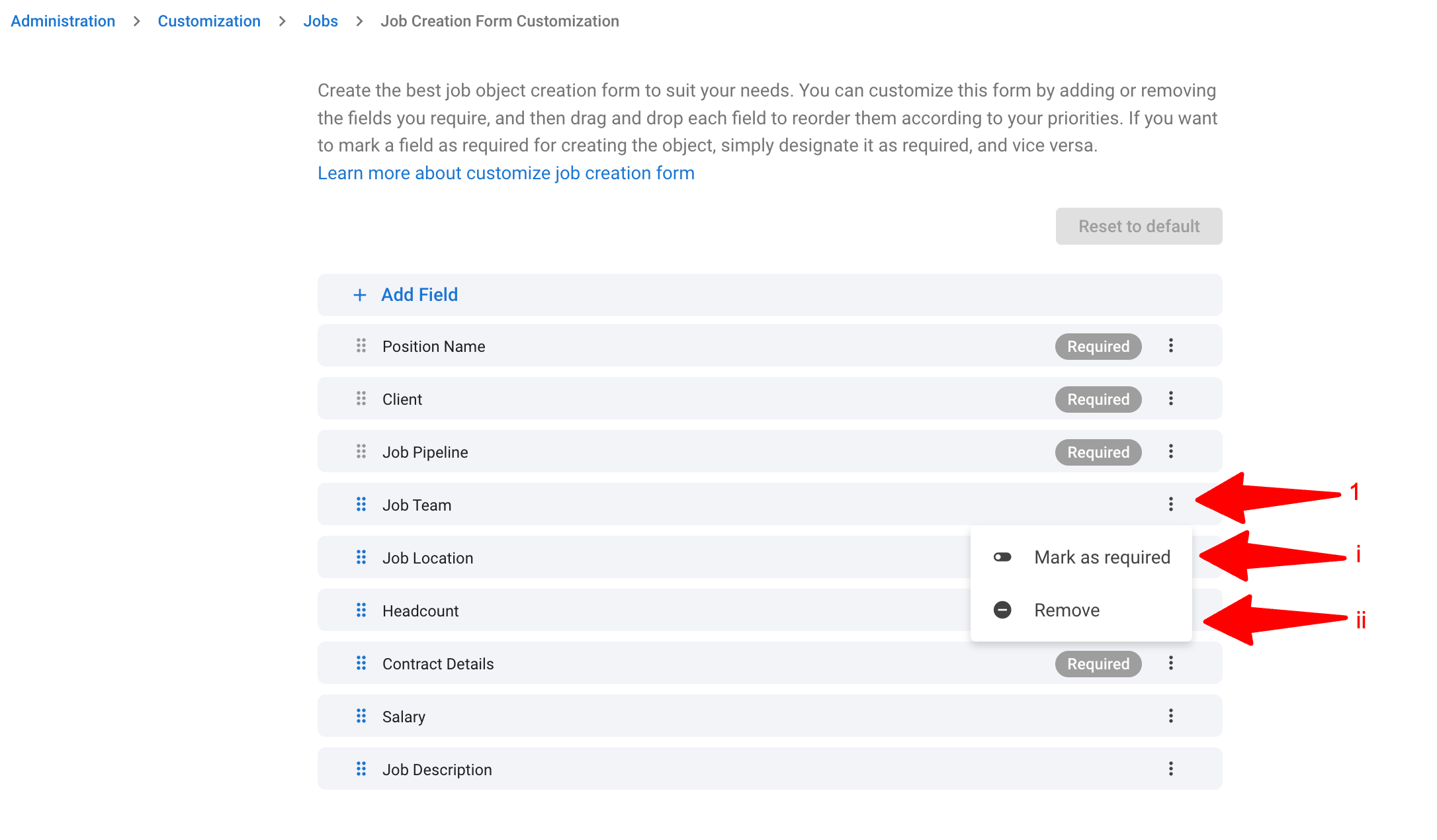
Click the 3-dots next to the field to access the following options:
i. Mark fields in the form as required or optional to fill
ii. Remove the field from the form
Step 3: Use the customized form
-
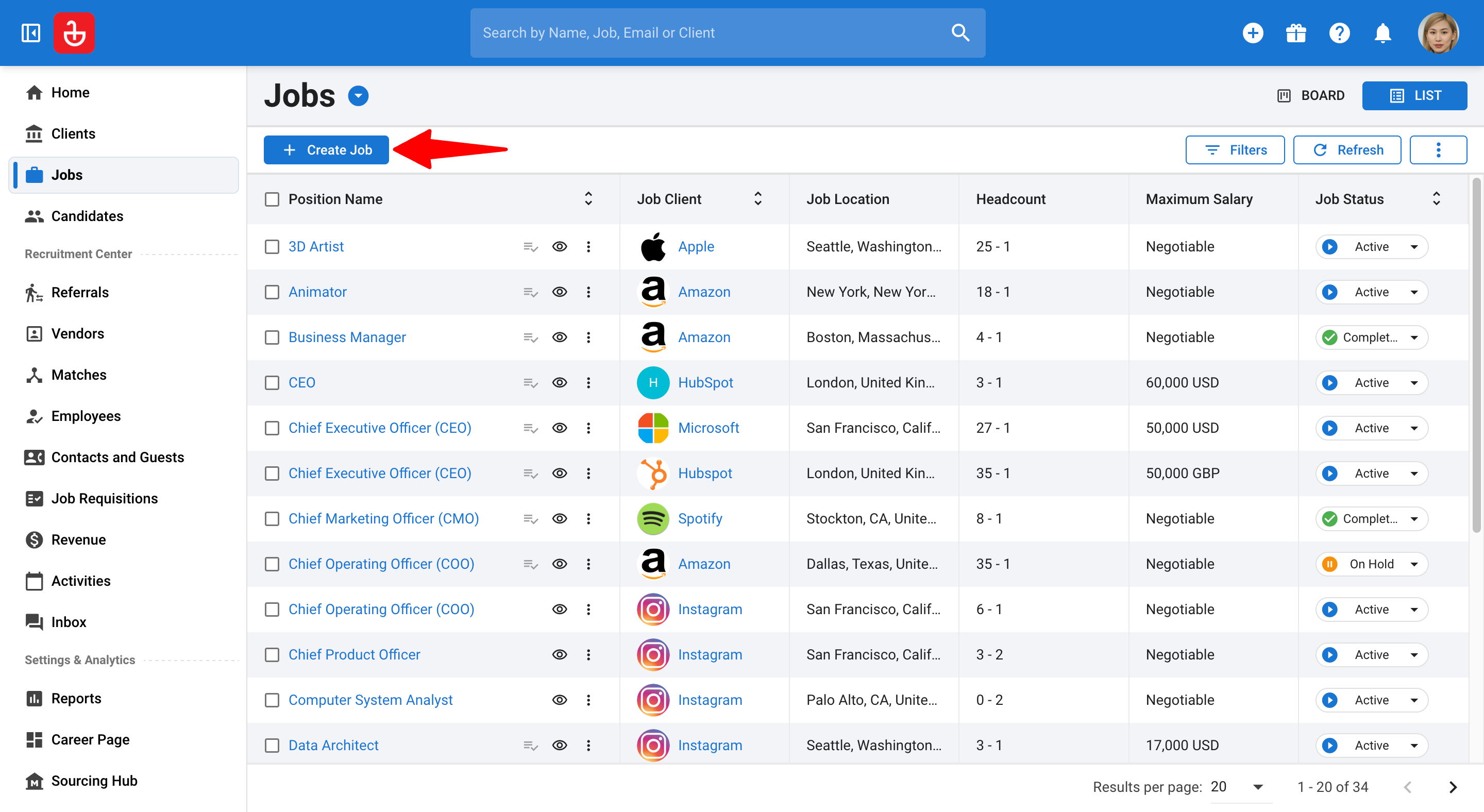
To create a new record, go to the menu for that object and click on "Create Object".
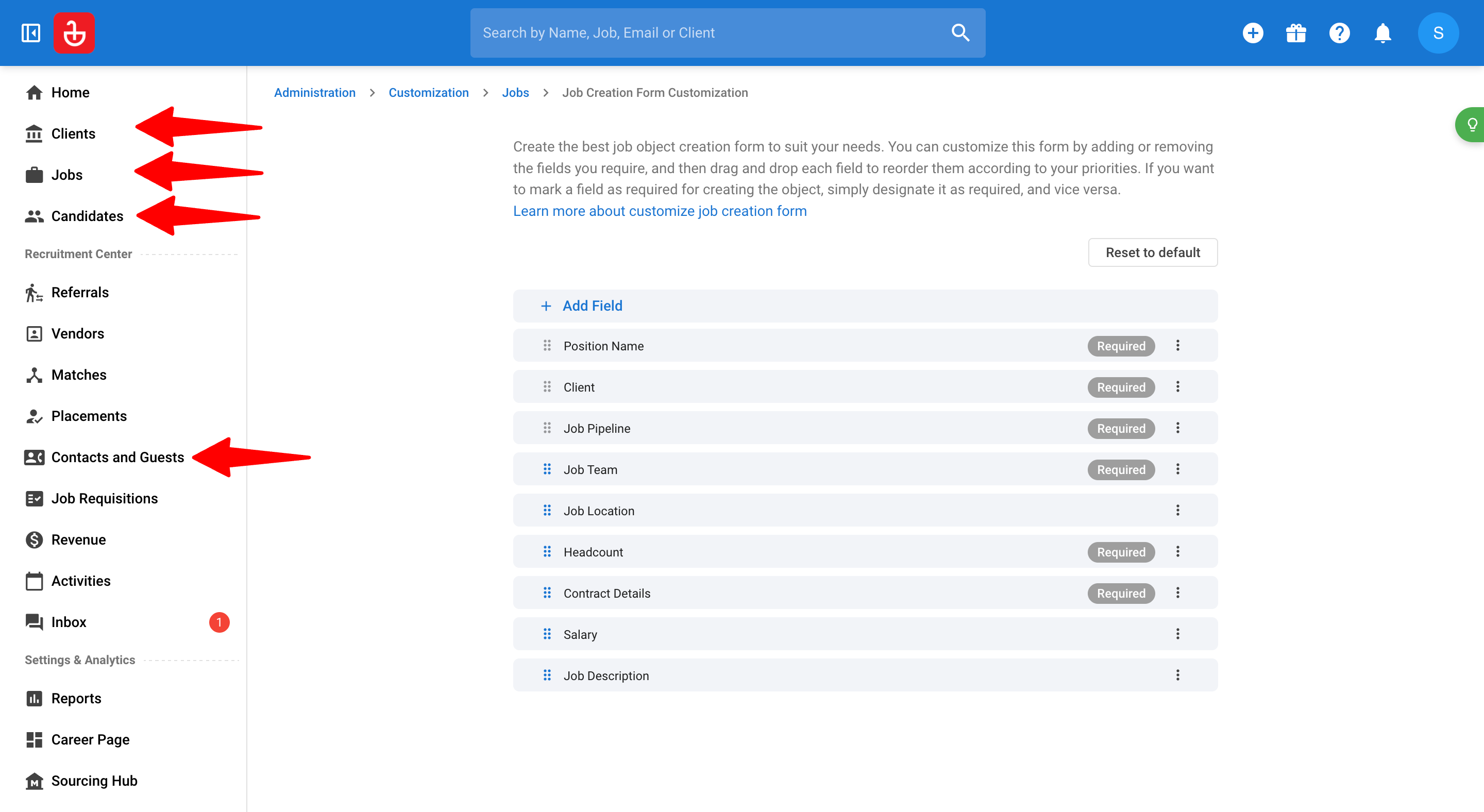
-
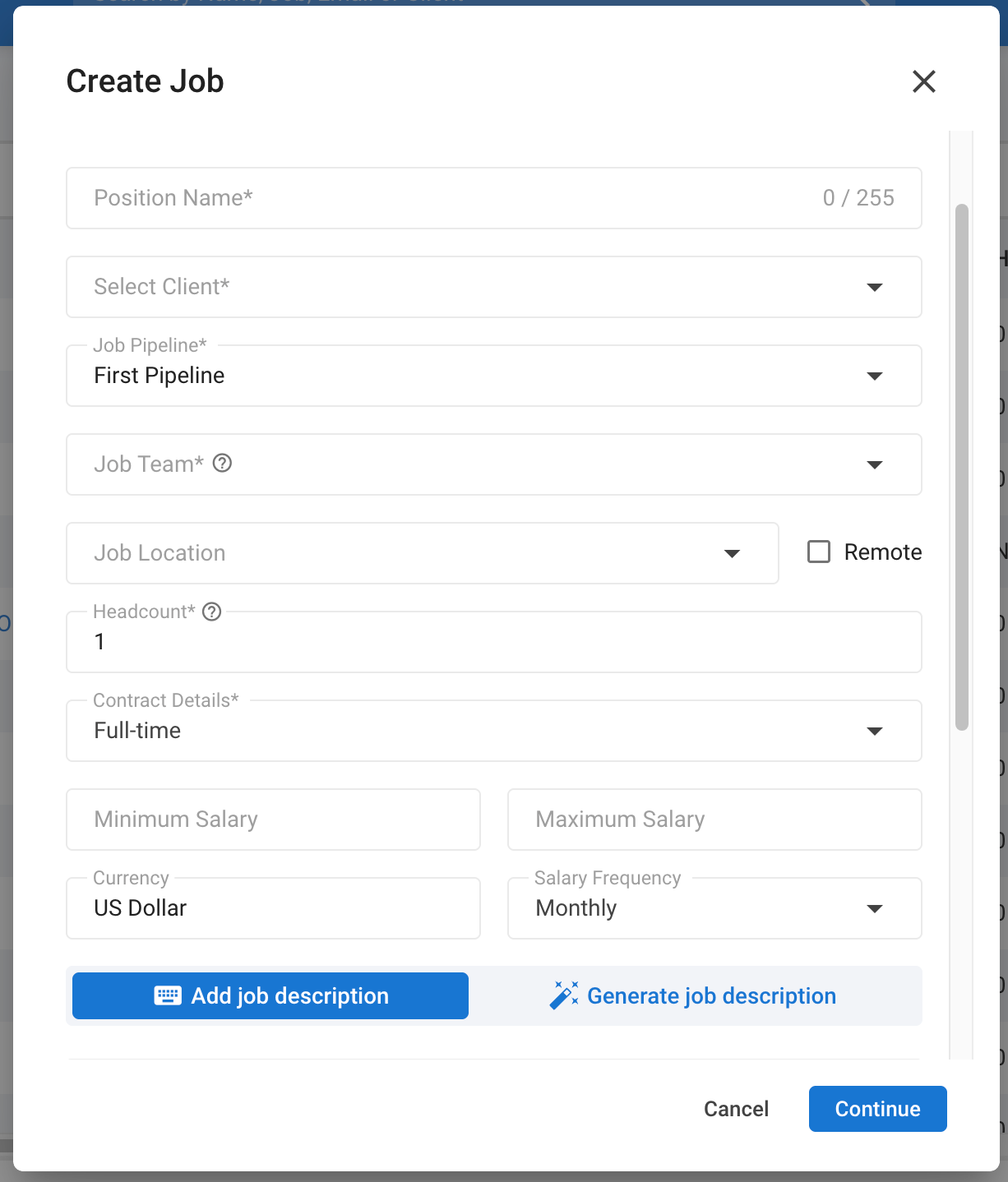
On the create form:
- Required fields must be filled before creating
- Optional fields remain optional but appear in the form
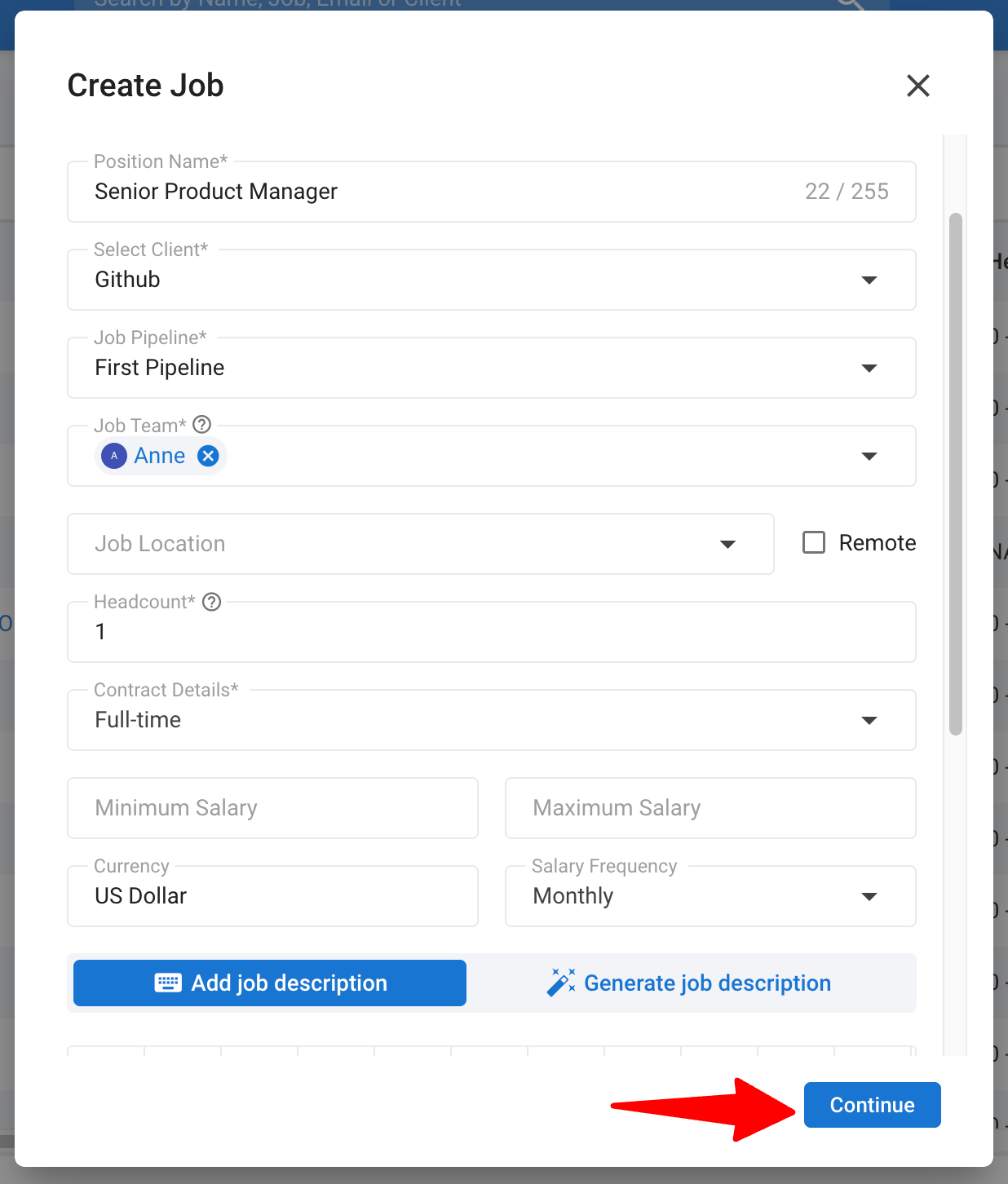
-
Once completed, click "Continue".
Step 4: Validation after creation
Once a required field is filled:
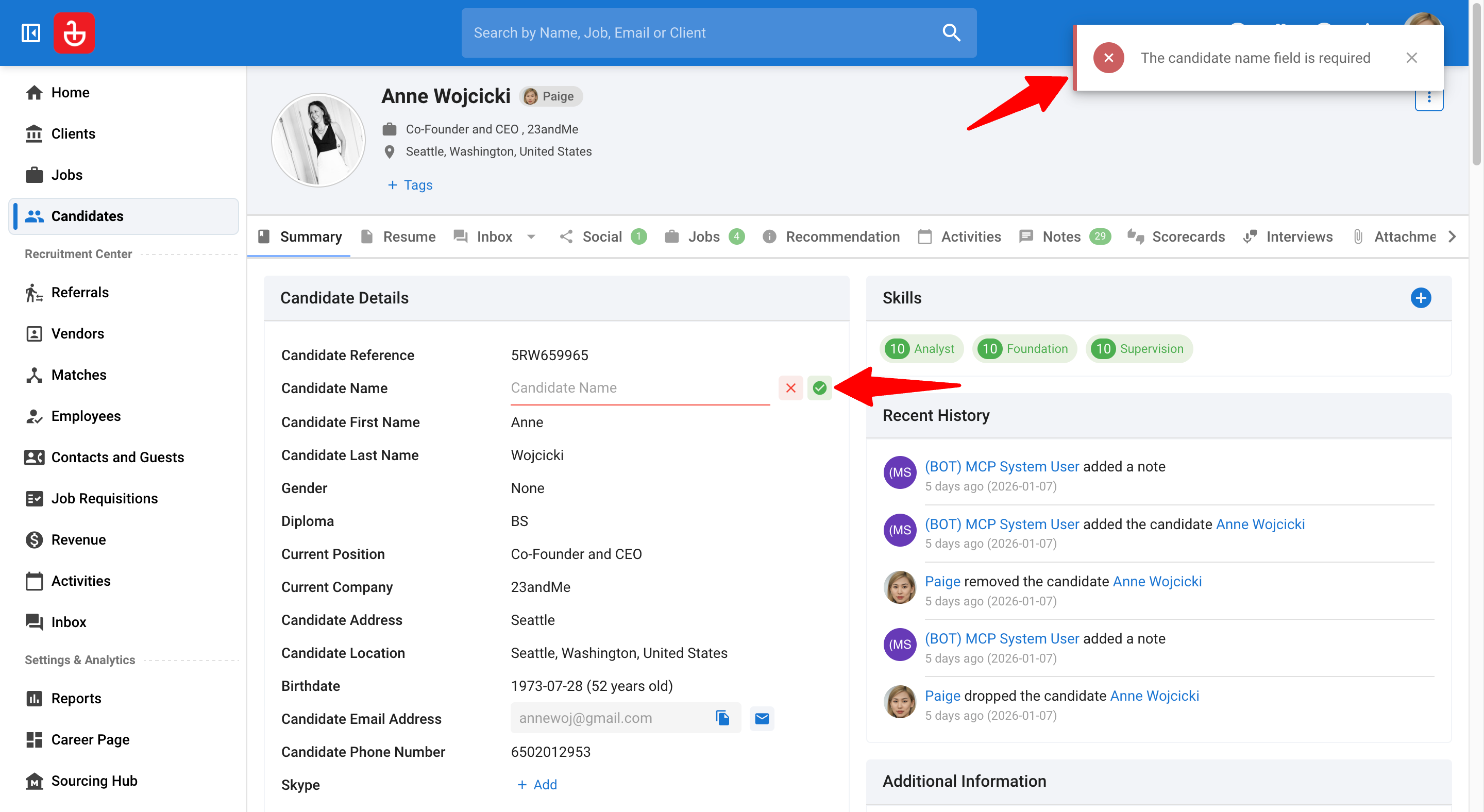
- It cannot be removed from the object summary. A value must always be present unless the field is later made optional.
- Attempting to clear it will trigger validation.
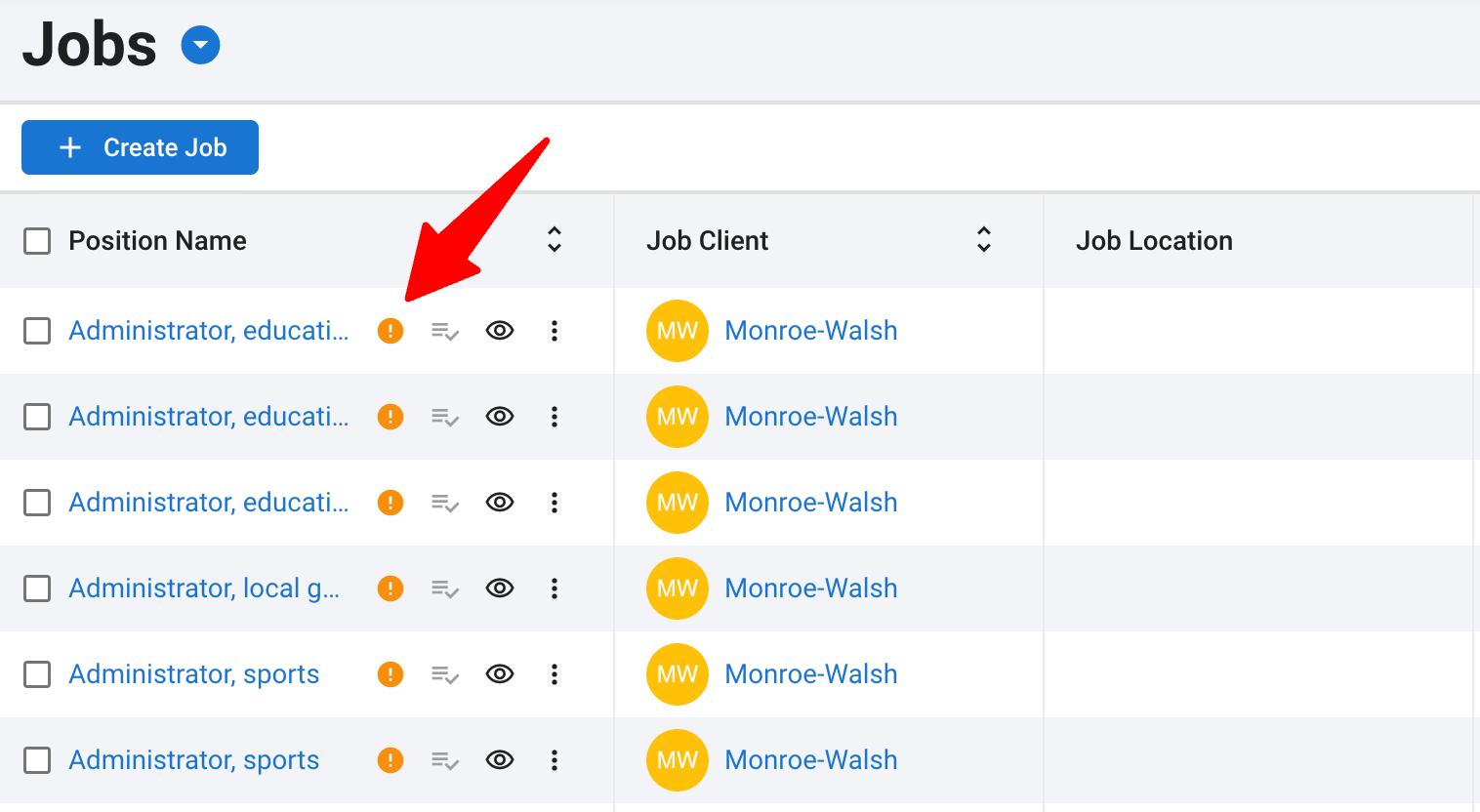
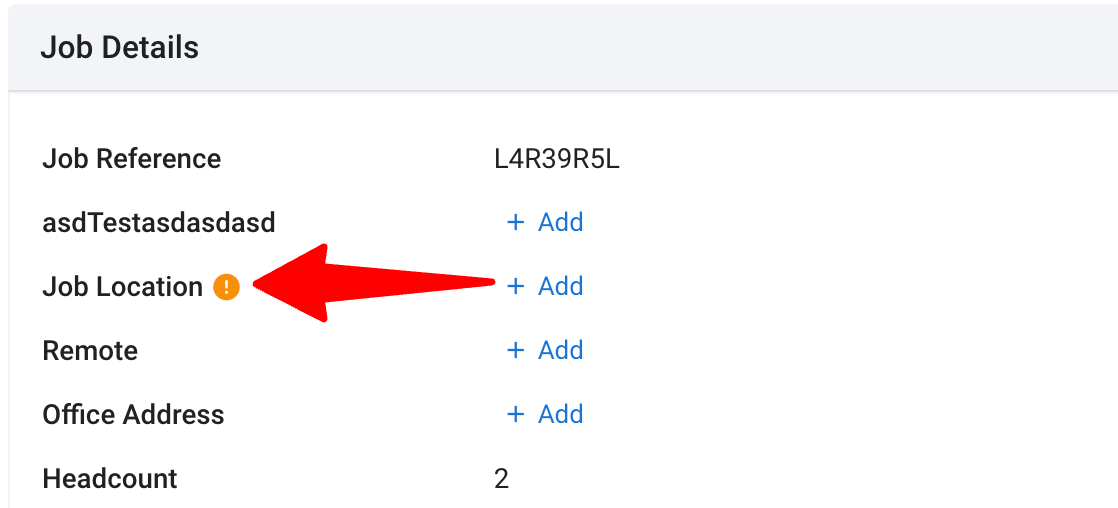
- Objects without all the fields filled will show up with a validator to call-out the fields missing for your team to fill.
Availability & limits
- This feature is available on all Manatal plans.
- A fair usage limit of 25 fields per object form is in place.
FAQ
1. Can I remove a required field later?
No. Once a required field has a value, it cannot be removed unless the admin changes the field back to optional.
2. What happens if I make a required field optional?
Once a field is marked optional, users can freely remove records from the field and it will not anymore be required in the object creation form.
3. Does this apply to resume parsing?
No. Resume parsing will pre-fill data but does not enforce required fields.
4. Are custom fields supported?
Yes. Custom Fields are supported to be used in the customizable object creation forms.
5. Is this enforced everywhere?
No. Enforcement is limited to in-app creation forms and does not apply to flows such as Open API, imports, or People Match.
6. Are all fields supported?
No. Some advanced fields are currently excluded from being used in the customizable object creation forms. This includes, for example:
- Candidate education
- Candidate experience
- Candidate skills
- Tags
- System auto-filled fields (e.g., owner, job open date)