What is the CoRecruit (formerly Quil) Integration
The CoRecruit (formerly Quil) integration with Manatal enhances your hiring process by automating note taking for video, phone and in-person meetings and candidate interviews, allowing you to instantly update candidate fields in Manatal. Learn more about CoRecruit (formerly Quil) on their website.
Enable the CoRecruit (formerly Quil) Integration
This integration requires Manatal's Open API feature.
This can only be done by an Admin.
Retrieve API key from Manatal
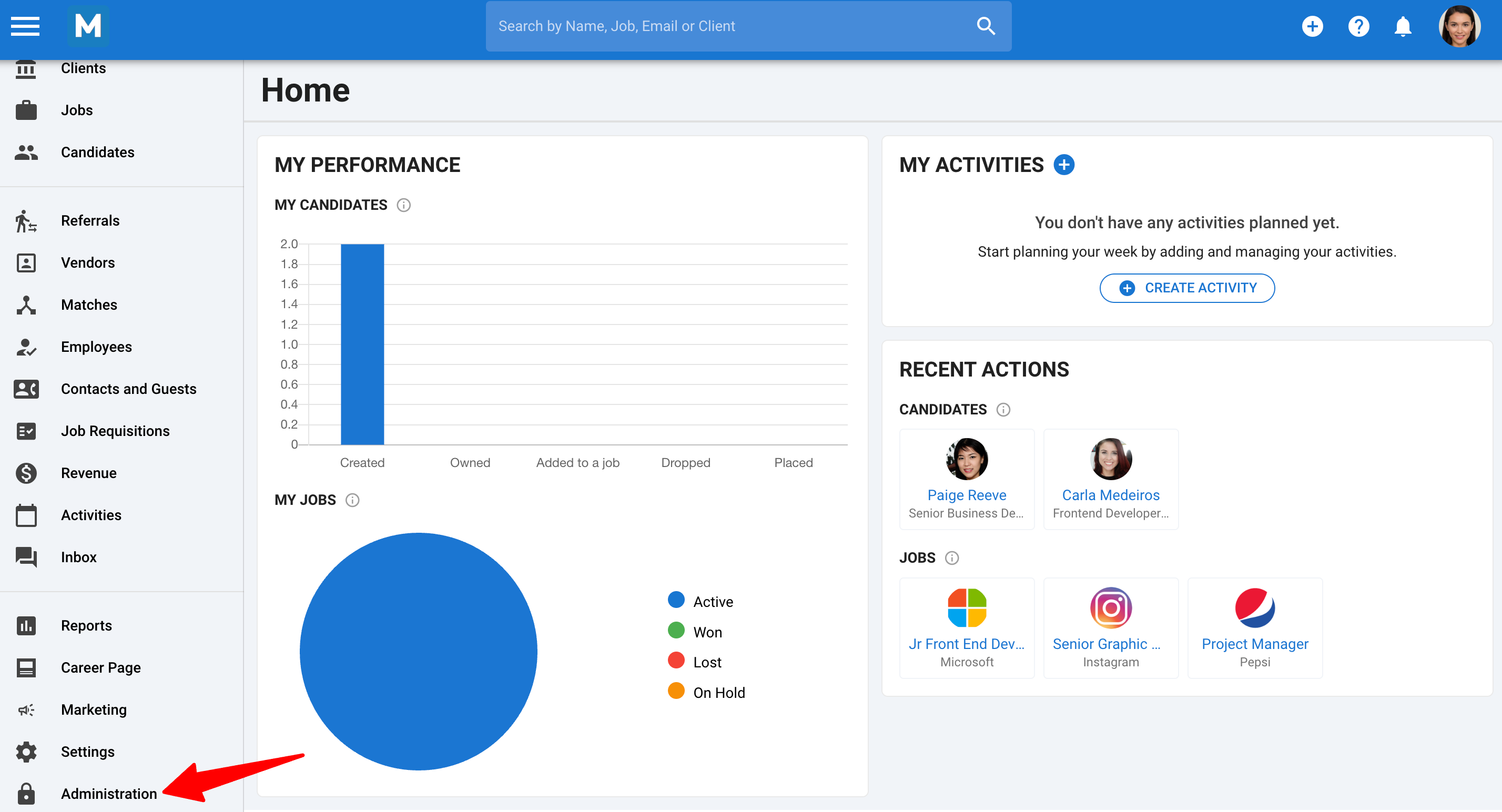
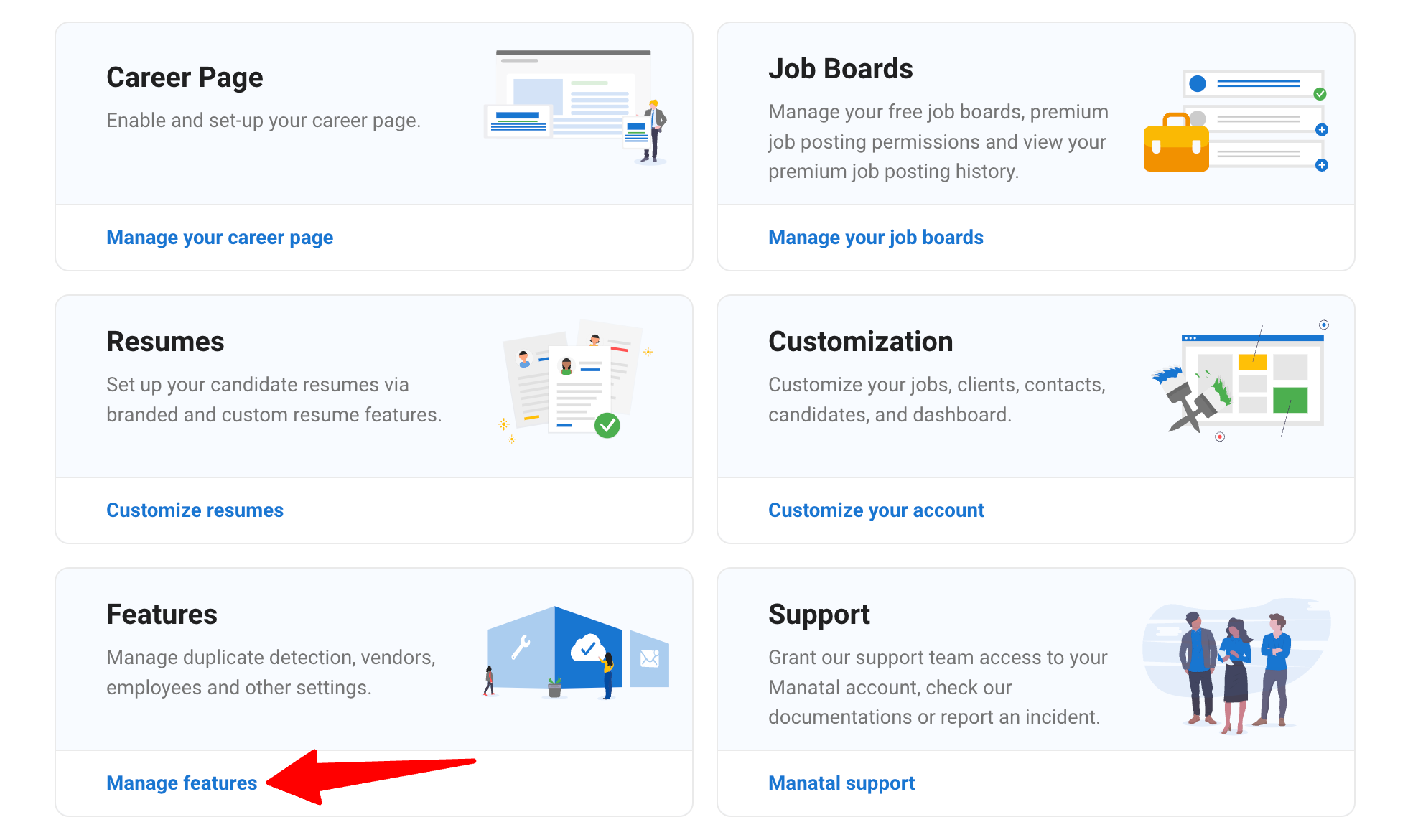
- Head to the following page. Alternatively, click on "Administration" from your side menu and open the "Features" category.
-
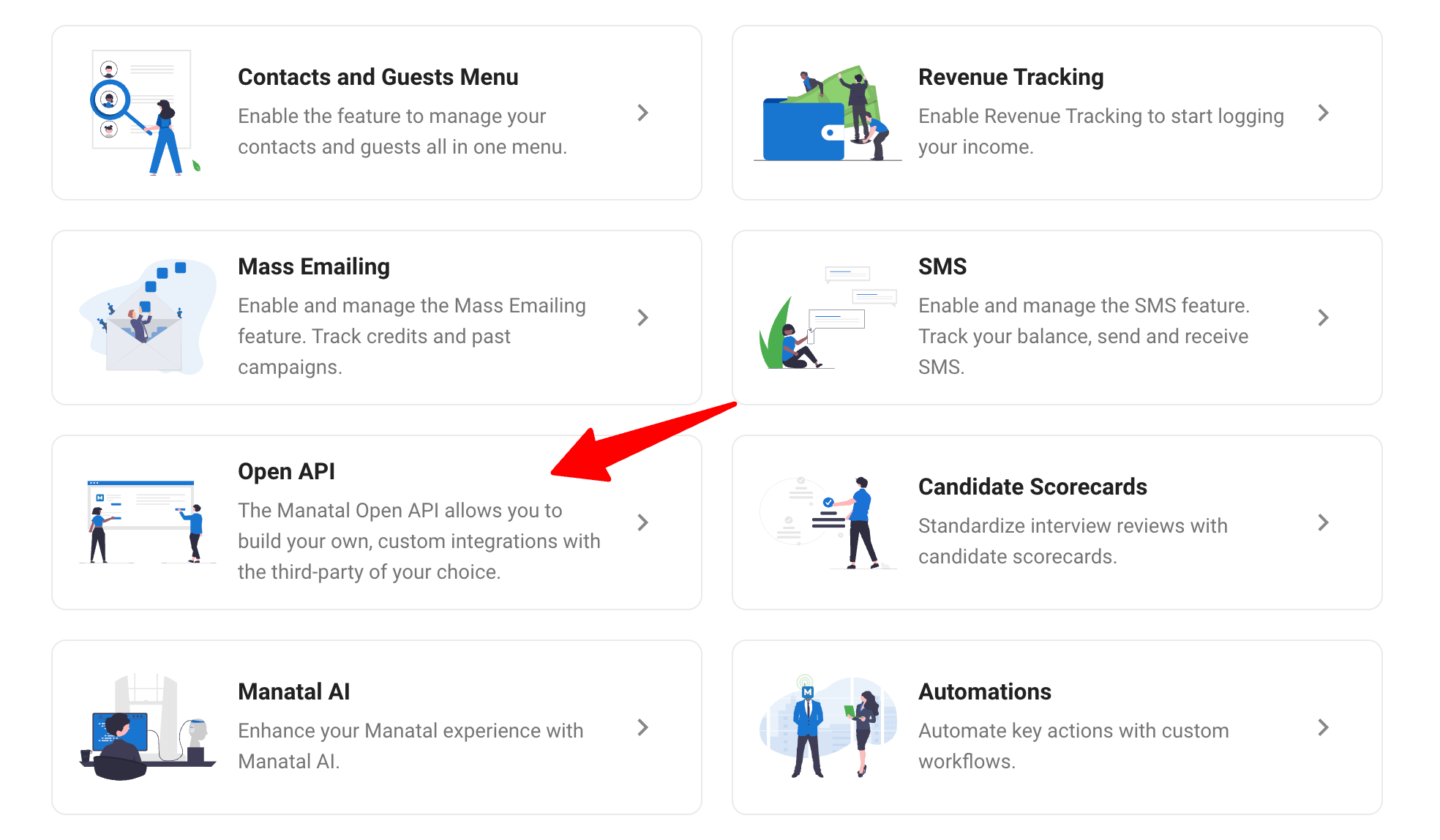
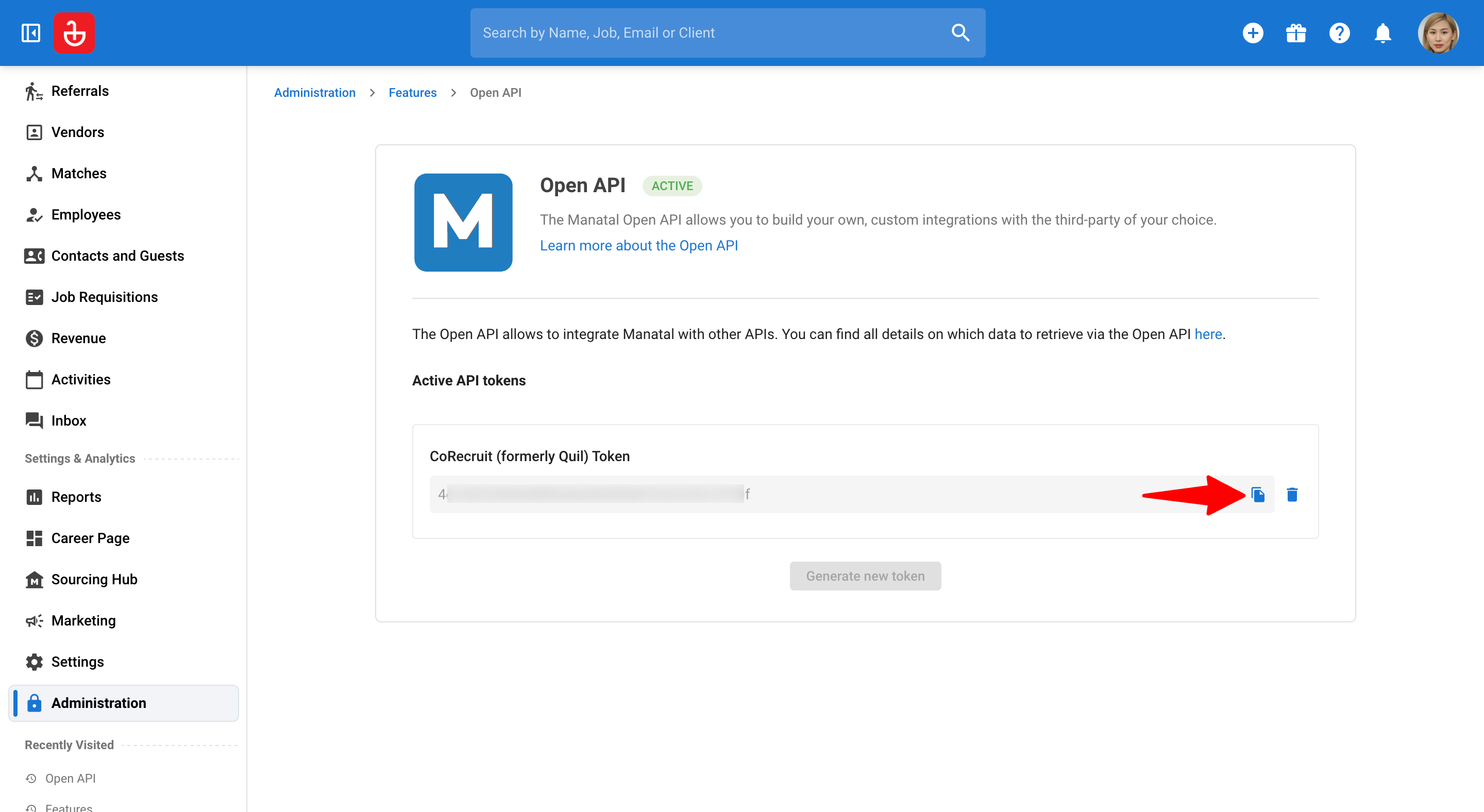
Click on "Open API".
-
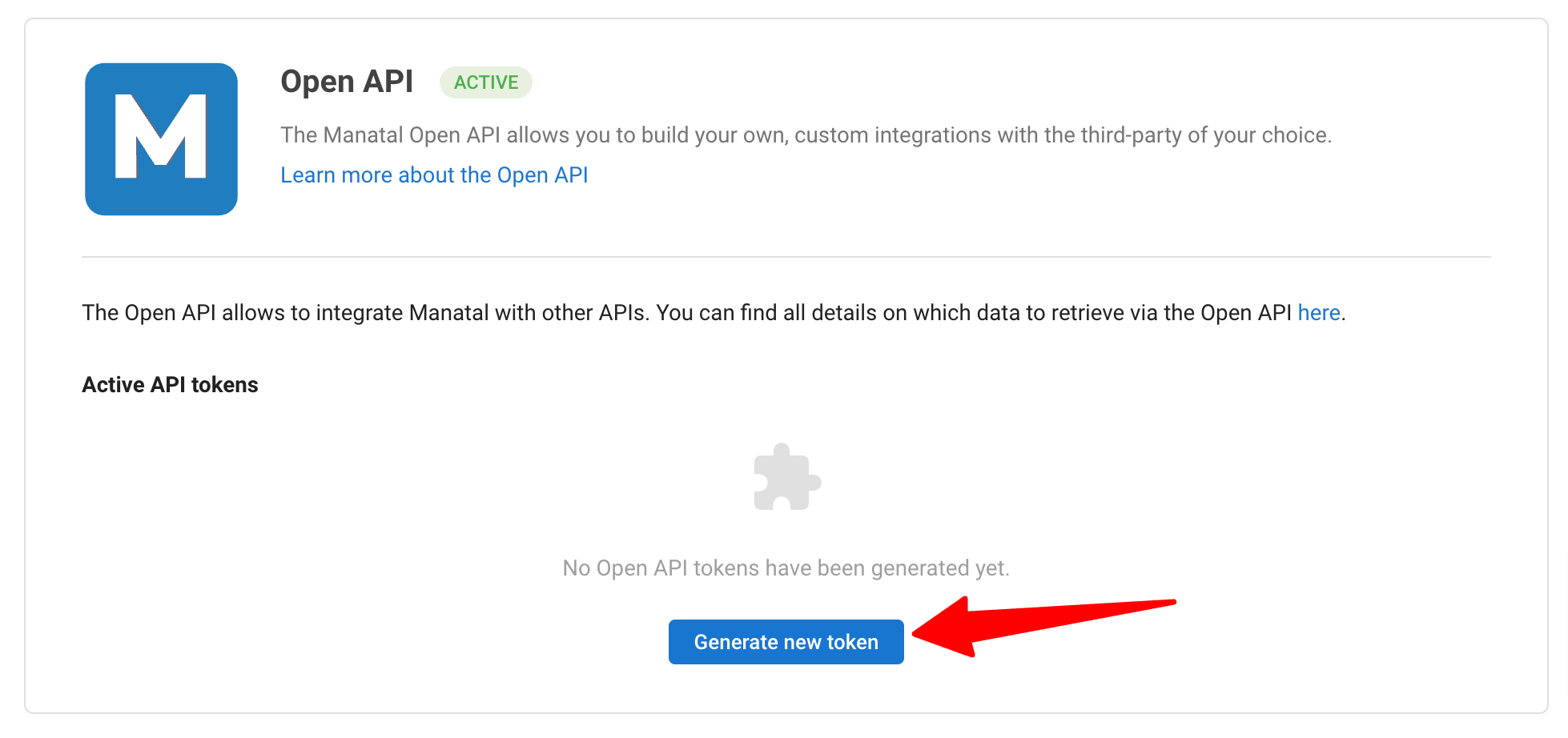
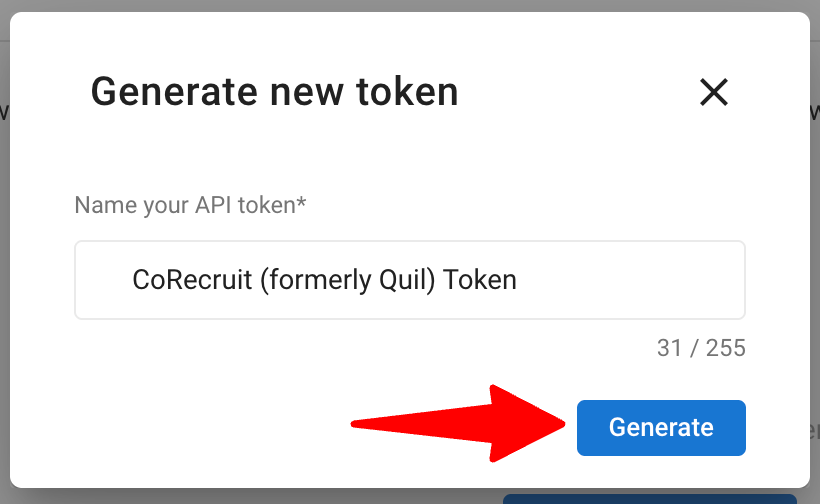
Click on "Generate new token".
-
Fill in the API token name and click on "Generate".
-
Copy the token.
-
Log in to your CoRecruit (formerly Quil) account. Locate the Manatal integration section and paste the Manatal API token to complete the integration. Refer to this video from CoRecruit (formerly Quil) to learn how to set up the integration.
Connect a Manatal Candidate on CoRecruit (formerly Quil)
To connect a candidate during a meeting, watch CoRecruit's (formerly Quil) video guide for a step-by-step walkthrough. Then, follow the steps outlined in CoRecruit's (formerly Quil) platform to initiate and configure the session.
In the Database fields in CoRecruit (formerly Quil), you will find updated information regarding the candidate fields present in Manatal’s candidate summary. This can be edited according to your preference.
Update Candidate Profiles in Manatal
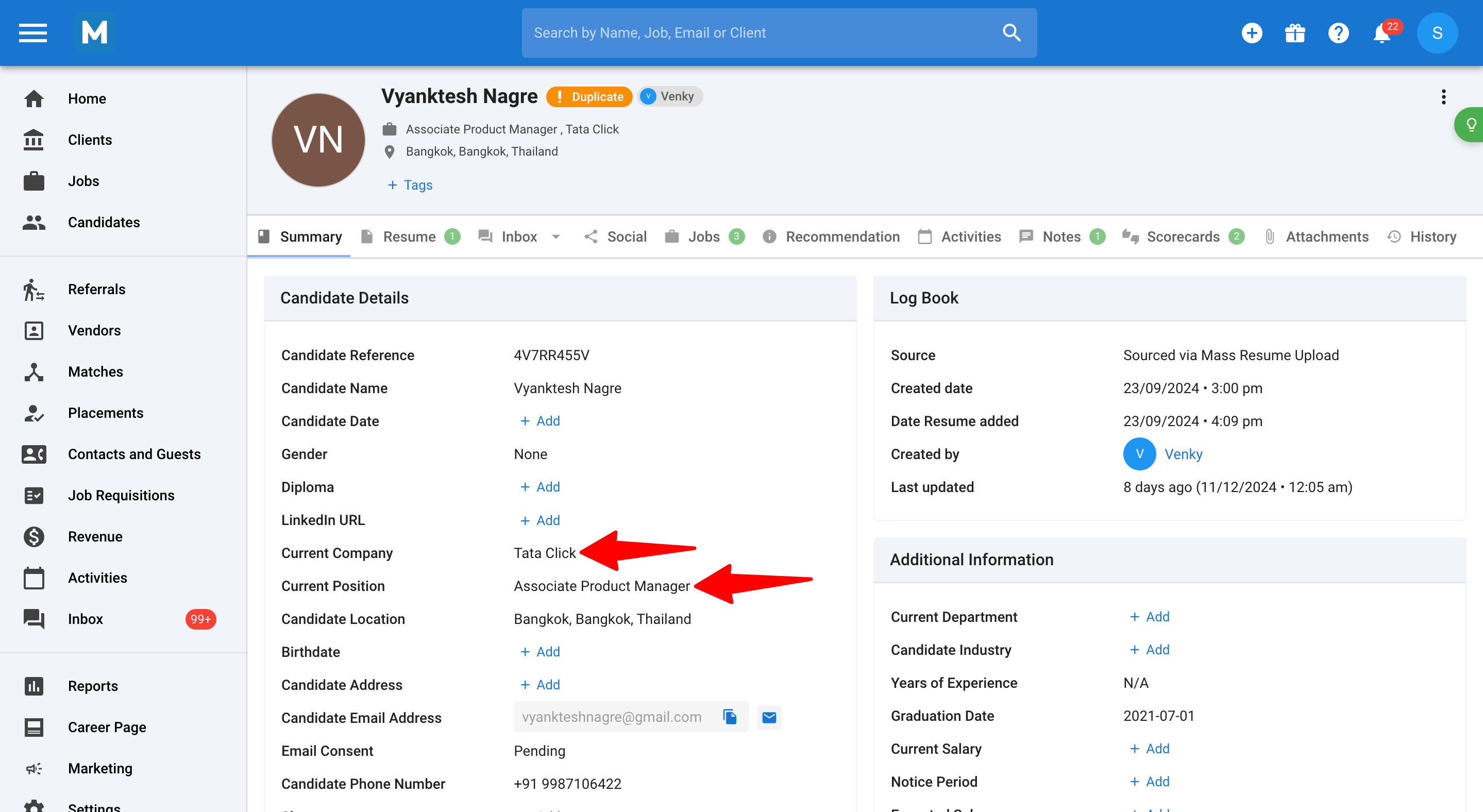
- In the candidate summary on Manatal, you can view the candidate fields updated based on the call notes.
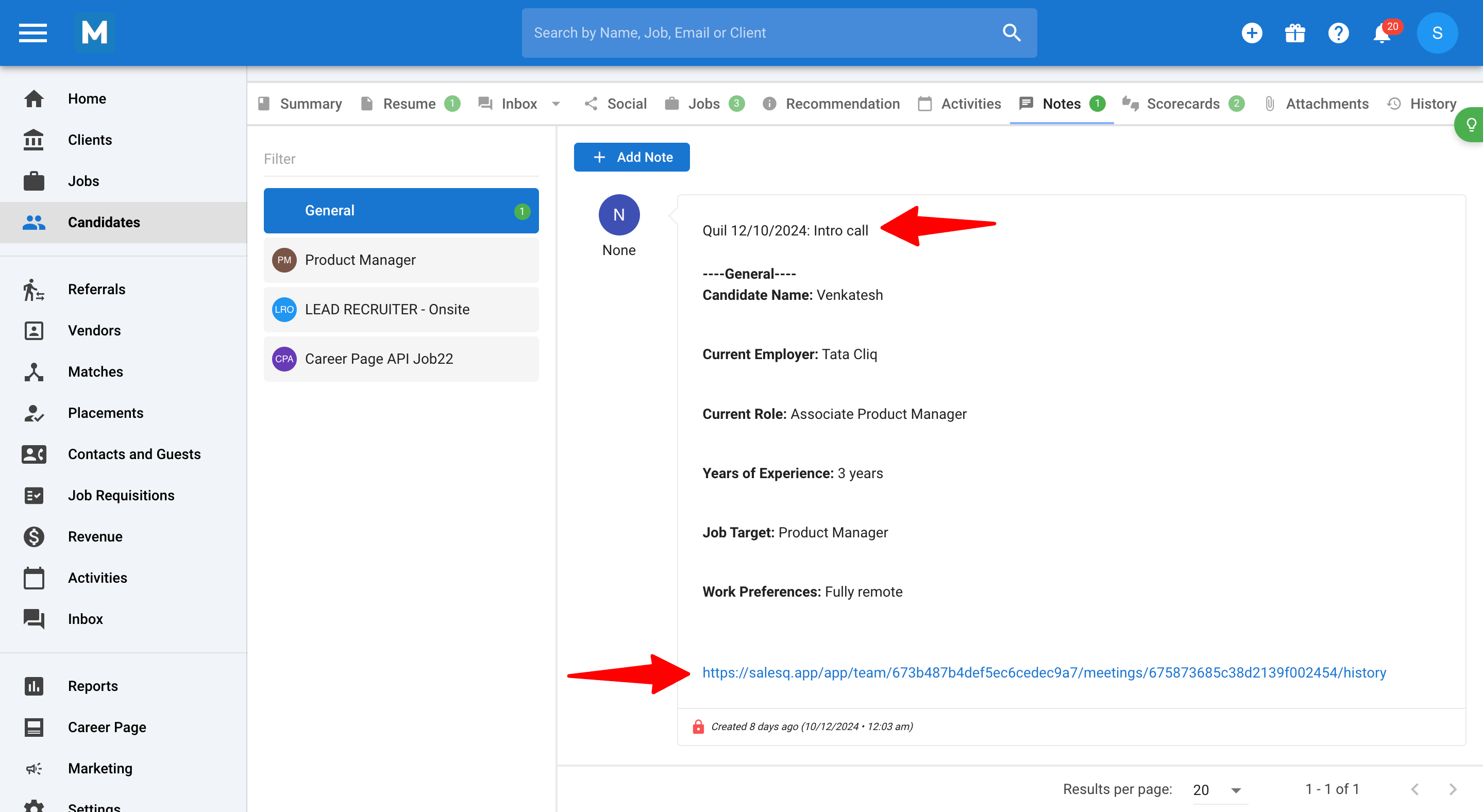
- For additional details about the call, click on the ‘Notes’ tab. The CoRecruit (formerly Quil) notes will appear here, along with a link to the meeting details at the bottom.
FAQs
Q1. What should I do if the API key integration fails?
Ensure that the API key copied from Manatal is correct and has been entered accurately into CoRecruit (formerly Quil). If the issue persists, check your integration settings and permissions. For further assistance, contact CoRecruit (formerly Quil) or support@manatal.com.
Q2. Can the updated candidate fields be edited later on?
Yes, you can edit the candidate fields anytime, either on CoRecruit (formerly Quil) or directly in Manatal’s candidate summary. The latest changes you make will be reflected.