What is the HeyMilo integration?
HeyMilo is an AI screening and interviewing platform designed to help teams handle high applicant volume without slowing down. It can engage candidates through chat, collects key screening information, and run structured voice/video interviews. After each interaction, HeyMilo produces easy-to-review results (like summaries, transcripts, and scores) that can be synced back to Manatal so your team can focus on the best-fit candidates sooner. Learn more about HeyMilo on their website.
Enable the HeyMilo Integration
- This integration requires Manatal's Open API feature.
- This integration requires active accounts on both HeyMilo and Manatal.
- This can only be done by an Admin.
Configure Job Stages
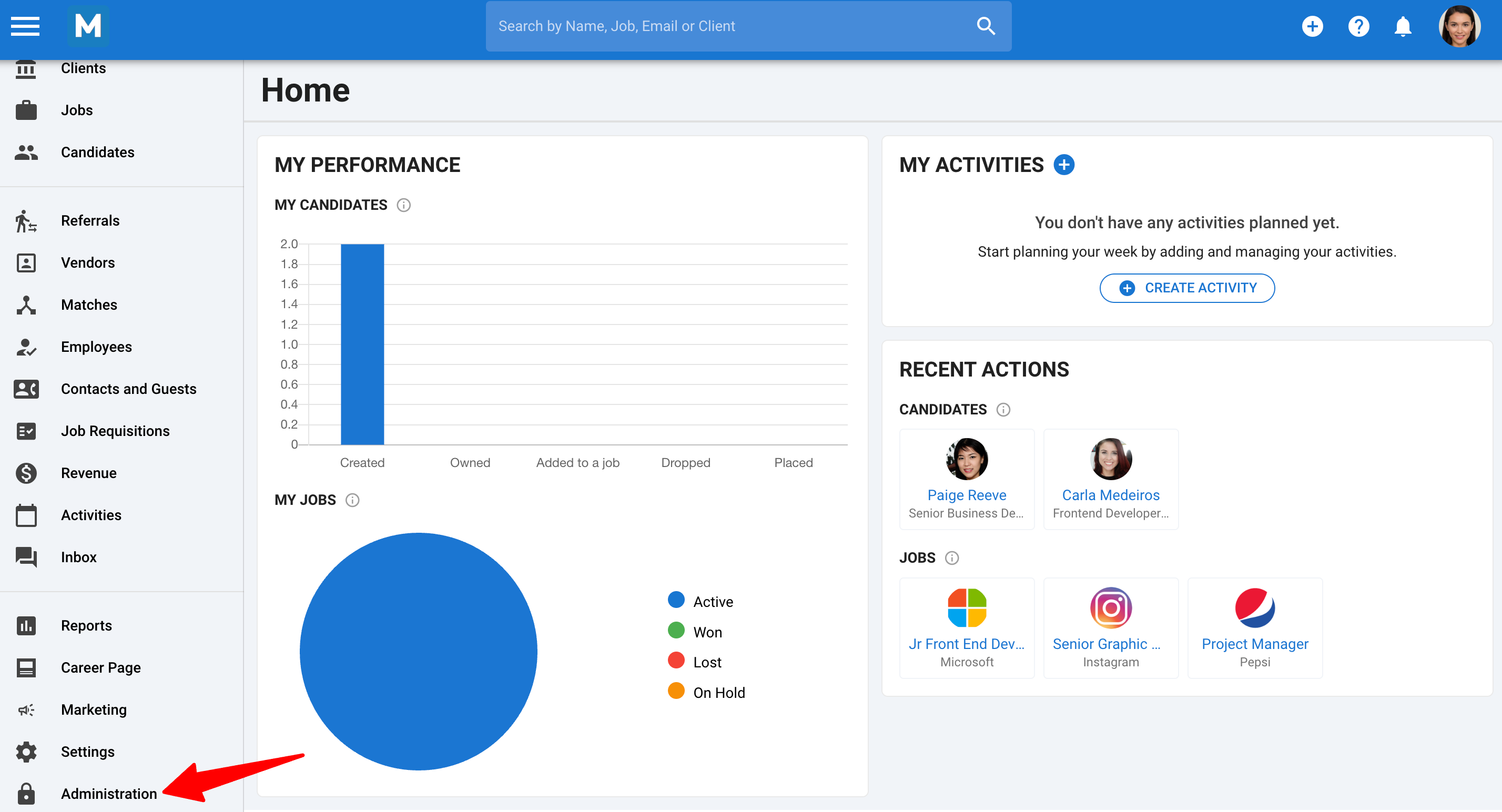
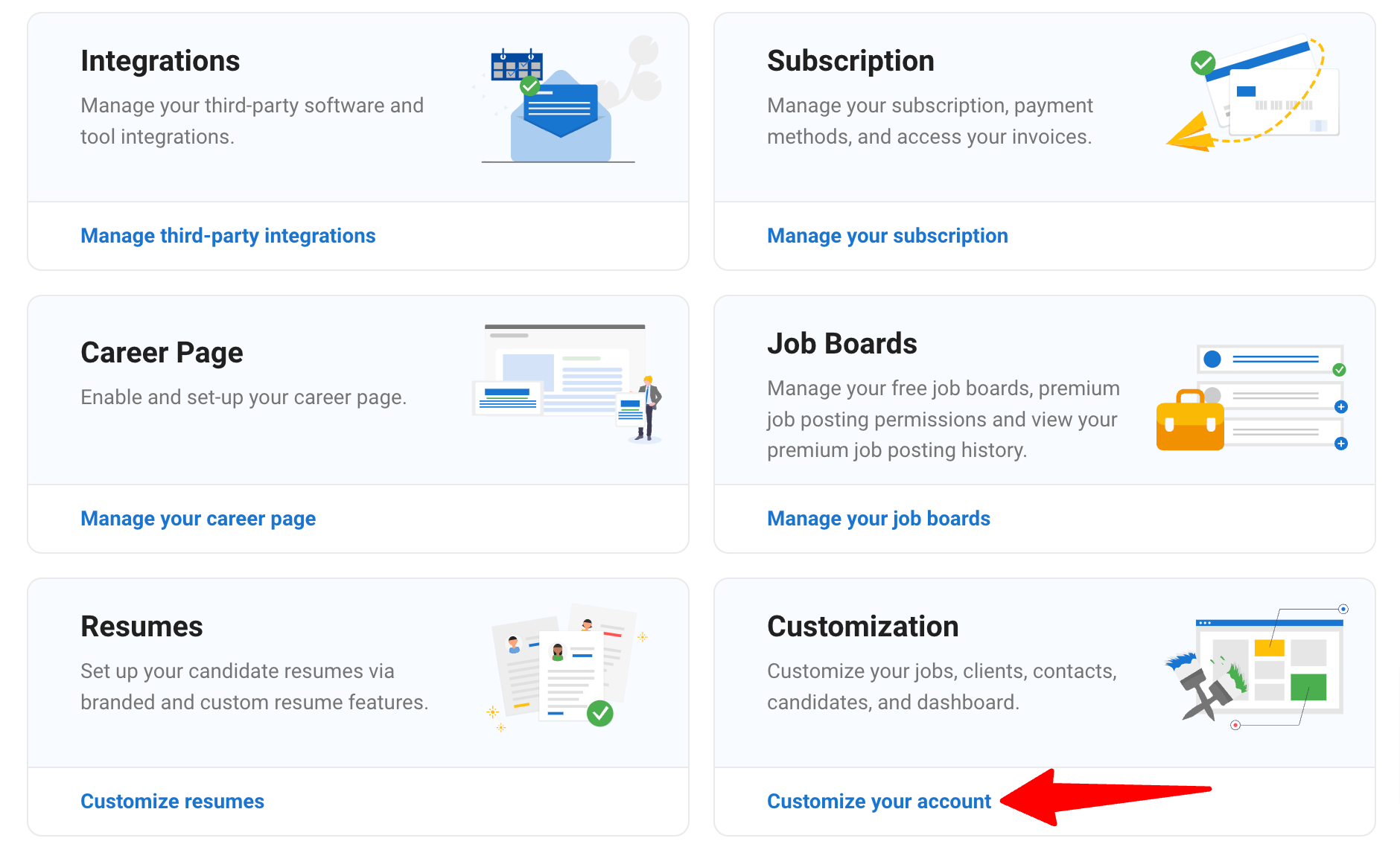
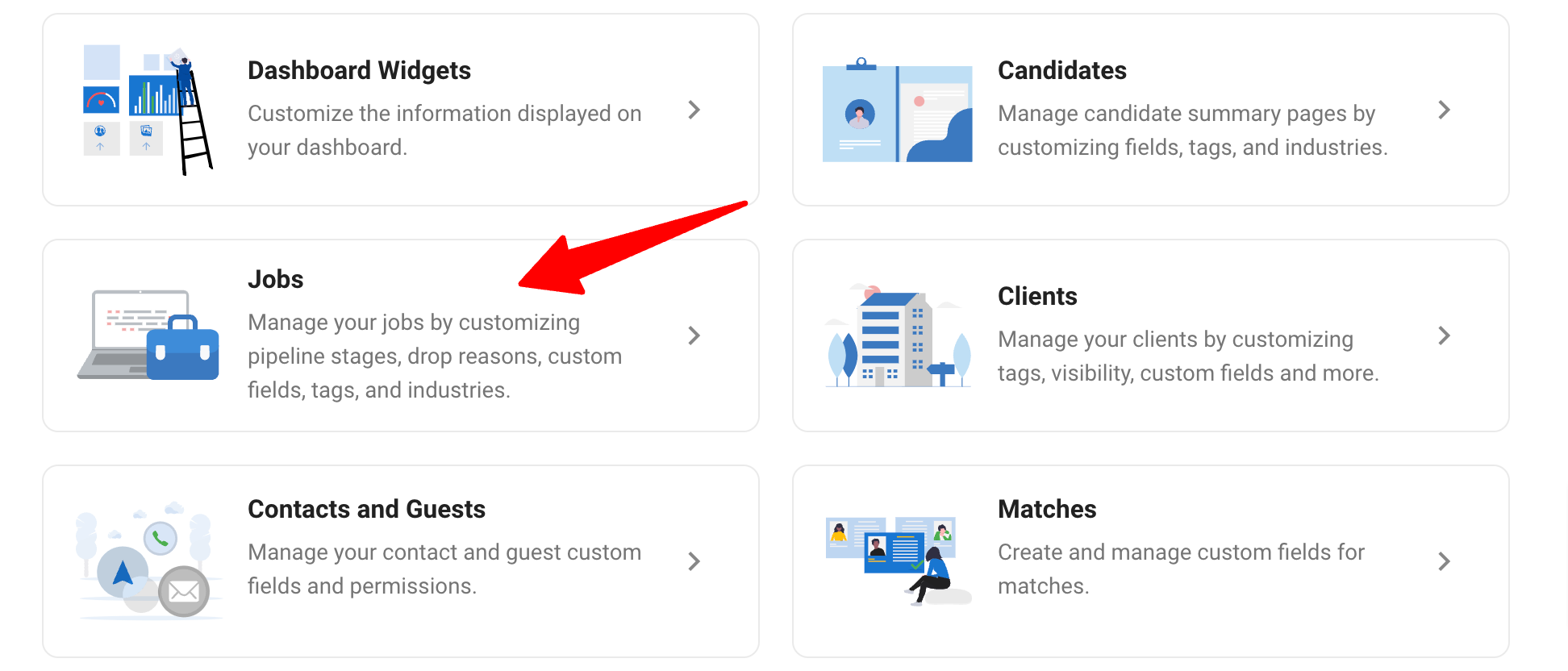
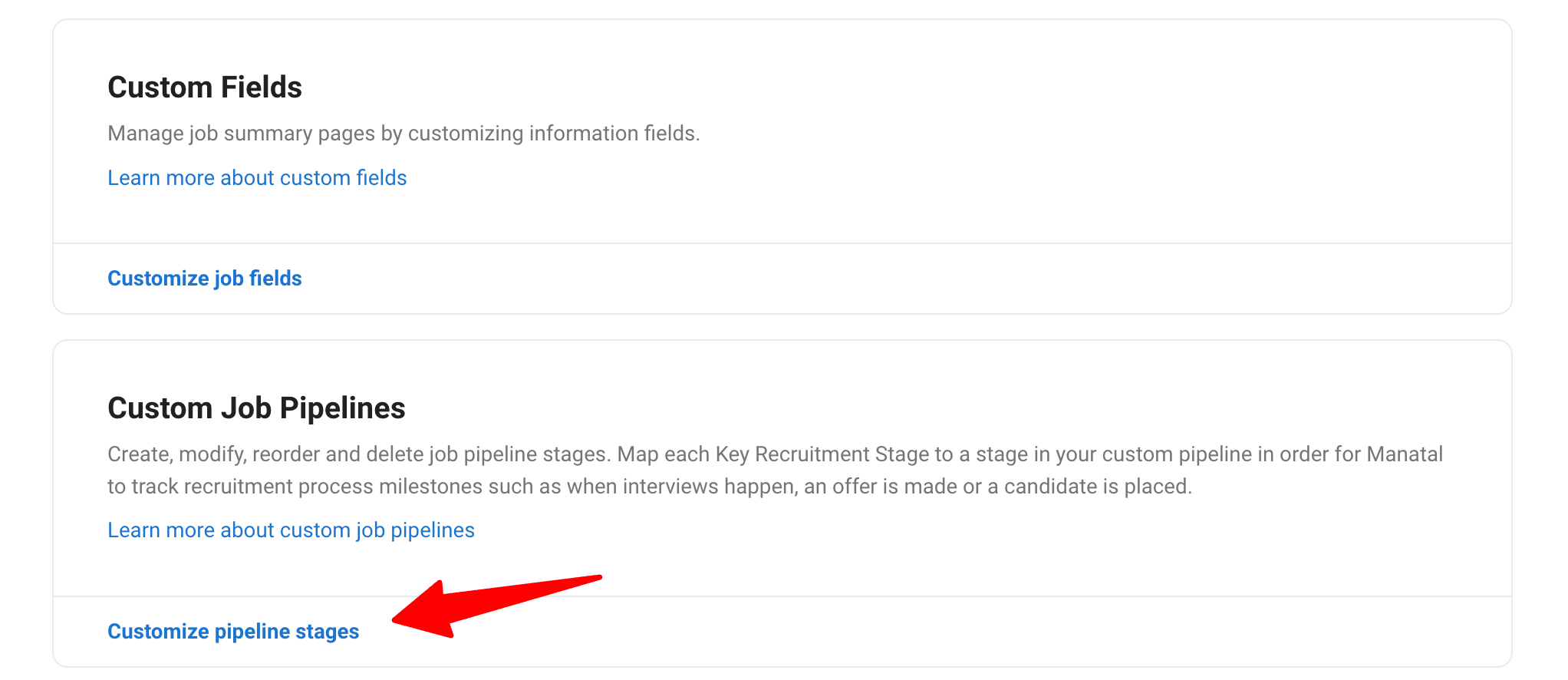
- Head to the following page. Alternatively, click on "Administration" from your side menu, open the "Customization" category and then the "Jobs" category then click on "Customize pipeline stages".
-
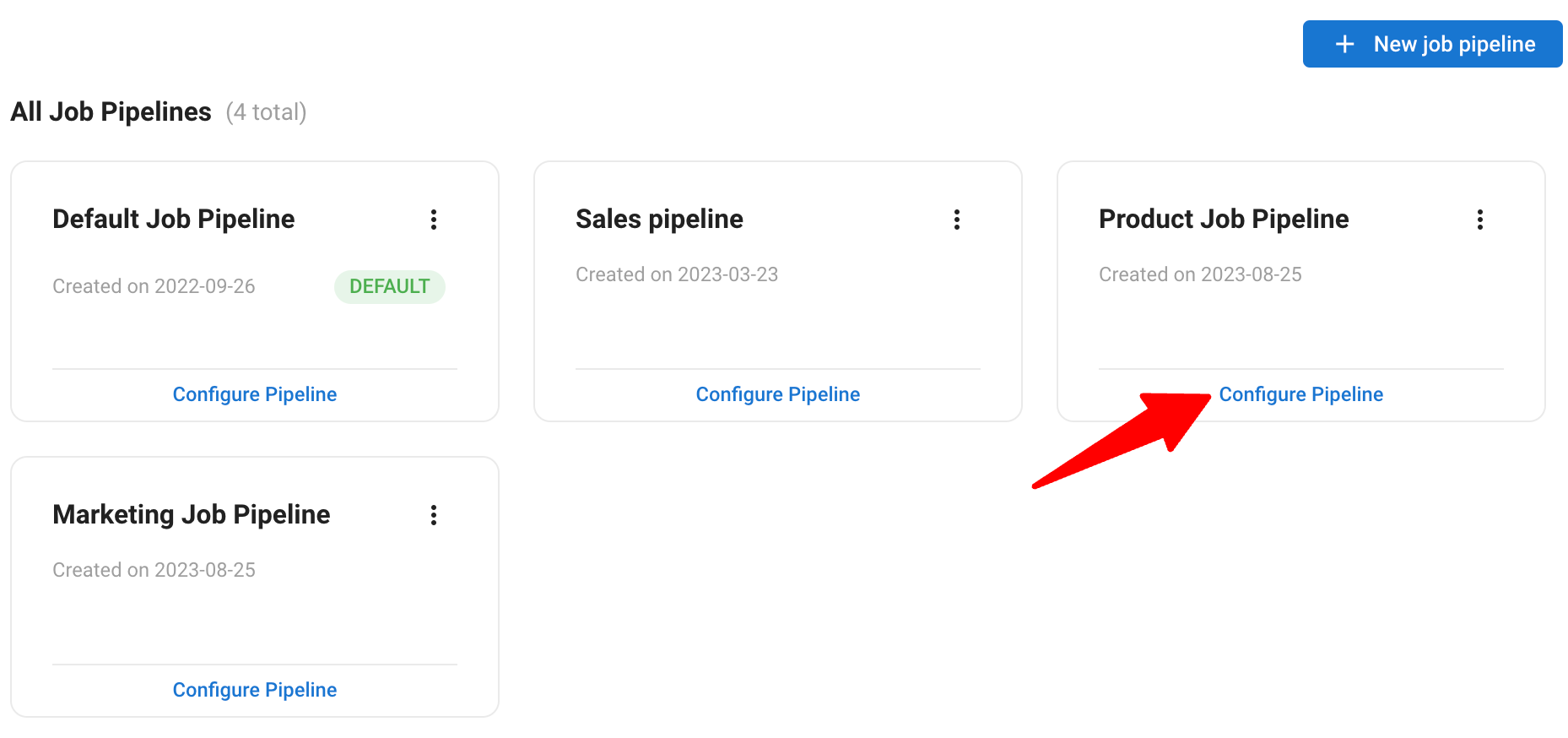
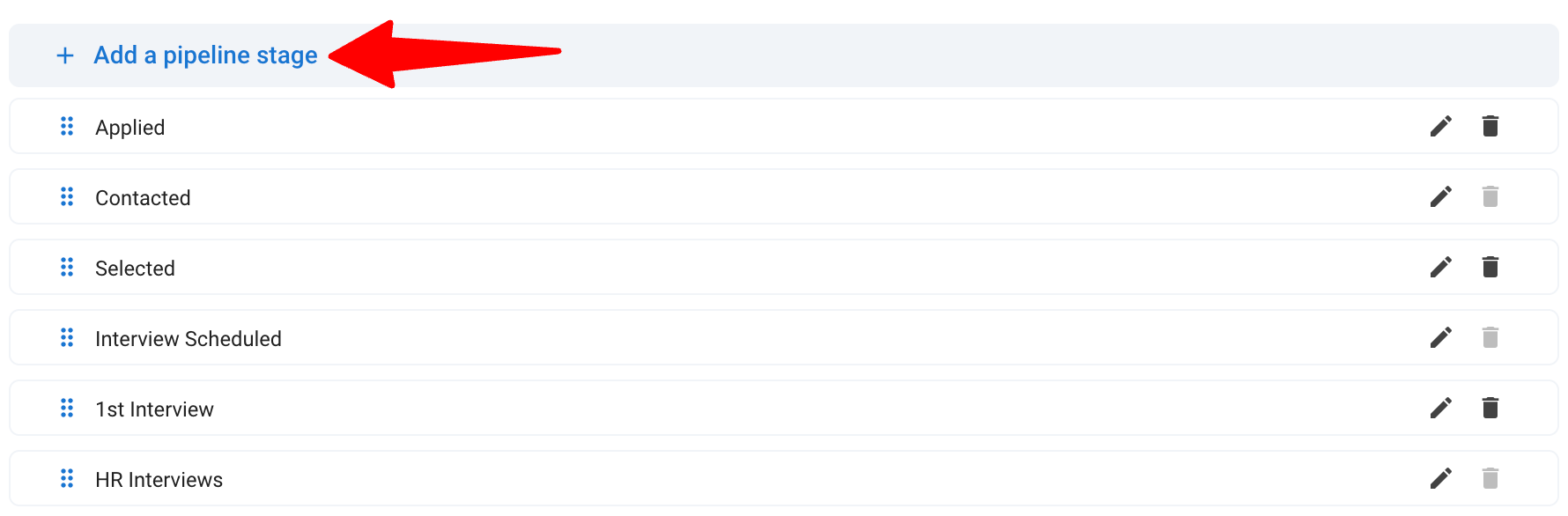
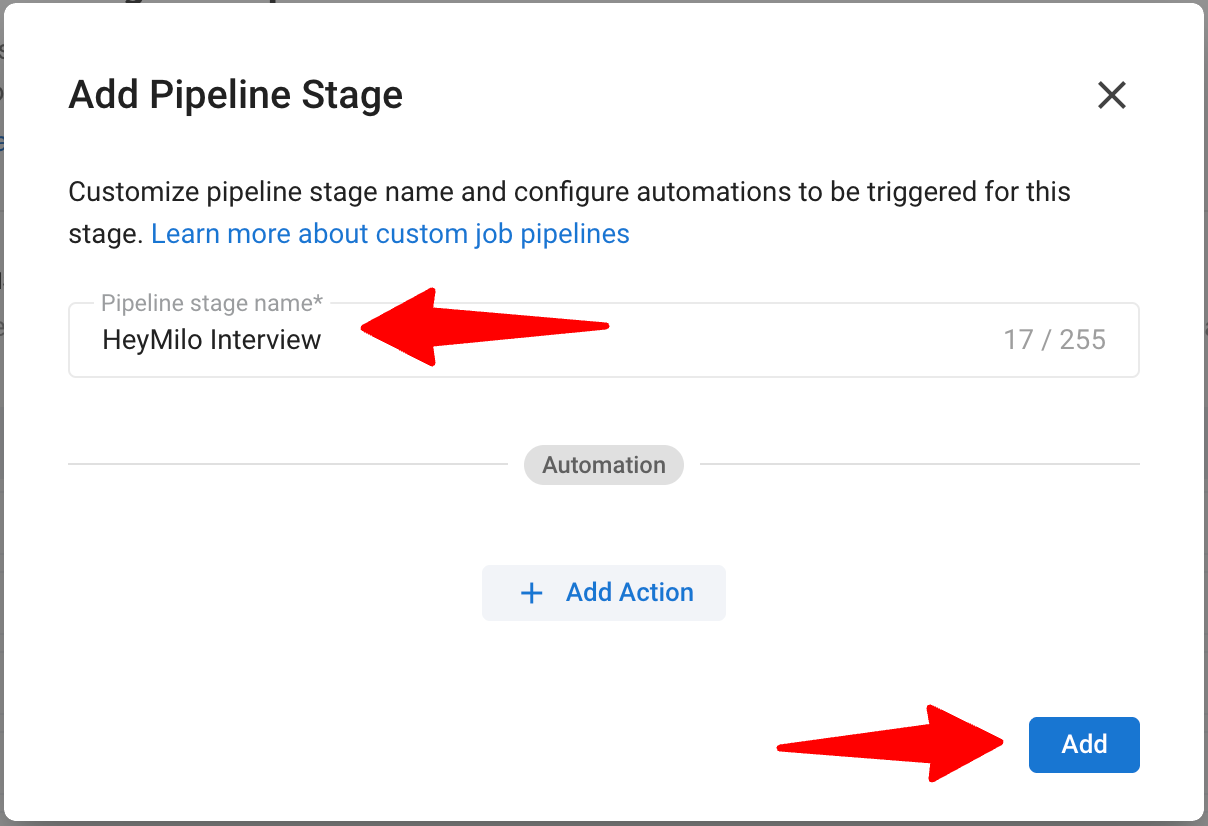
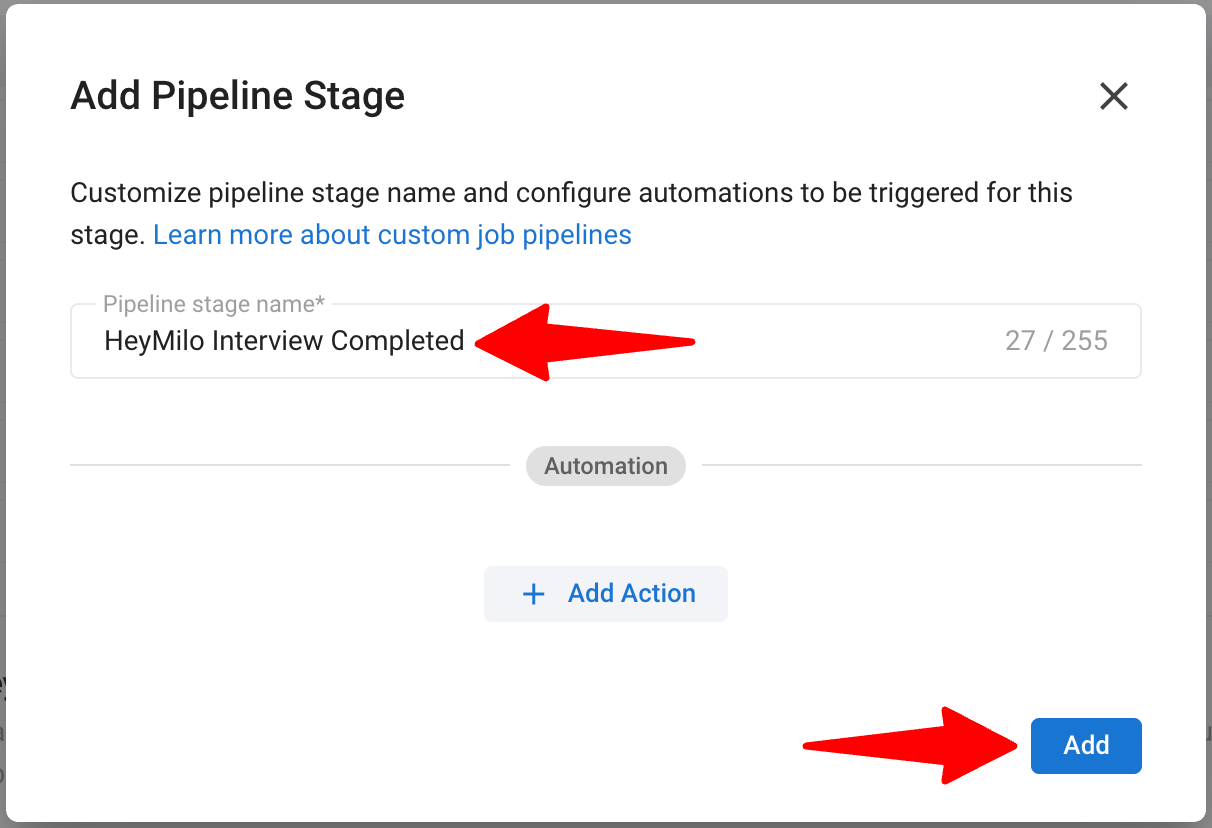
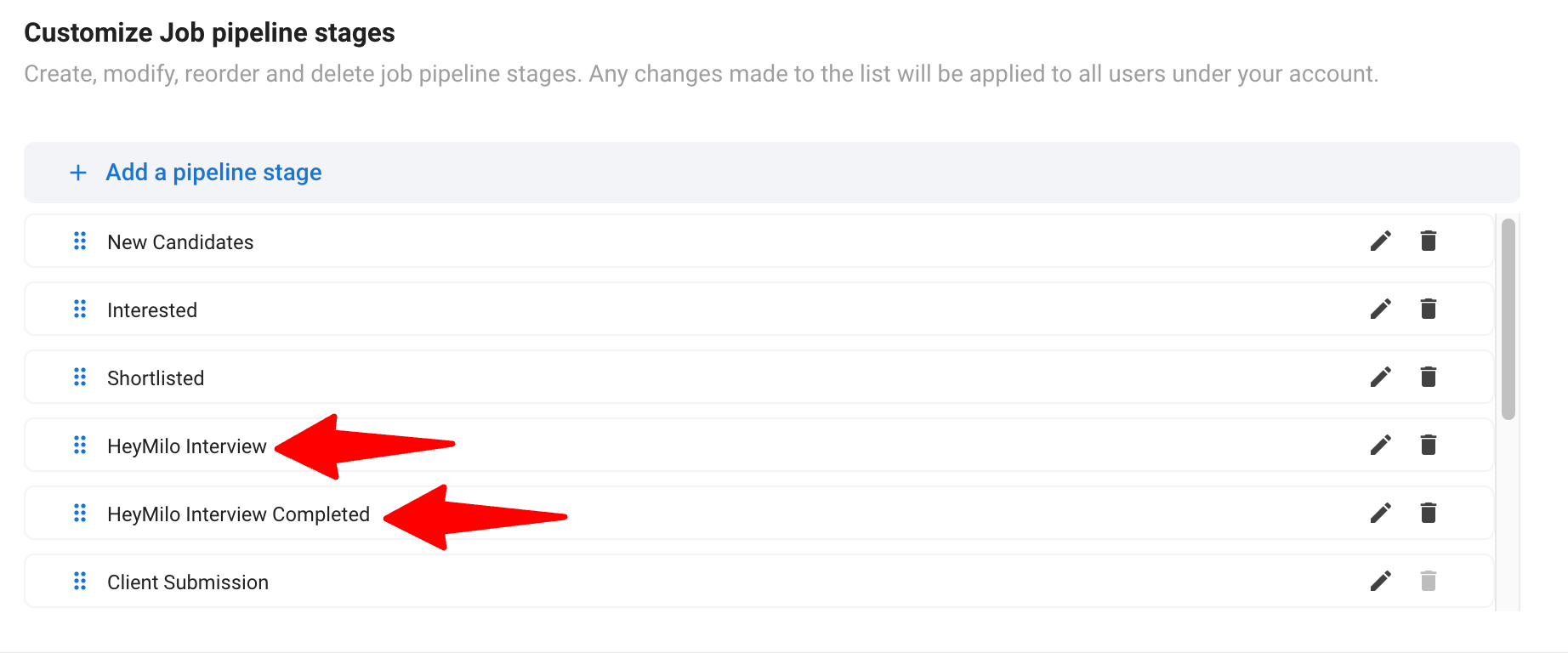
Click on "Configure Pipeline" for the job pipeline you want to set up the integration for. Add the following two custom pipeline stages, and make sure the stage names match the ones given below:
- HeyMilo Interview: Stage at which candidates are sent the interview.
- HeyMilo Interview Completed: Stage indicating completion of the interview.
-
Reorder the stages appropriately:
- Ensure the HeyMilo Interview is placed right above the HeyMilo Interview Completed.
To learn more about customizing job pipeline stages, refer this article.
You can add the two custom pipeline stages to as many job pipelines as you want.
Retrieve Your Manatal API Key
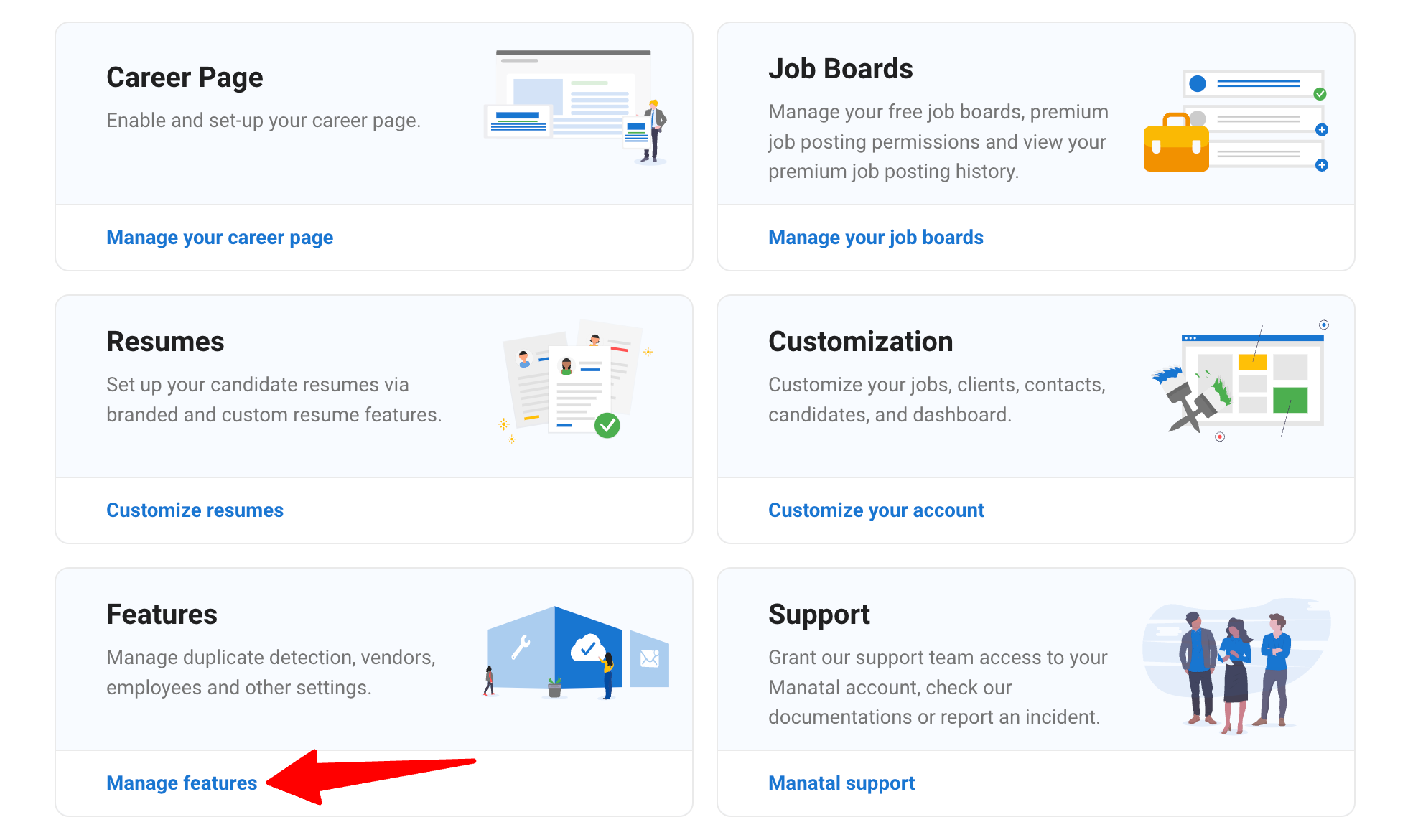
- Head to the following page. Alternatively, click on "Administration" from your side menu and open the "Features" category.
-
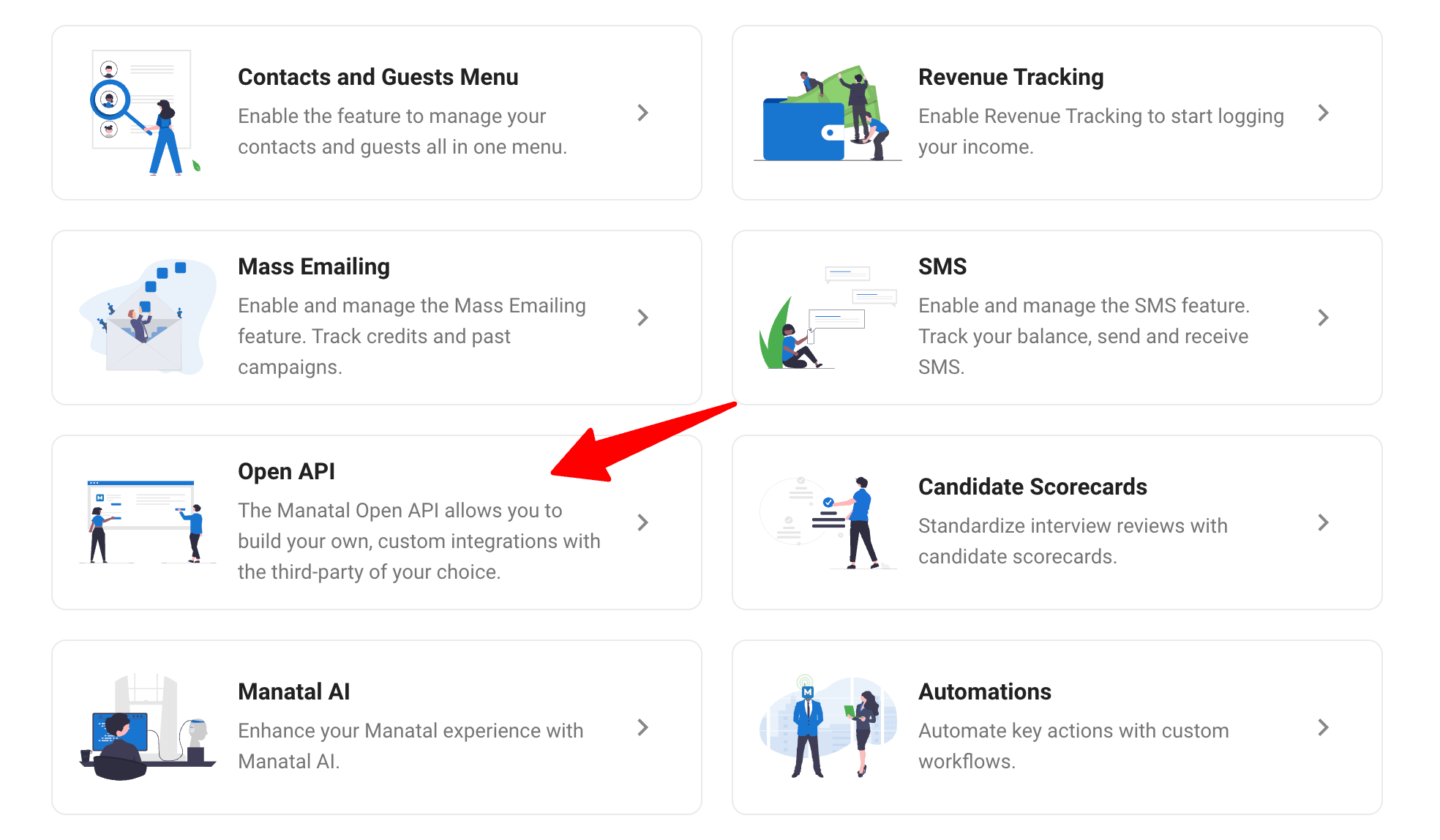
Click on "Open API".
-
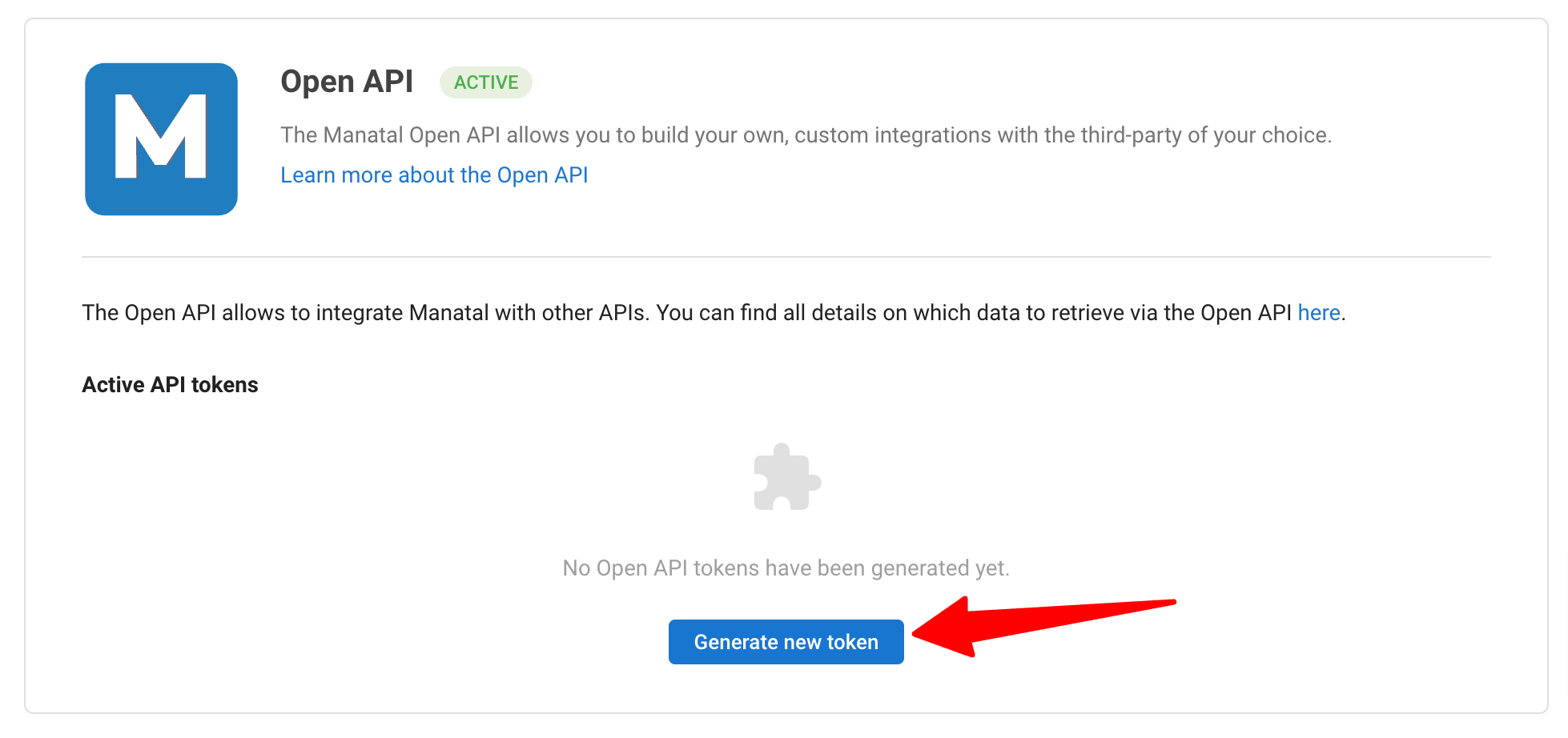
Click on "Generate new token".
-
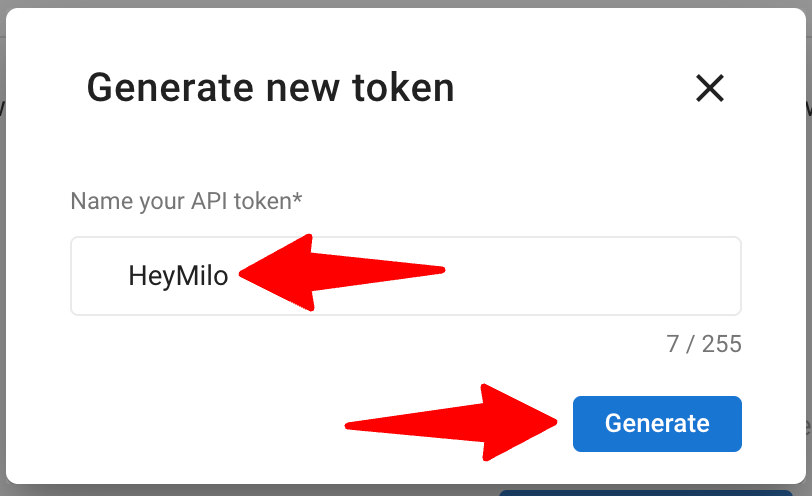
Fill in the API token name and click on "Generate".
-
Copy the generated API key.
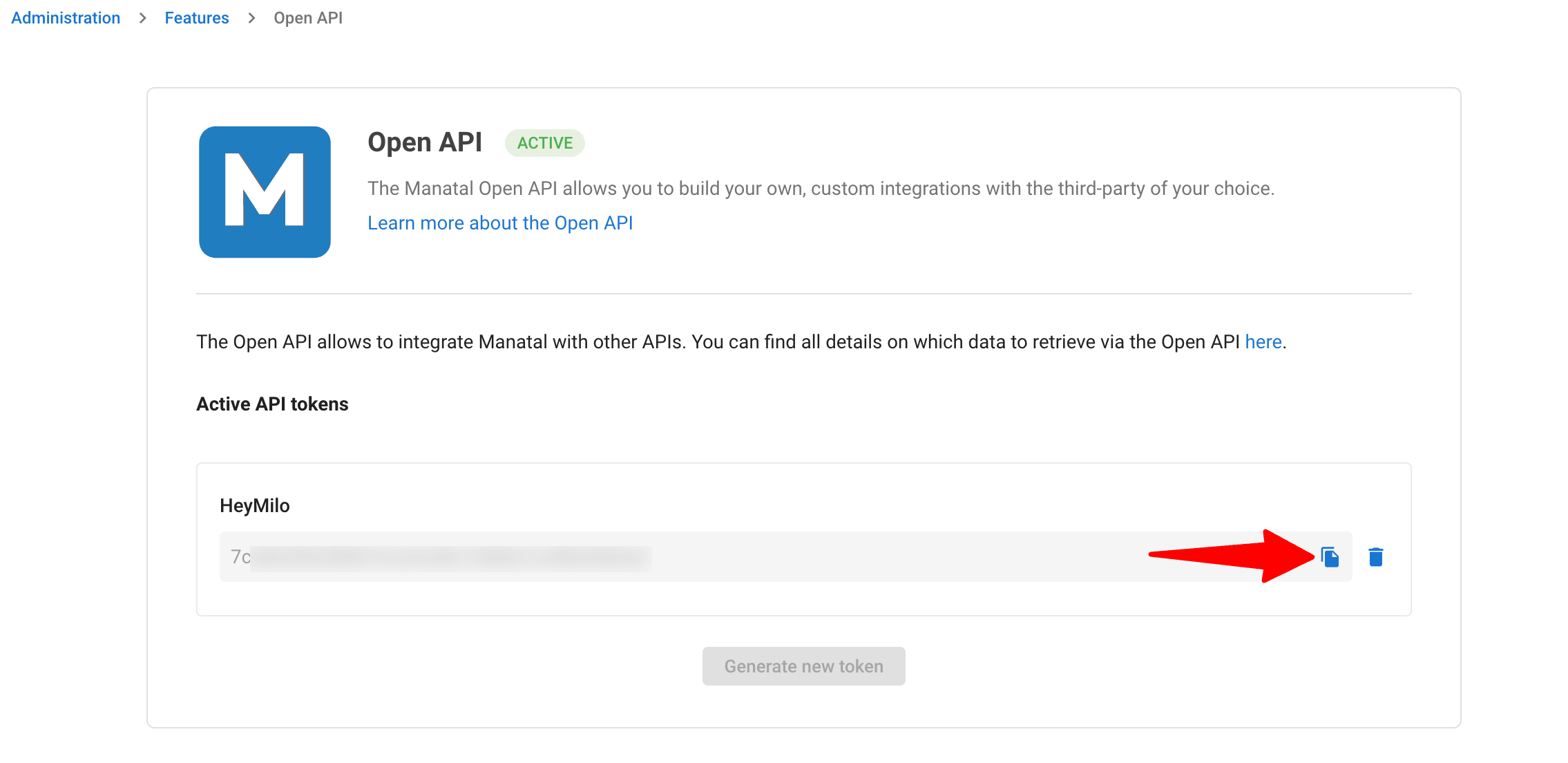
Treat your Open API token like a password and do not share it outside your organization.
- Log in to your HeyMilo account. Locate the Manatal integration section and paste the Manatal API token to complete the integration. Learn more in this guide.
Map a HeyMilo Agent to a Manatal Job
To proceed, you will need to create an interview agent on HeyMilo. Refer to HeyMilo's guide on how to set them up. Then map the agent to a Manatal job.
Using the HeyMilo Integration
Sending HeyMilo Interviews to Candidates
-
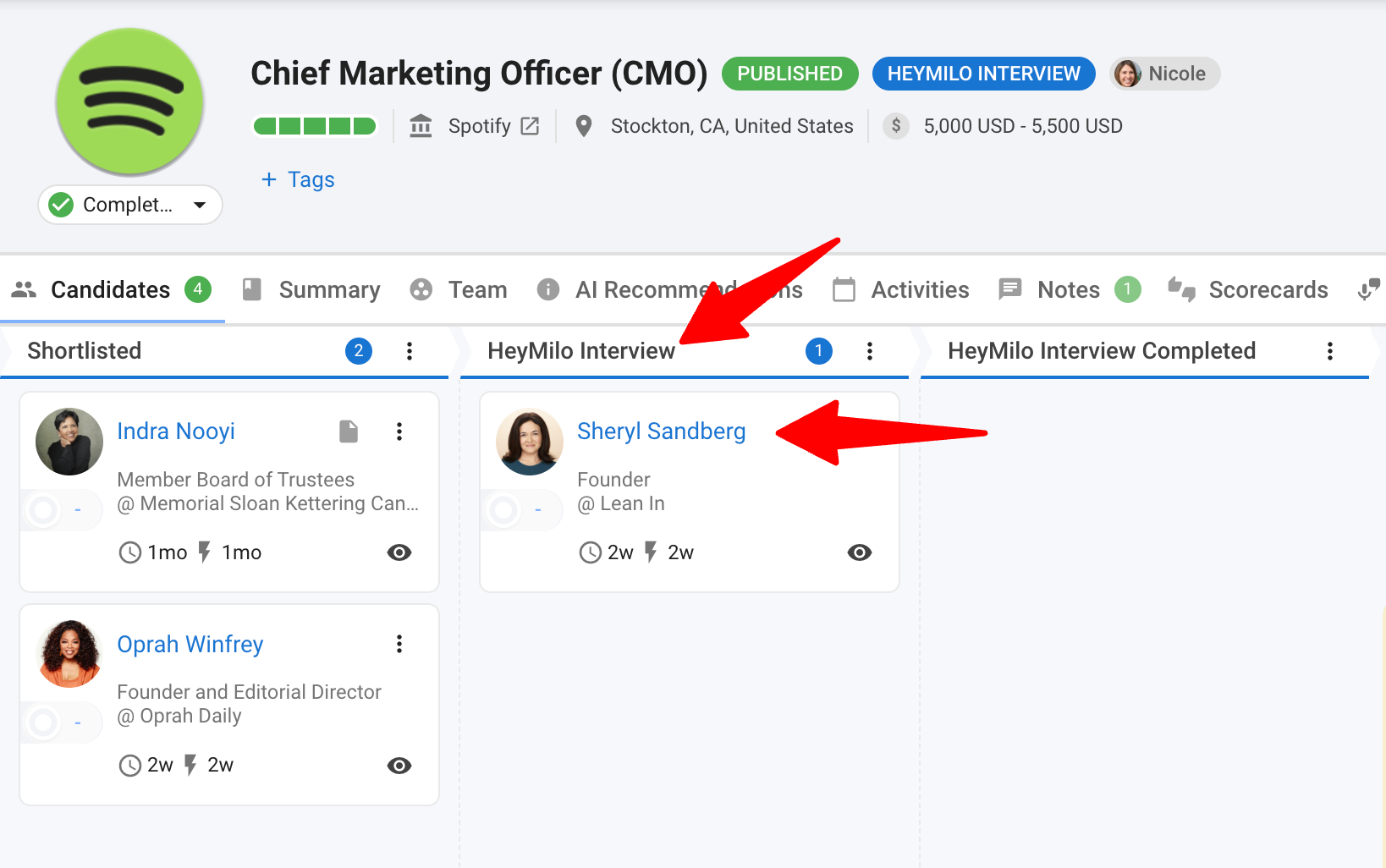
When a candidate in the job reaches the HeyMilo Interview stage, an email is automatically sent with assessment to the candidate.
-
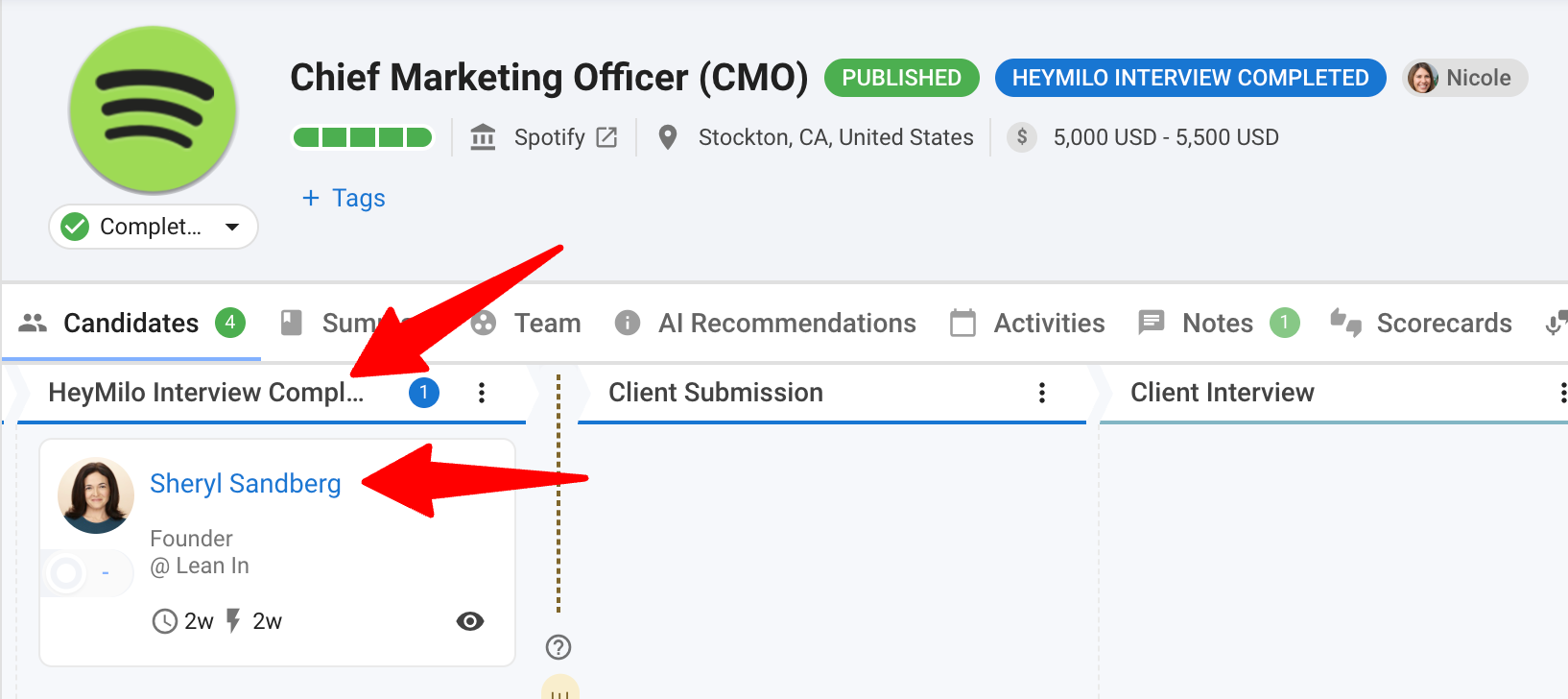
Once a candidate completes their HeyMilo Interview, the candidate will automatically be moved into the HeyMilo Interview Completed stage, signaling that their assessment is ready for review.
View Candidate Responses in Manatal
- To review the assessment response:
-
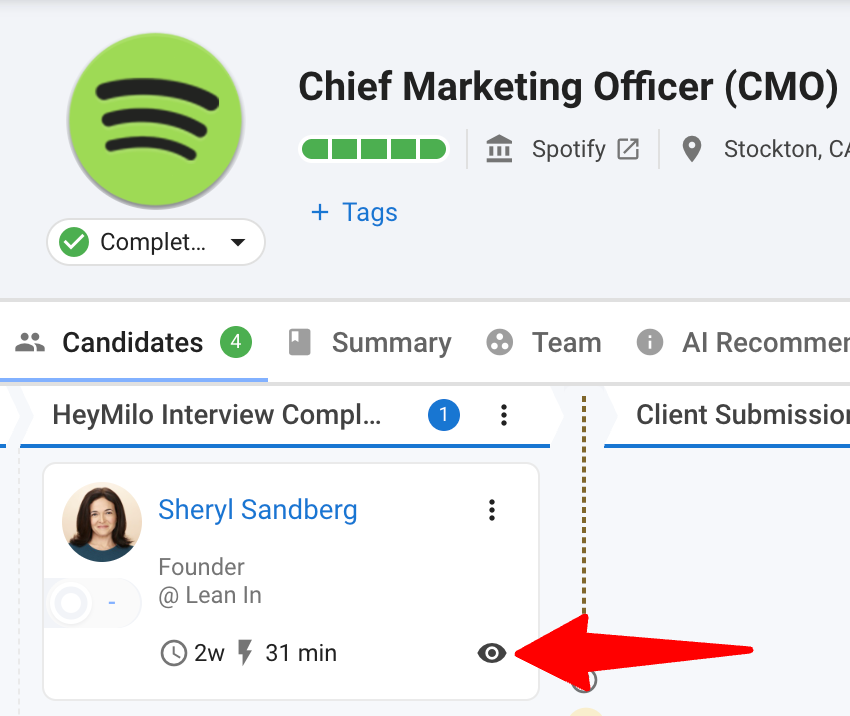
Open the candidate’s profile by clicking on the eye icon.
-
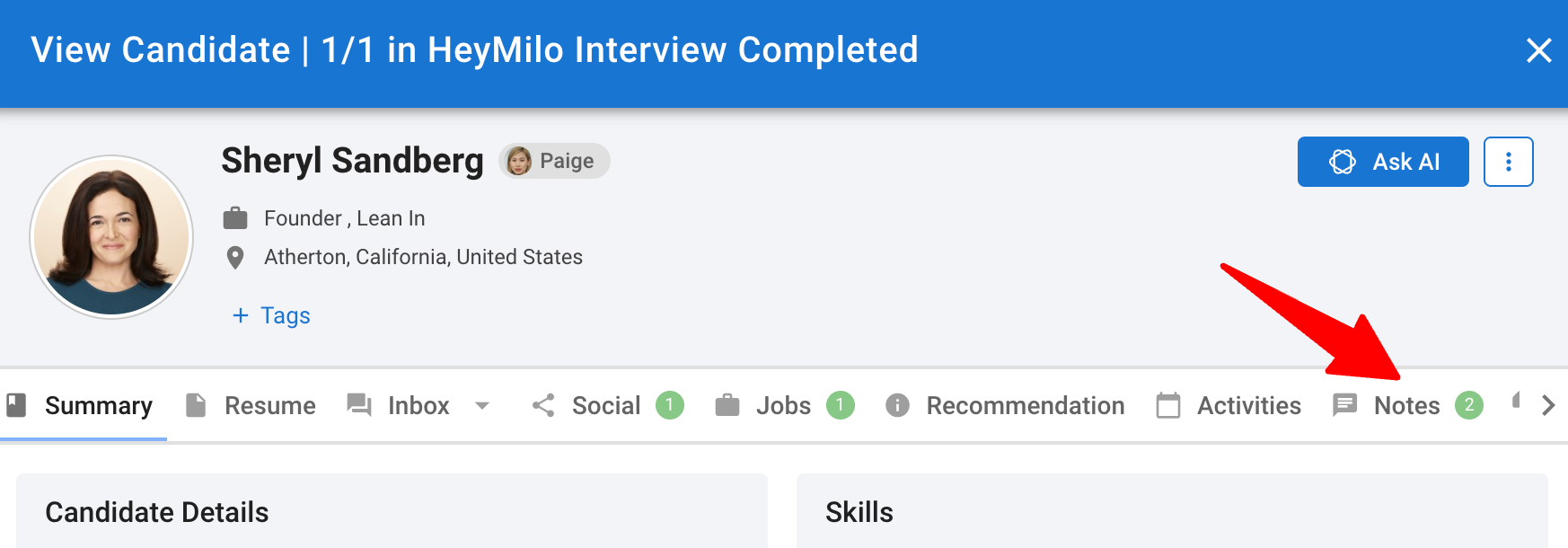
Click on “Notes”.
-
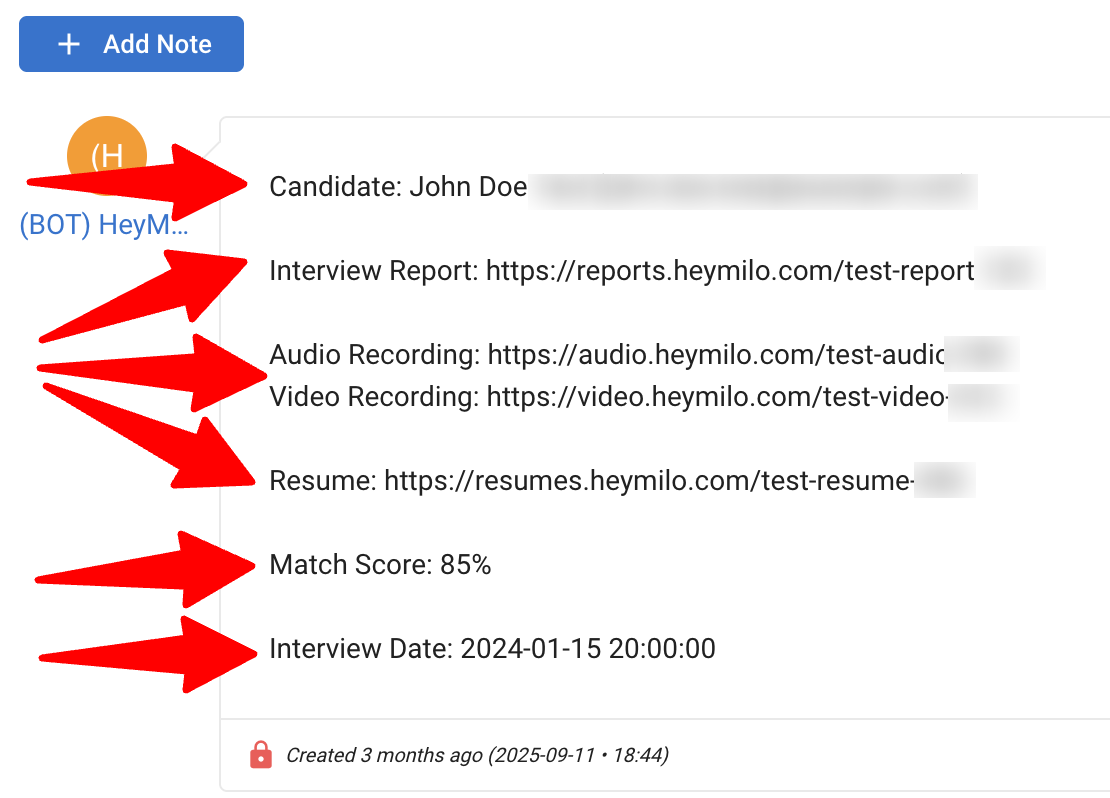
Locate the Interview result. Follow the links to access detailed interview results information in the HeyMilo Interface.
The note will contain:
- The Candidates name
- Links to the results for the assessments configured in the HeyMilo workflow
- Match Score
- Interview Date
-
FAQ
Q1. What should I do if the API key integration fails?
- Make sure the API key you copied from Manatal is correct and has been entered exactly into HeyMilo.
- Verify that your HeyMilo integration settings and user permissions allow API access.
- If the problem continues, contact Manatal Support at support@manatal.com or HeyMilo Support at support@heymilo.ai
Q2. Why isn’t the candidate receiving the assessment invite?
- Confirm that the Manatal job is correctly linked to a HeyMilo Agent.
- Ensure the candidate was moved into the HeyMilo Interview stage.
- Verify the API key is still valid and active.
- If all settings look correct but invites still aren’t being sent, reach out to support@manatal.com.
Q3. What is an Interview Agent?
- An interview agent is your AI-powered interviewer that:
- Conducts conversations with candidates like a recruiter would
- Asks relevant questions based on your job requirements
- Evaluates responses using intelligent scoring criteria
- Provides detailed analysis of each candidate's performance
- Works 24/7 without scheduling conflicts
Q4. How do I setup an AI Interview Agent in HeyMilo?
- Please refer to HeyMilo’s guide on setting up an AI Interview Agent.