KrispCall est un système téléphonique professionnel basé sur le cloud qui fournit des numéros de téléphone virtuels dans plus de 100 pays. Il permet aux entreprises de passer et recevoir des appels, d'envoyer des SMS, de gérer la messagerie vocale et de transférer des appels via un tableau de bord web unique, avec des intégrations pour de nombreuses plateformes CRM. En savoir plus sur KrispCall sur leur site web.
Qu'est-ce que l'intégration KrispCall ?
Une intégration KrispCall avec Manatal connecte votre système téléphonique cloud directement à votre ATS, permettant aux recruteurs d'appeler et d'envoyer des SMS aux candidats et contacts depuis Manatal en utilisant leurs numéros KrispCall.
Les recruteurs peuvent passer et recevoir des appels, envoyer des SMS et consulter l'historique des appels directement depuis les profils des candidats ou des contacts, tandis que tous les appels, messages, messageries vocales et enregistrements sont automatiquement enregistrés dans Manatal. Cela permet de maintenir la communication organisée, visible par toute l'équipe et liée au bon candidat ou contact sans aucune mise à jour manuelle.
Activer l'intégration KrispCall
- Cette intégration nécessite la fonctionnalité Open API de Manatal.
- Cette intégration nécessite des comptes actifs sur KrispCall et Manatal.
- Ceci ne peut être fait que par un administrateur.
Récupérer votre clé API Manatal
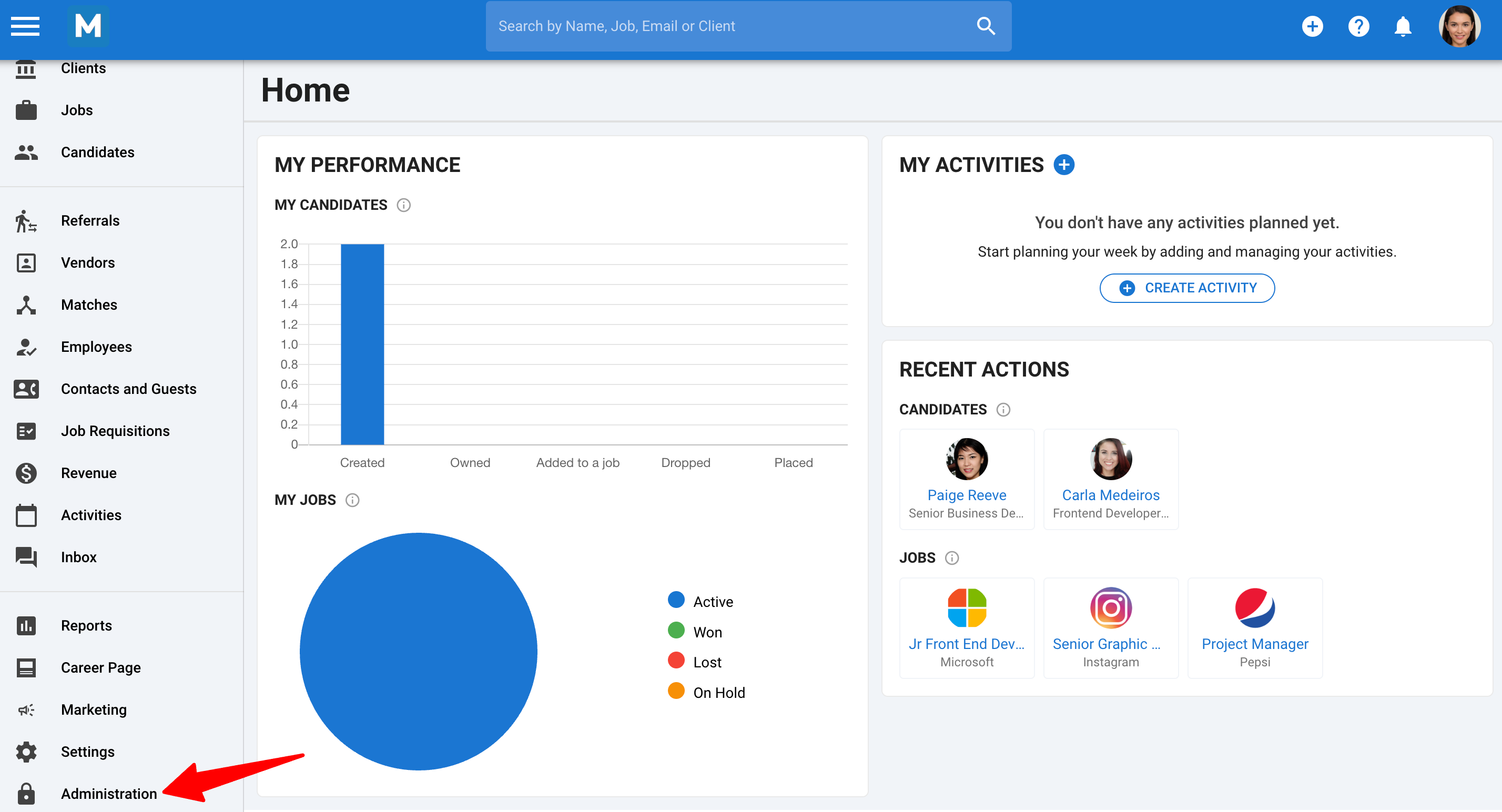
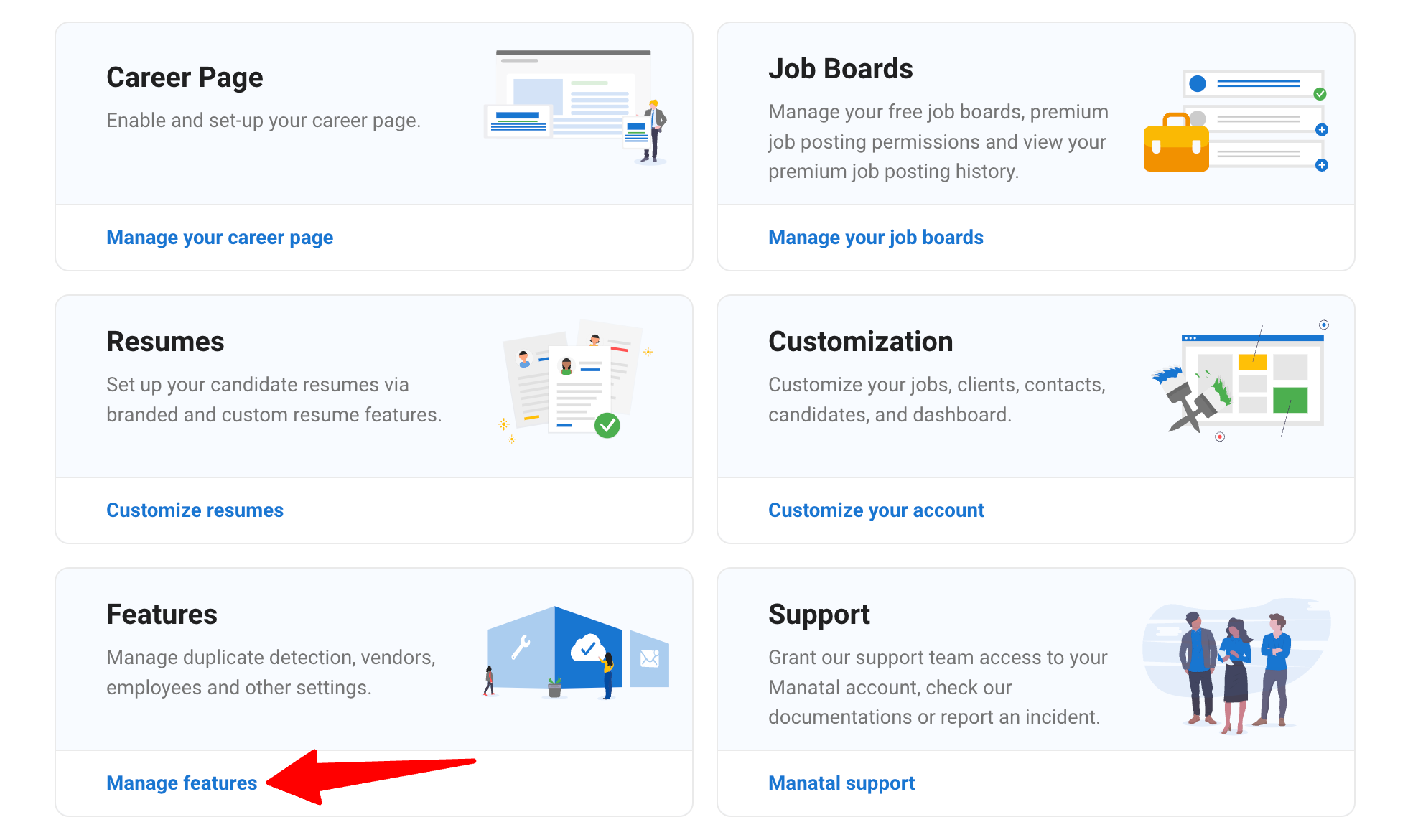
- Rendez-vous sur la page suivante. Alternativement, cliquez sur ""Administration"" dans votre menu latéral et ouvrez la catégorie ""Fonctionnalités"".
-
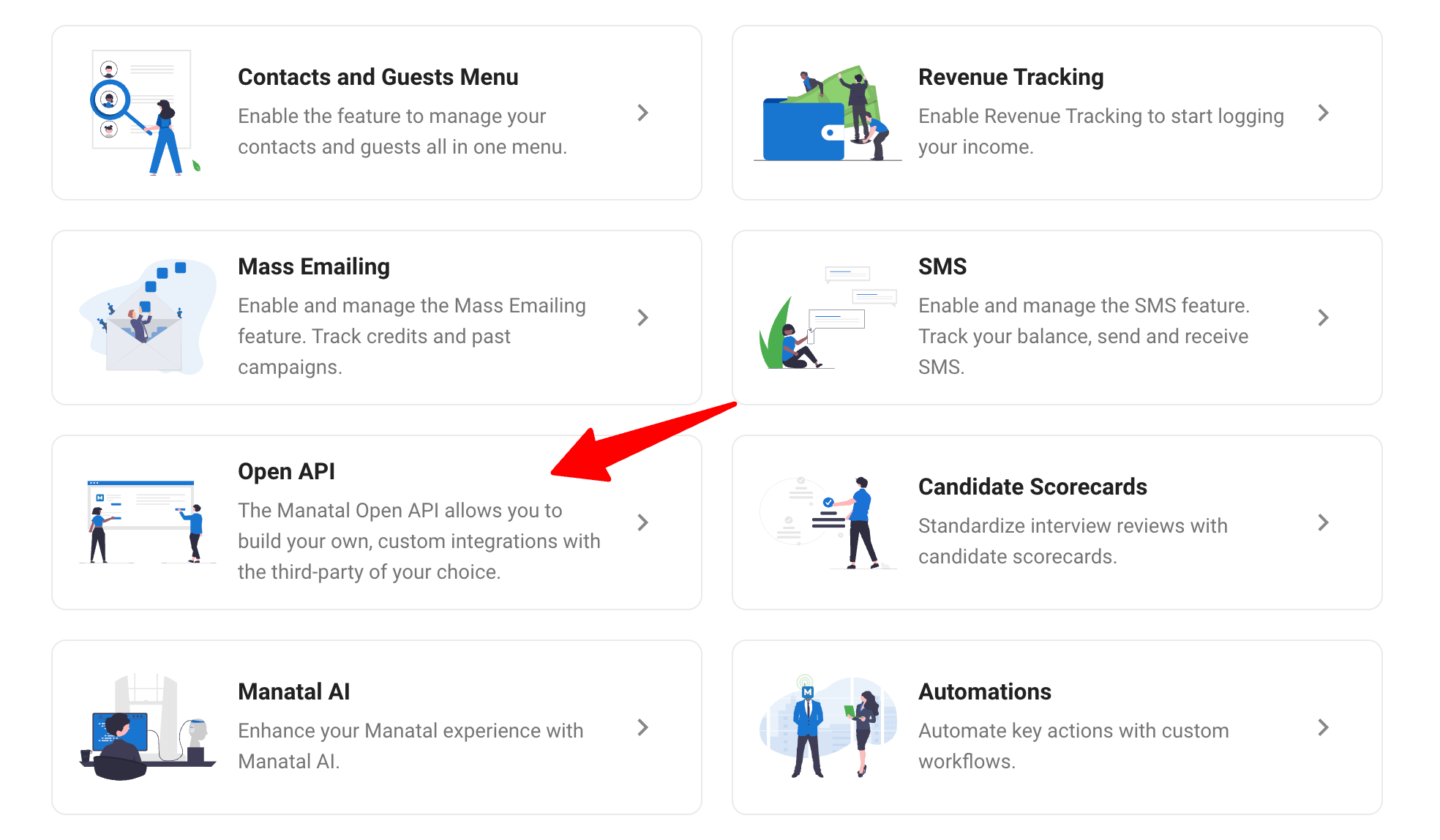
Cliquez sur ""Open API"".
-
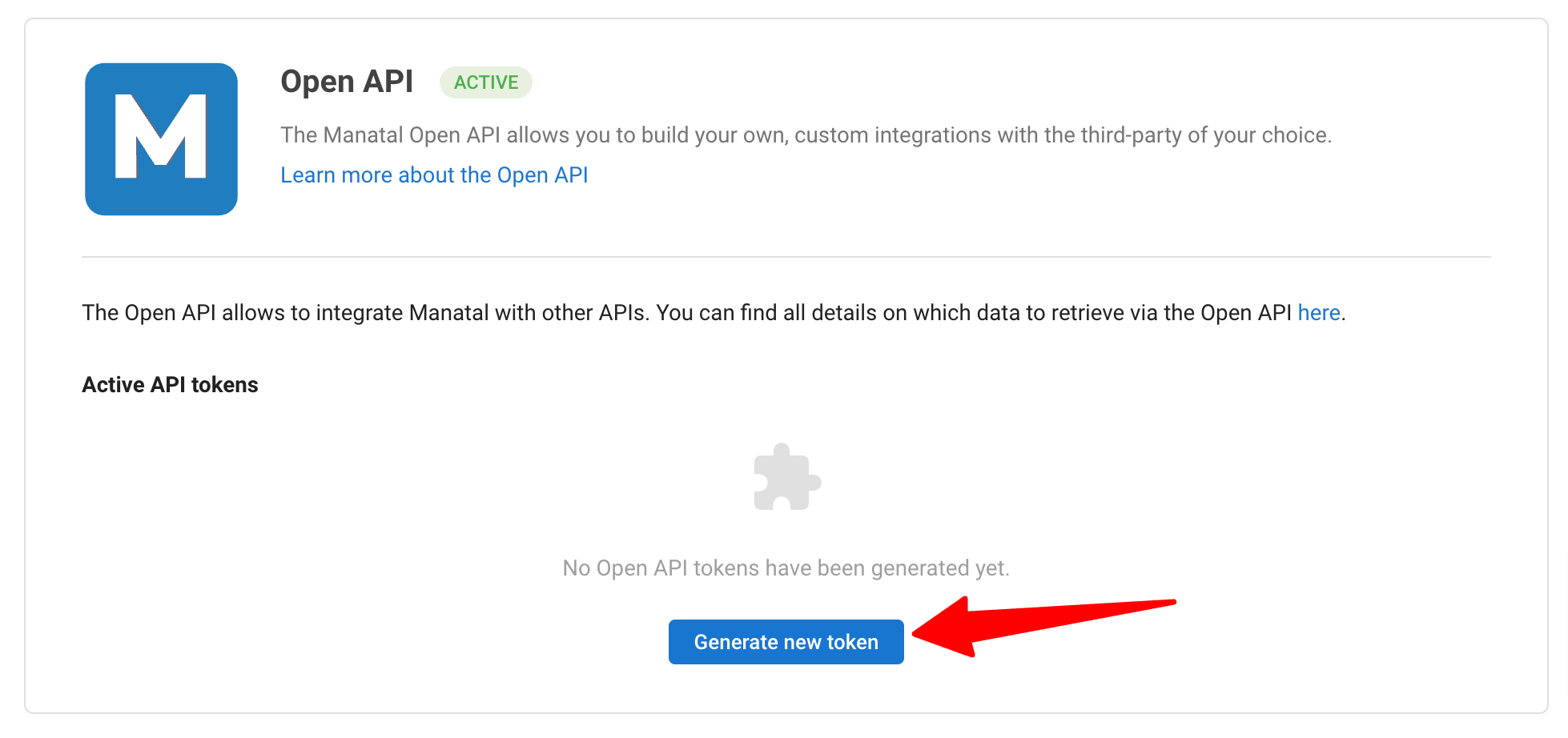
Cliquez sur ""Générer un nouveau jeton"".
-
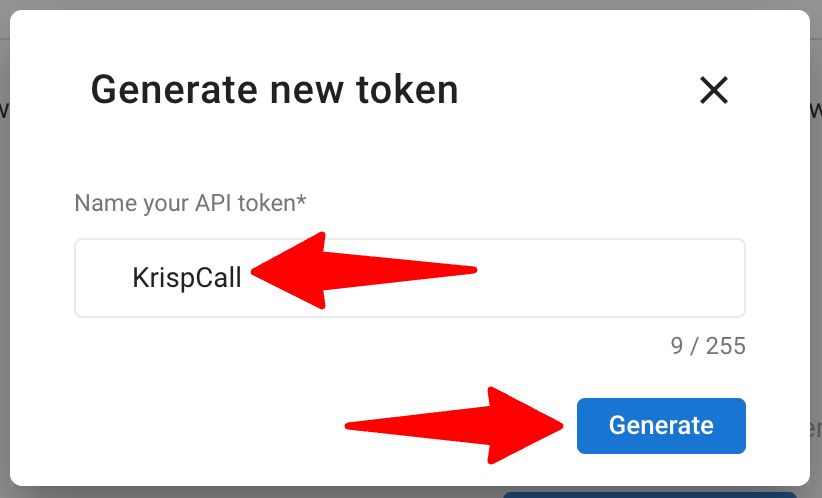
Renseignez le nom du jeton API et cliquez sur ""Générer"".
-
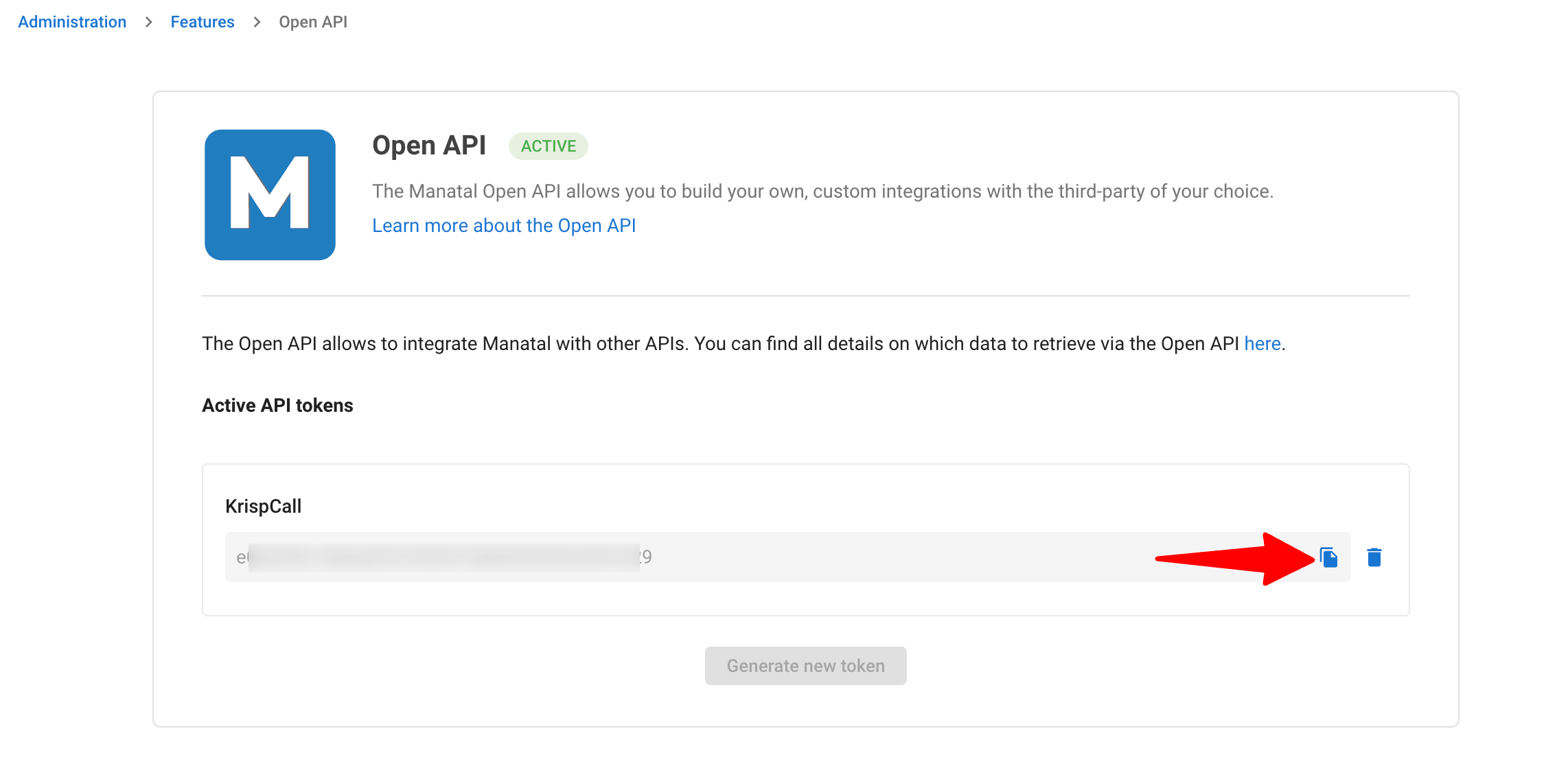
Copiez la clé API générée.
-
Connectez-vous à votre compte KrispCall et localisez la section d'intégration Manatal. Saisissez le jeton API Manatal et votre adresse e-mail Manatal pour finaliser l'intégration. En savoir plus dans ce guide.
Paramètres d'intégration
Une fois intégrée, utilisez le panneau de configuration KrispCall pour gérer la synchronisation des appels, messages et données de contact avec Manatal. Référez-vous au guide KrispCall pour configurer les paramètres.
Passer des appels et envoyer des messages depuis Manatal
-
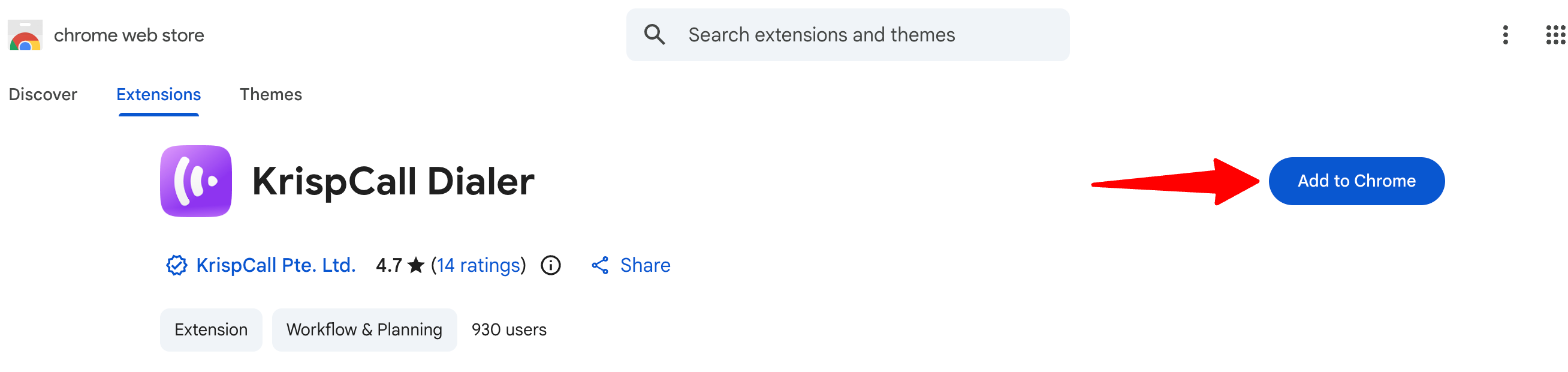
Rendez-vous sur le Chrome Web Store et cliquez sur ""Add to Chrome"". Connectez-vous avec vos identifiants KrispCall sur l'extension.
-
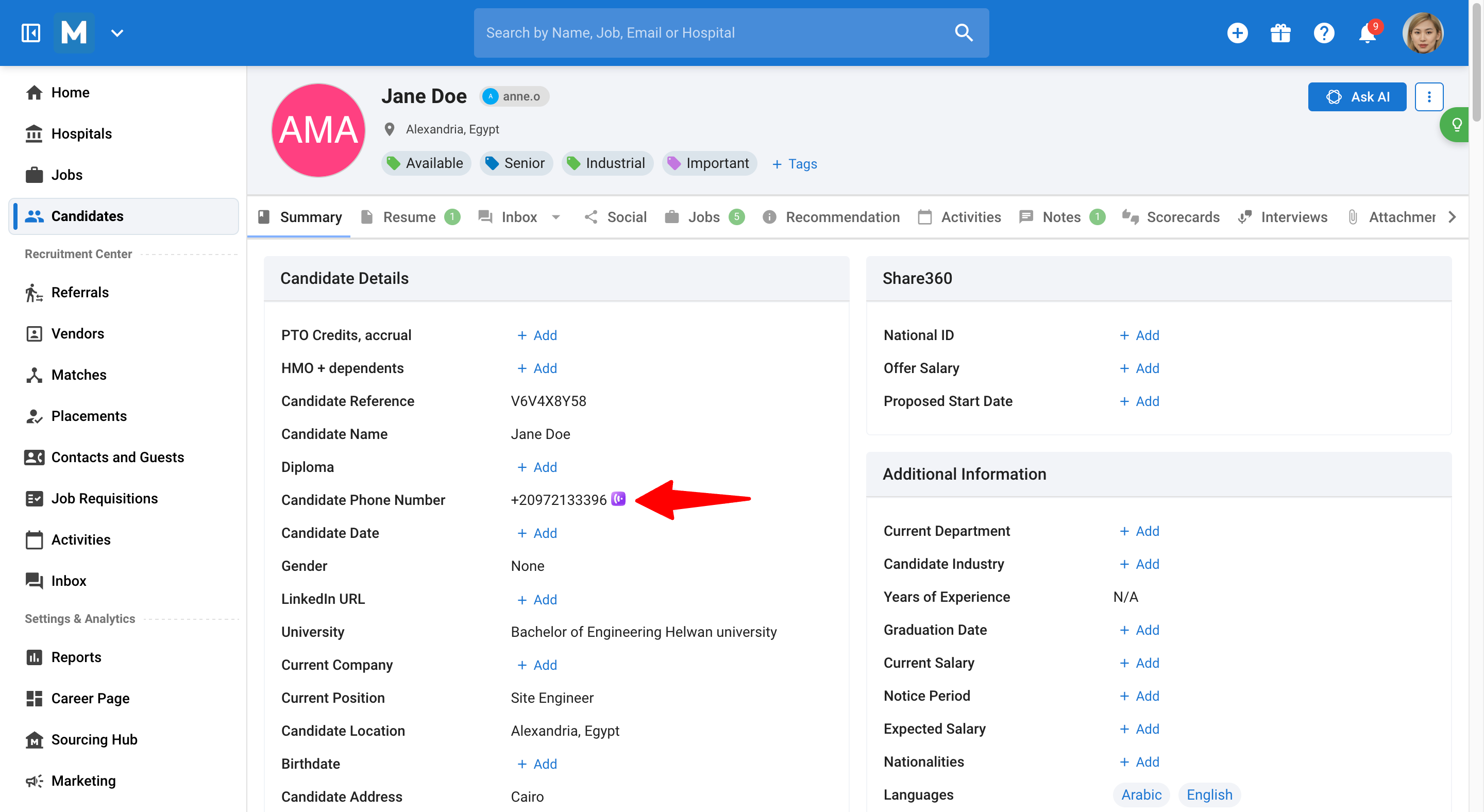
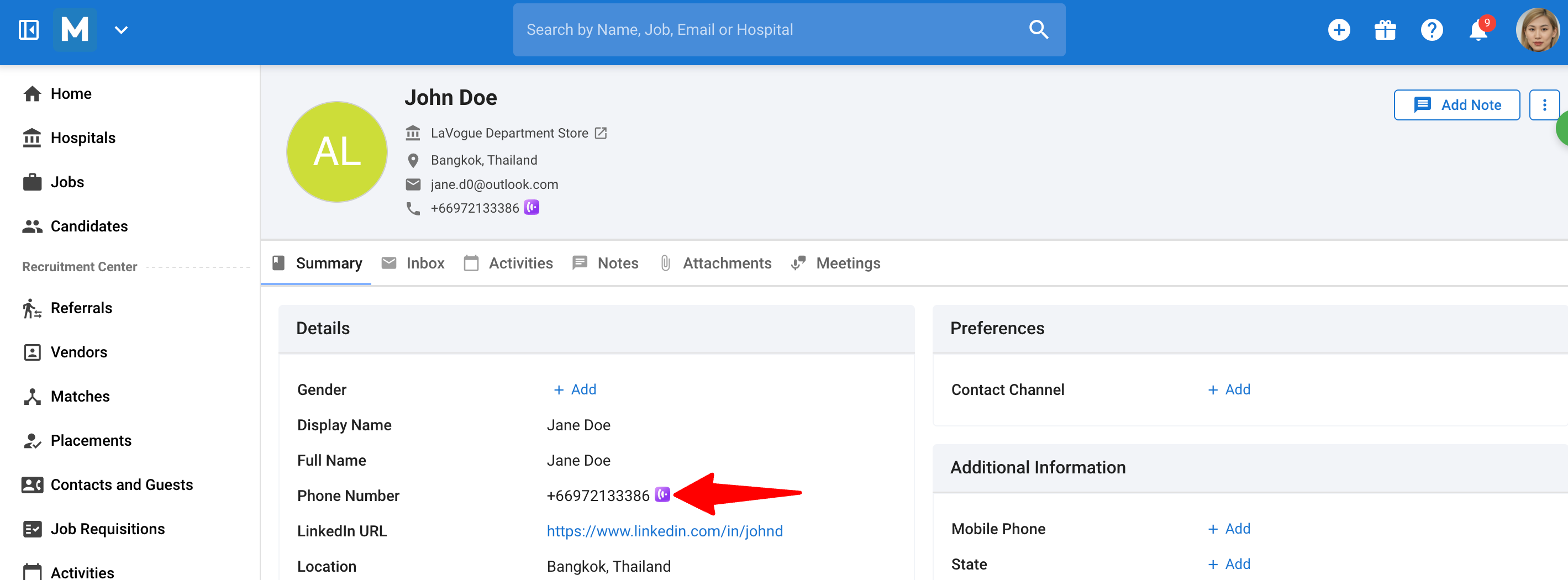
Dans votre compte Manatal, accédez à un profil de candidat ou de contact. Vous verrez l'icône KrispCall visible à côté de leur numéro de téléphone.
-
Cliquez sur l'icône et vous verrez les options pour gérer les appels et les SMS directement depuis votre espace de travail Manatal.

Afficher les journaux d'appels et les conversations SMS dans Manatal
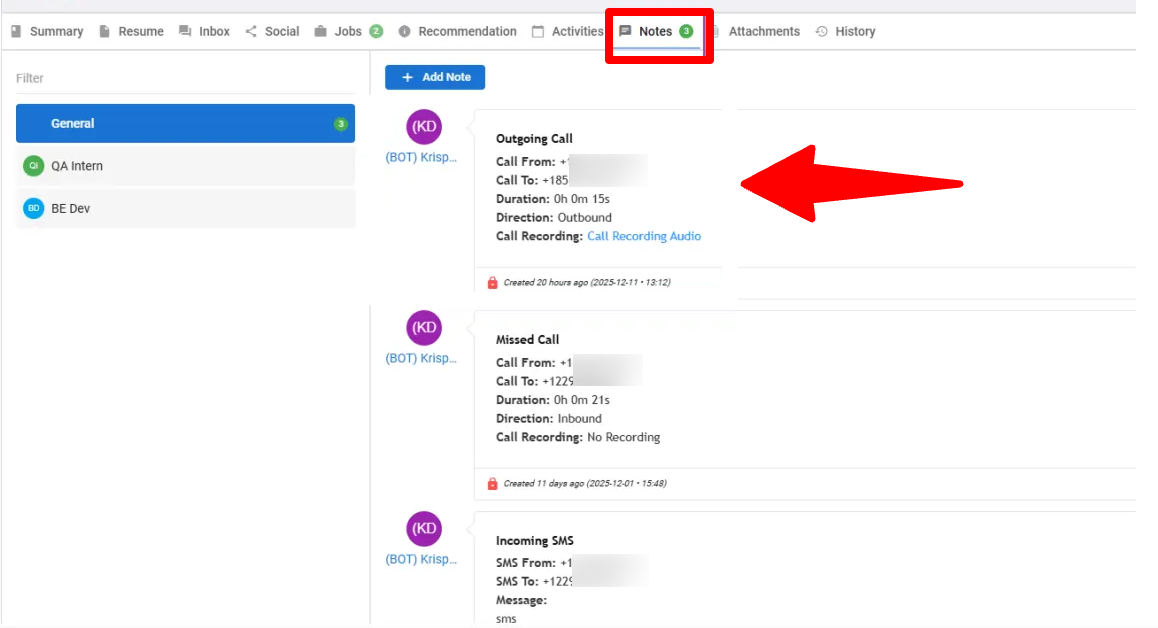
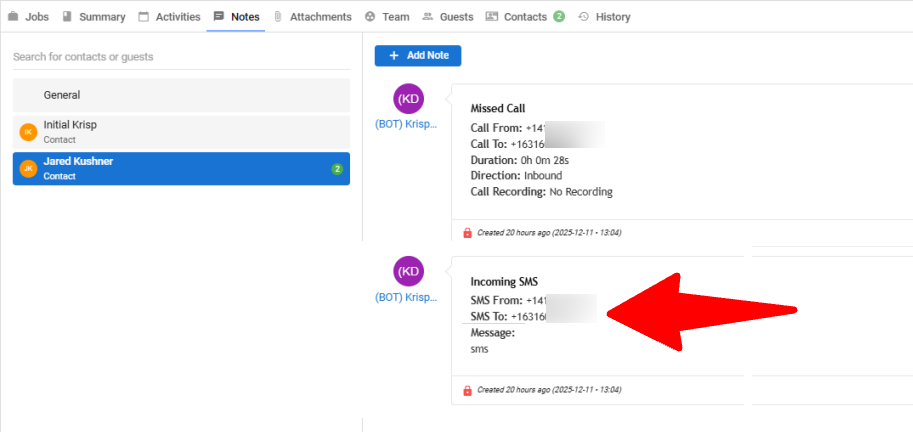
Retrouvez tous les journaux d'appels entrants/sortants et les fils de discussion SMS sous l'onglet ""Notes"" du profil spécifique du Candidat ou du Contact.
FAQ
Q1. Puis-je me connecter à la fois à l'application KrispCall et au composeur Manatal en même temps ?
Oui. Vous pouvez utiliser le même compte KrispCall dans l'application KrispCall et le composeur Manatal en même temps. Se connecter à l'un ne vous déconnectera pas de l'autre, vous pouvez donc basculer entre les outils sans aucun conflit de session.
Q2. Puis-je passer ou recevoir des appels globalement ? Y a-t-il des restrictions ?
Oui. Vous pouvez passer et recevoir des appels vers et depuis des numéros du monde entier en utilisant KrispCall. Cependant, la disponibilité des numéros de téléphone que vous pouvez acheter est limitée à environ 110 pays.
Q3. Puis-je connecter plusieurs comptes Manatal au même espace de travail KrispCall ?
Non. Un seul espace de travail KrispCall ne peut être connecté qu'à un seul compte Manatal. Si vous devez utiliser plusieurs comptes Manatal, chacun doit être connecté via un espace de travail KrispCall distinct.
Chaque intégration fonctionne indépendamment, de sorte que les modifications apportées dans un espace de travail n'affectent pas les autres.
Q4. L'intégration Manatal × KrispCall prend-elle en charge les synchronisations unidirectionnelles et bidirectionnelles ?
Oui. L'intégration prend en charge la synchronisation unidirectionnelle et bidirectionnelle entre KrispCall et Manatal.
Q5. Y a-t-il des exigences pour la synchronisation bidirectionnelle ?
Oui. Pour que les synchronisations bidirectionnelles fonctionnent, le contact doit déjà exister dans Manatal. Si le contact n'existe pas, les mises à jour de KrispCall ne seront pas synchronisées avec Manatal.
Q6. La synchronisation des membres (utilisateurs) est-elle prise en charge ?
Non. L'intégration au niveau membre ou utilisateur n'est pas prise en charge. L'intégration synchronise les contacts et l'activité, pas les utilisateurs de KrispCall ou Manatal.