This feature is currently in Beta. You may expect updates, and changes to accessibility or pricing as we refine and enhance it. We value your patience and welcome any feedback you may have. Thank you for being an early adopter!
What is the Add-Ons Marketplace?
The Manatal Add-Ons marketplace is a centralized hub that allows administrators to easily browse and purchase available add-ons. Through this menu, users can view feature summaries, compare monthly and annual subscription rates, and select one-off credit packages. Additionally, it displays the real-time status of requested add-ons from pending processing to final activation.
Getting Started
This can only be done by an Admin.
-
Head to the following page. Alternatively, click on "Administration" from your side menu, open the "Subscriptions" category and then the "Manage Add-ons" category.
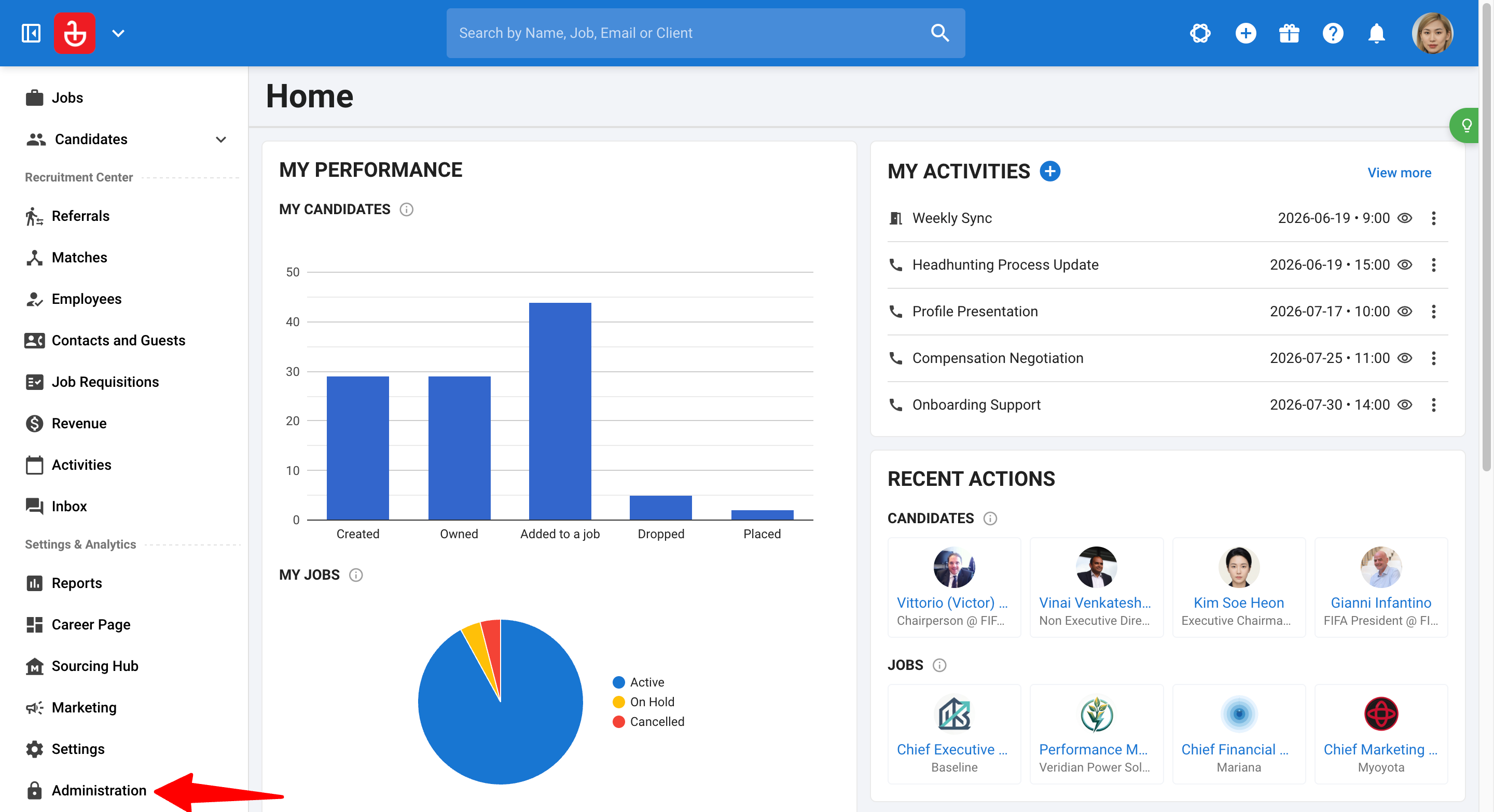
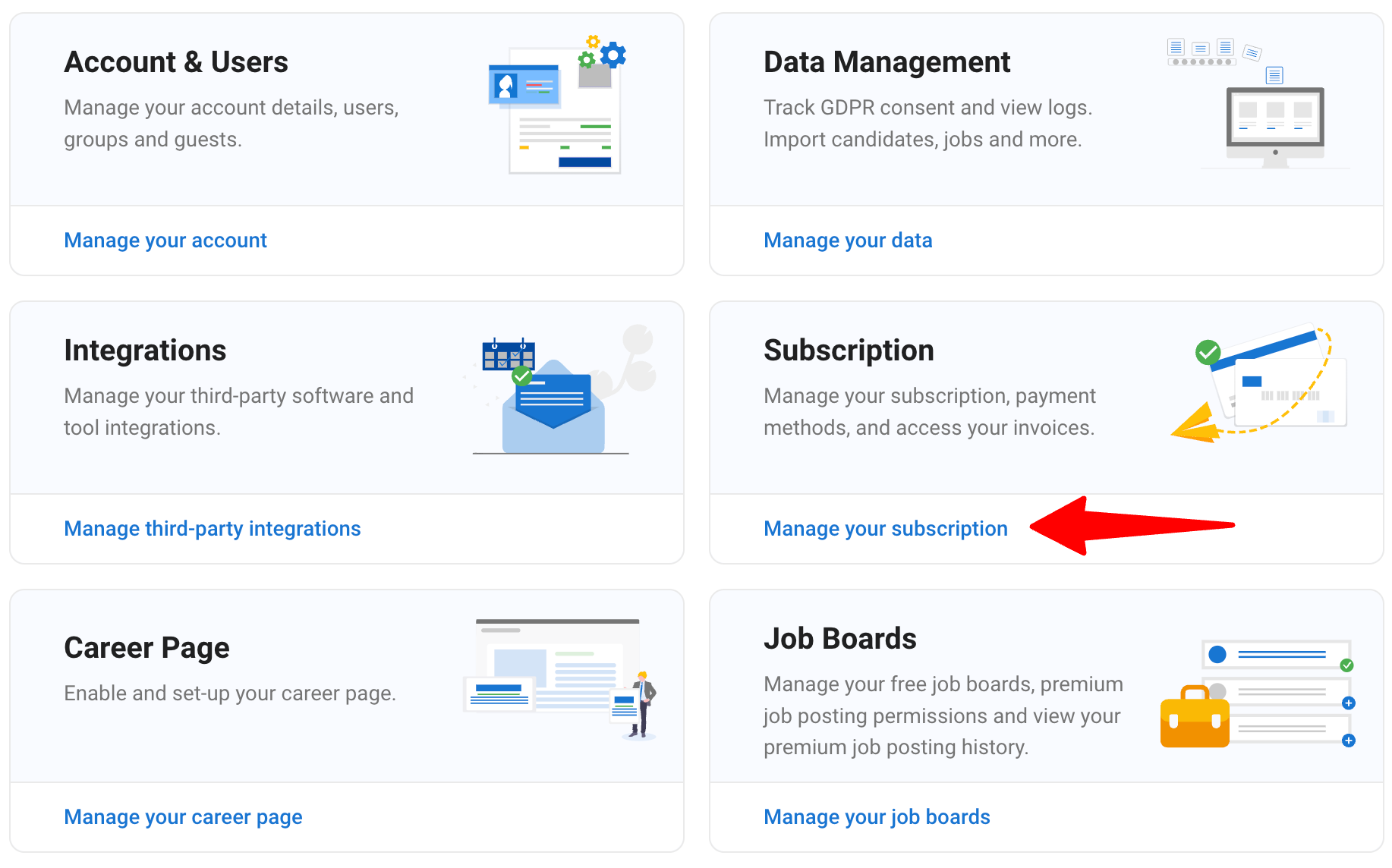
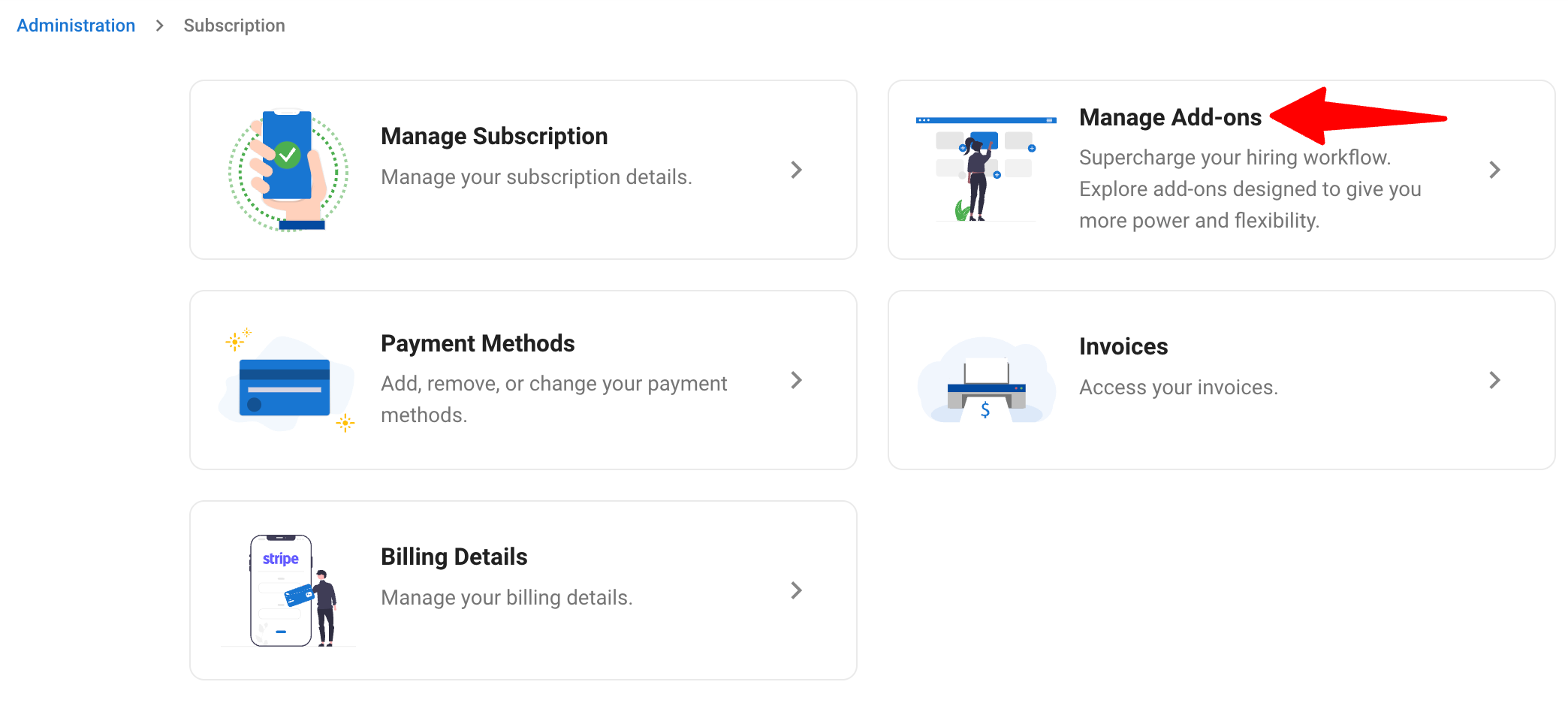
-
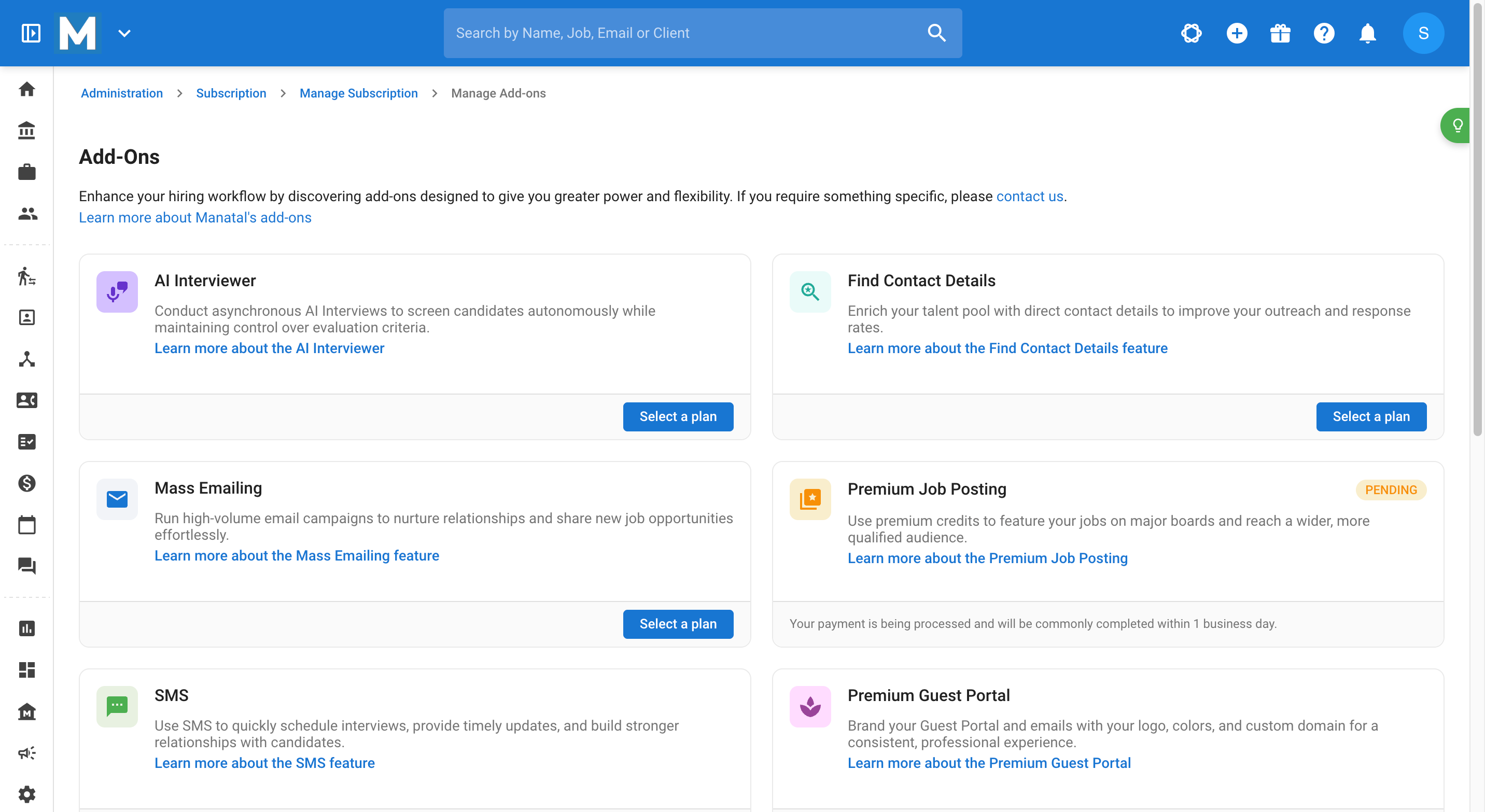
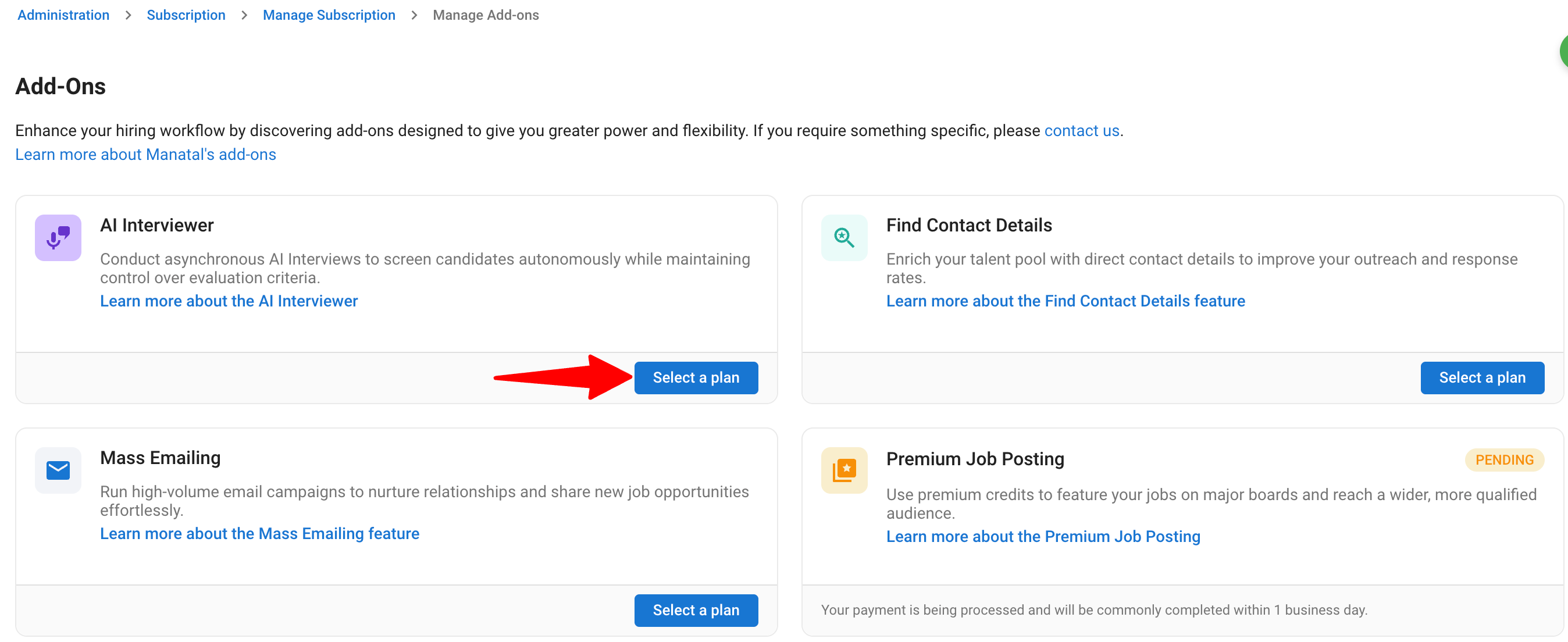
On this page, you can browse all existing add-ons and manage your current add-on subscriptions.
Purchasing Add-Ons
When purchasing new add-ons, you will encounter one of two subscription methods depending on the specific add-on you choose:
- Direct In-App Purchase: Select a plan and complete your purchase directly within the platform.
- Support-Assisted Subscription: Discover the add-on in the marketplace, then connect with our Support team to review pricing and finalize your subscription.
Method 1: Direct In-App Purchase
-
On the 'Manage Add-Ons' page, click on your desired add-on offering direct in-app purchases, such as the AI Interviewer or Premium Job Posting.
-
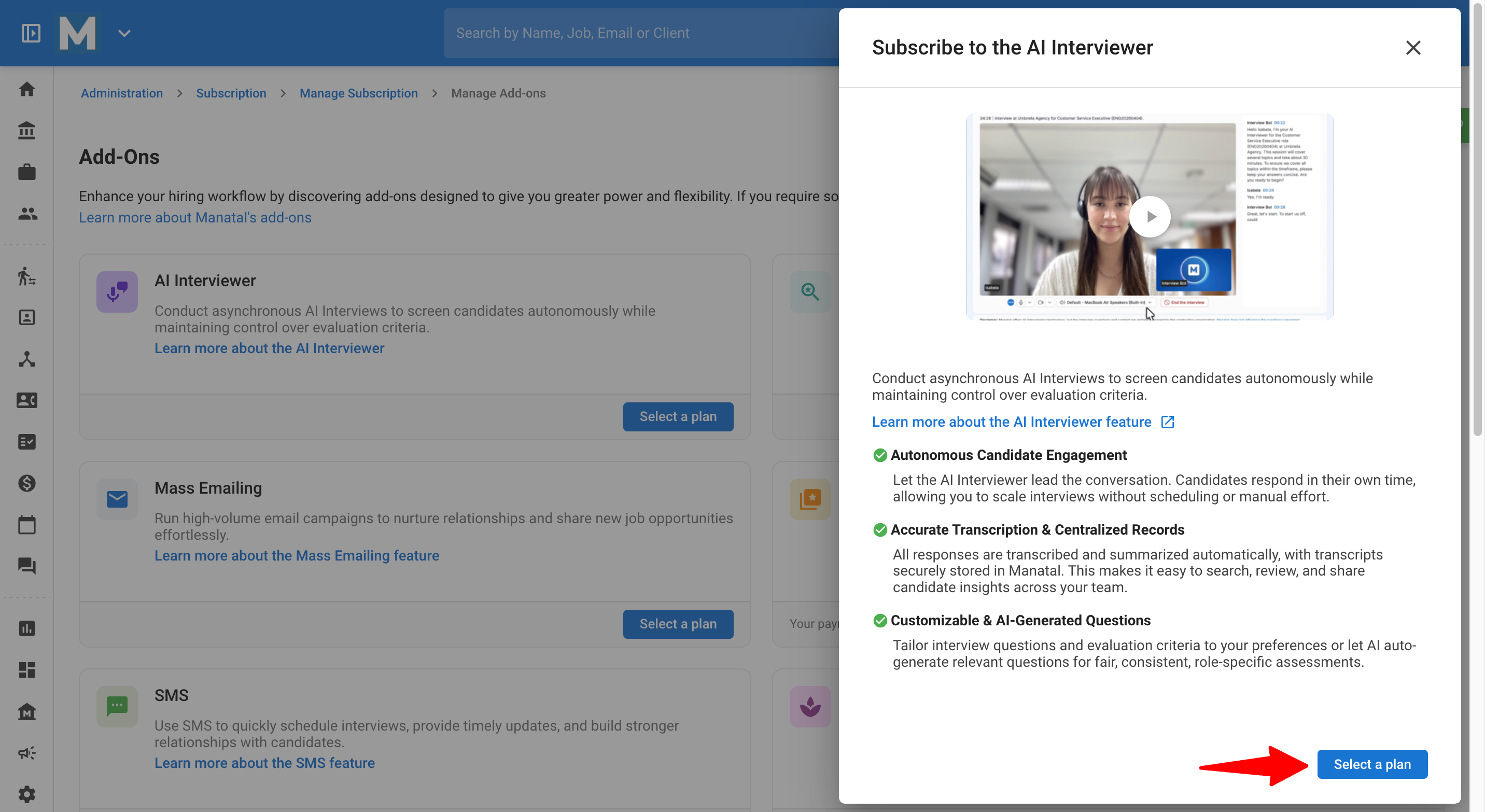
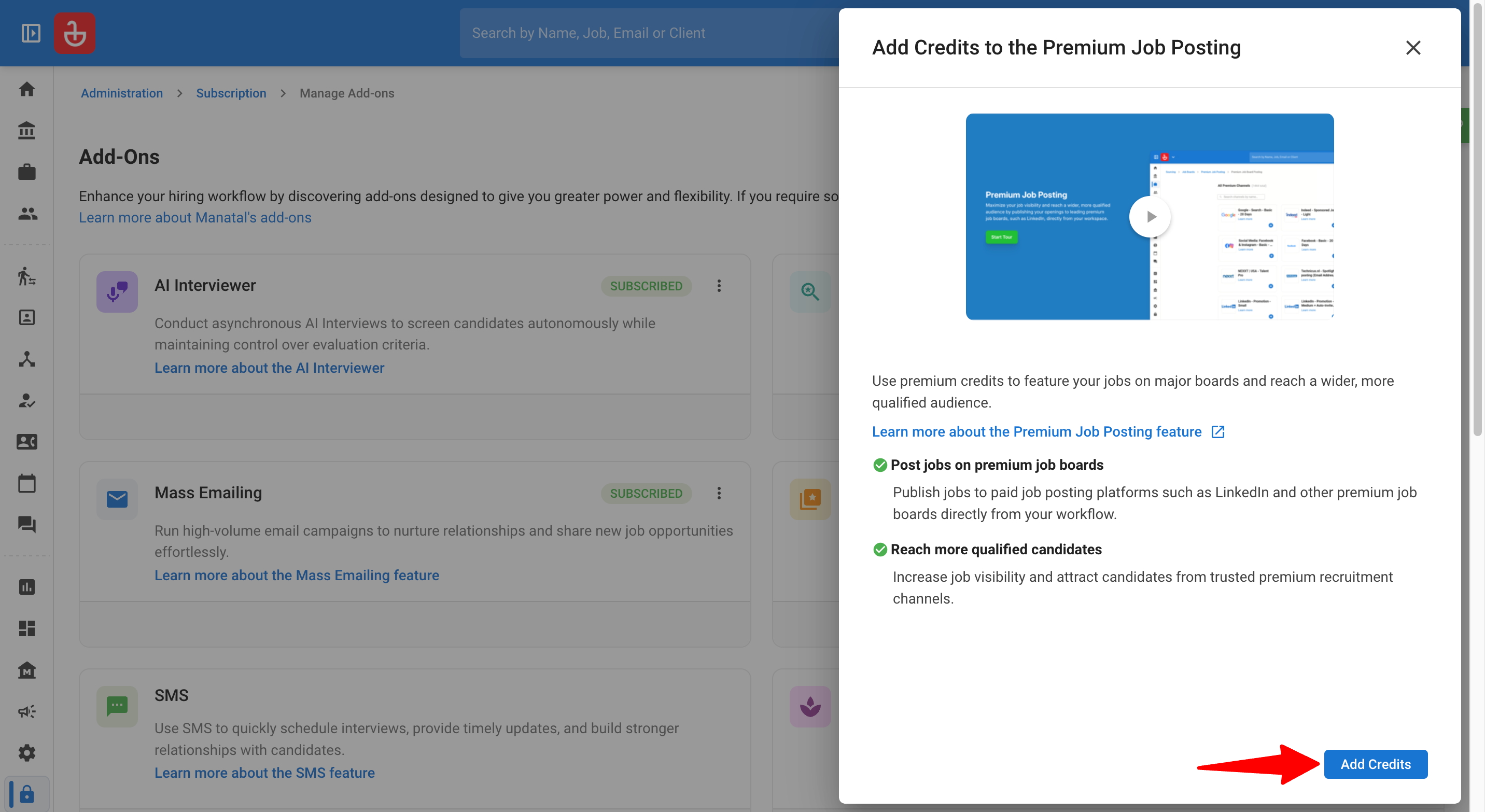
Review the feature summary and click on "Select a plan" or "Add Credits" depending on the add-on.
-
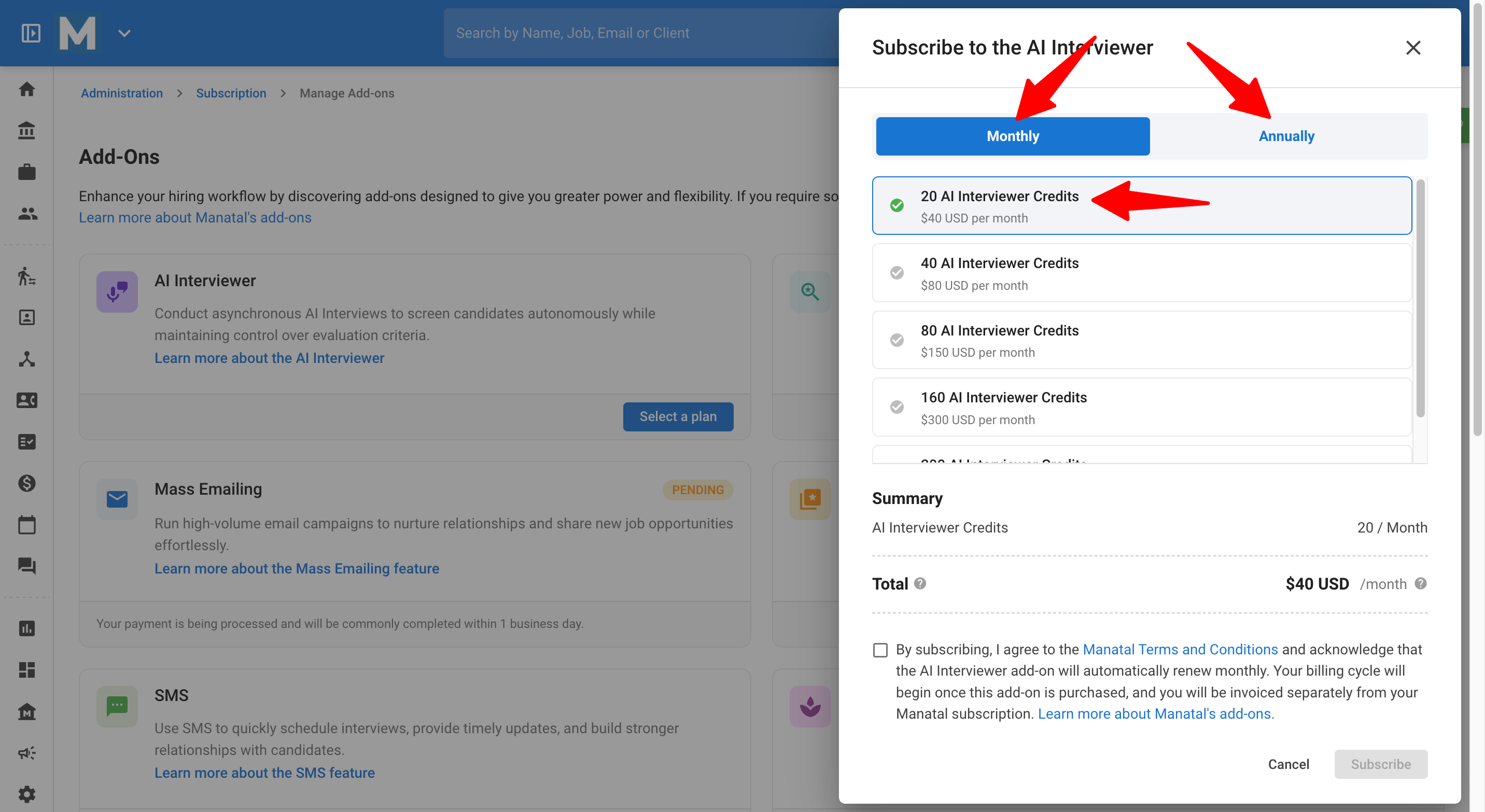
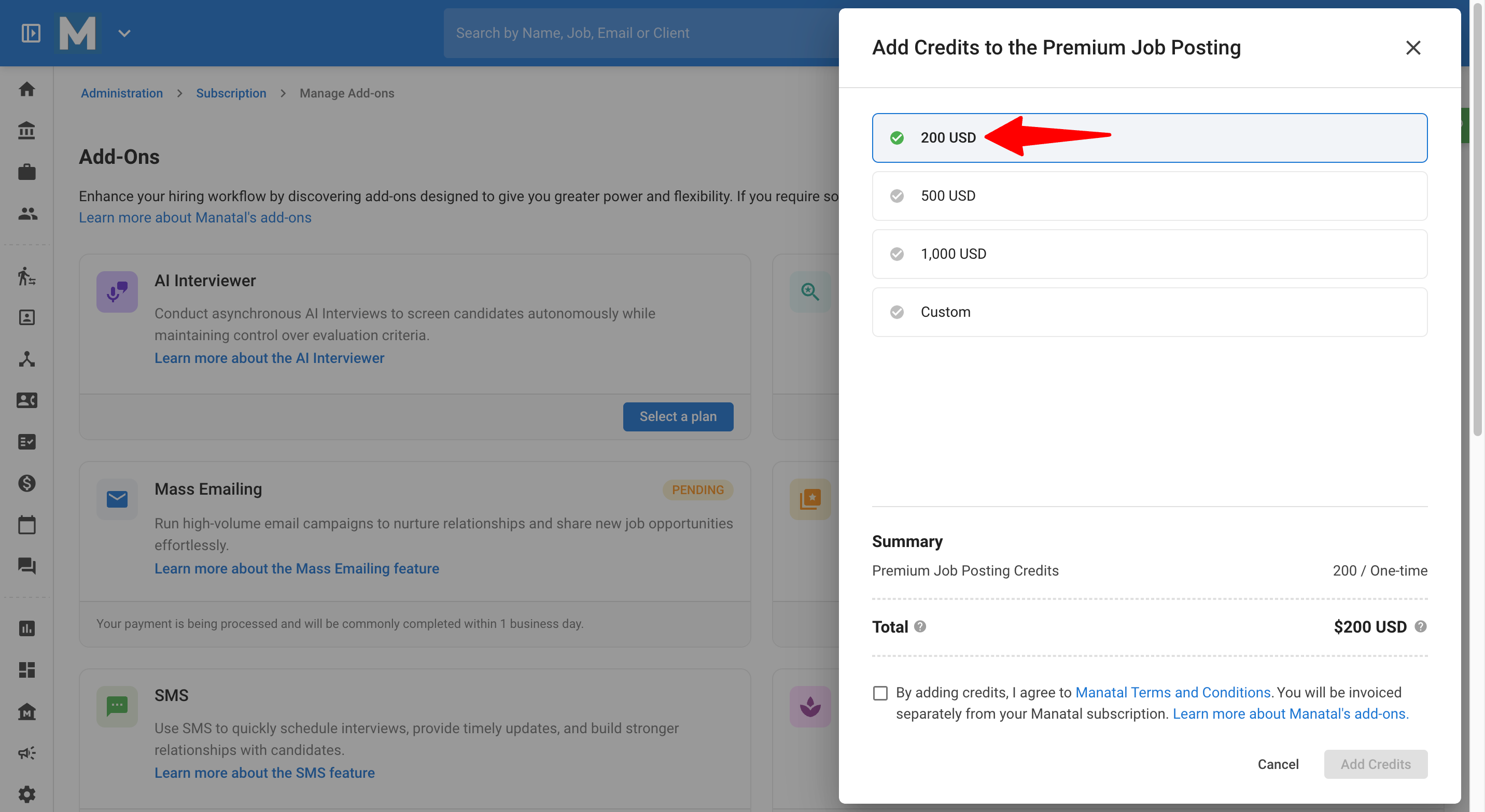
Choose your preferred monthly or annual pricing plan, or select the number of credits you wish to buy.
-
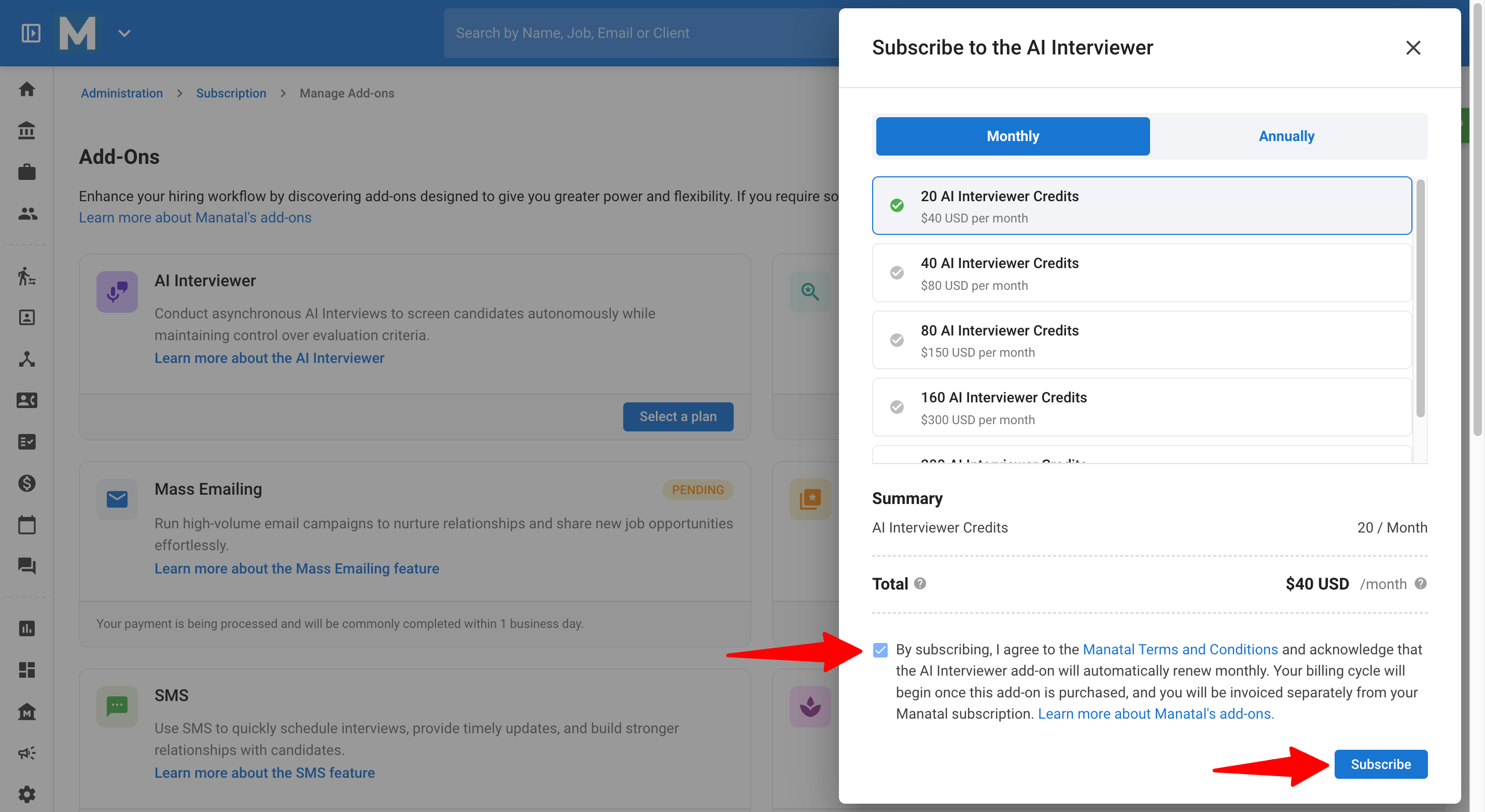
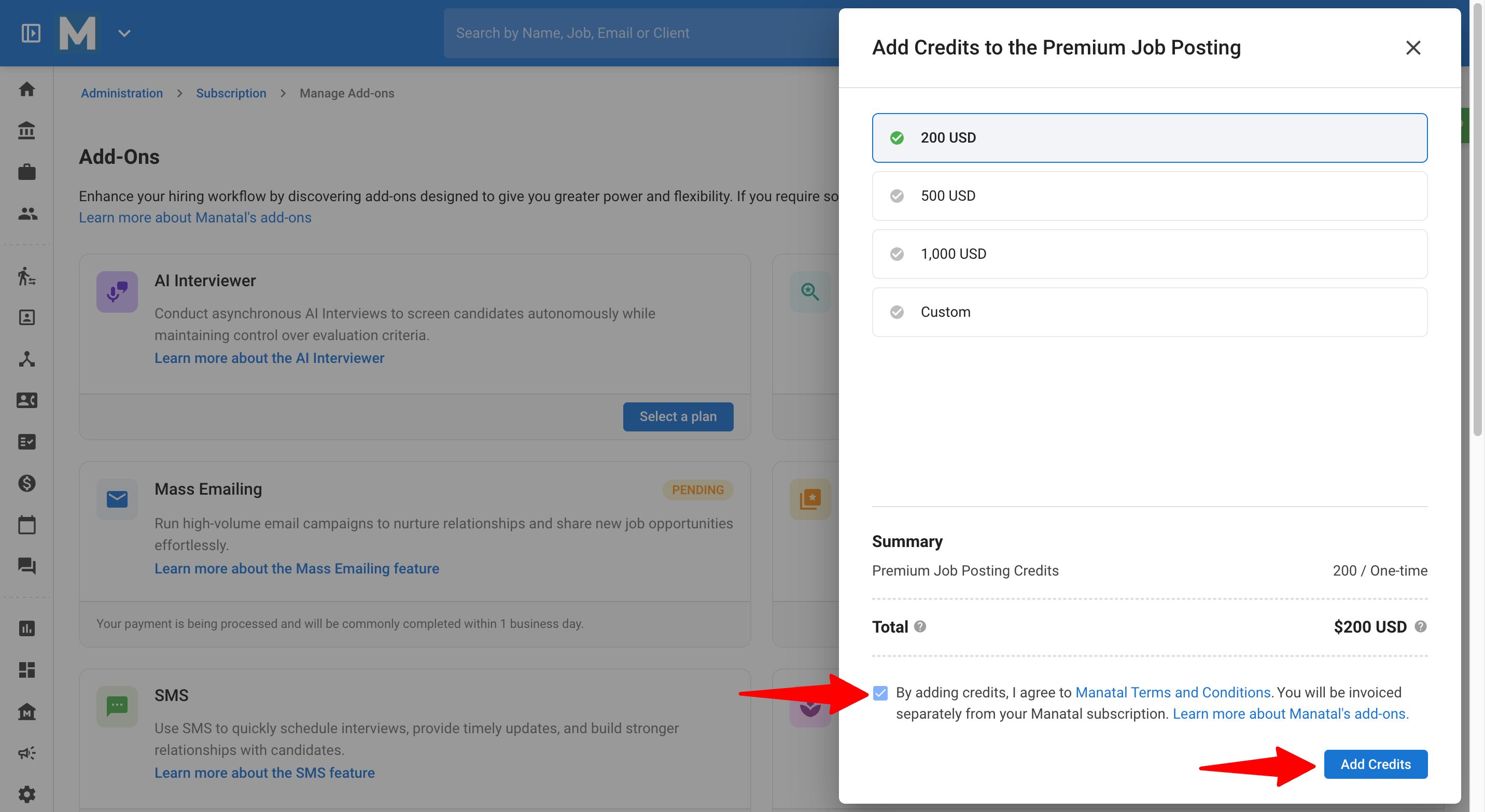
Tick the checkbox to agree with the 'Terms and Conditions' and click "Subscribe"or "Add Credits" to submit your purchase request.
-
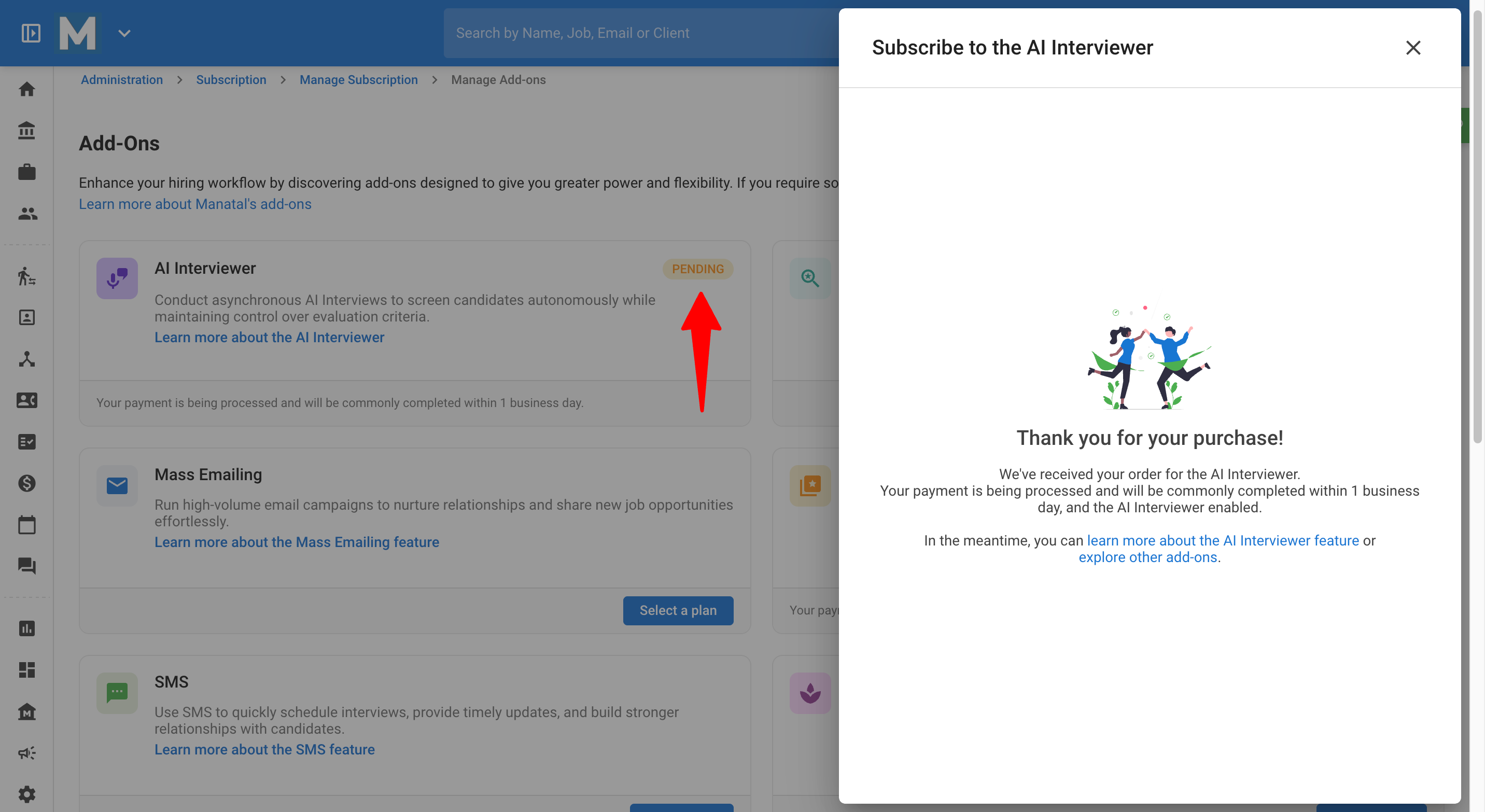
The add-on's status will update to "Pending" while the payment is processed by our team.
ImportantPlease note that it typically takes up to 1 business day for your credits to be processed and added to your account.
-
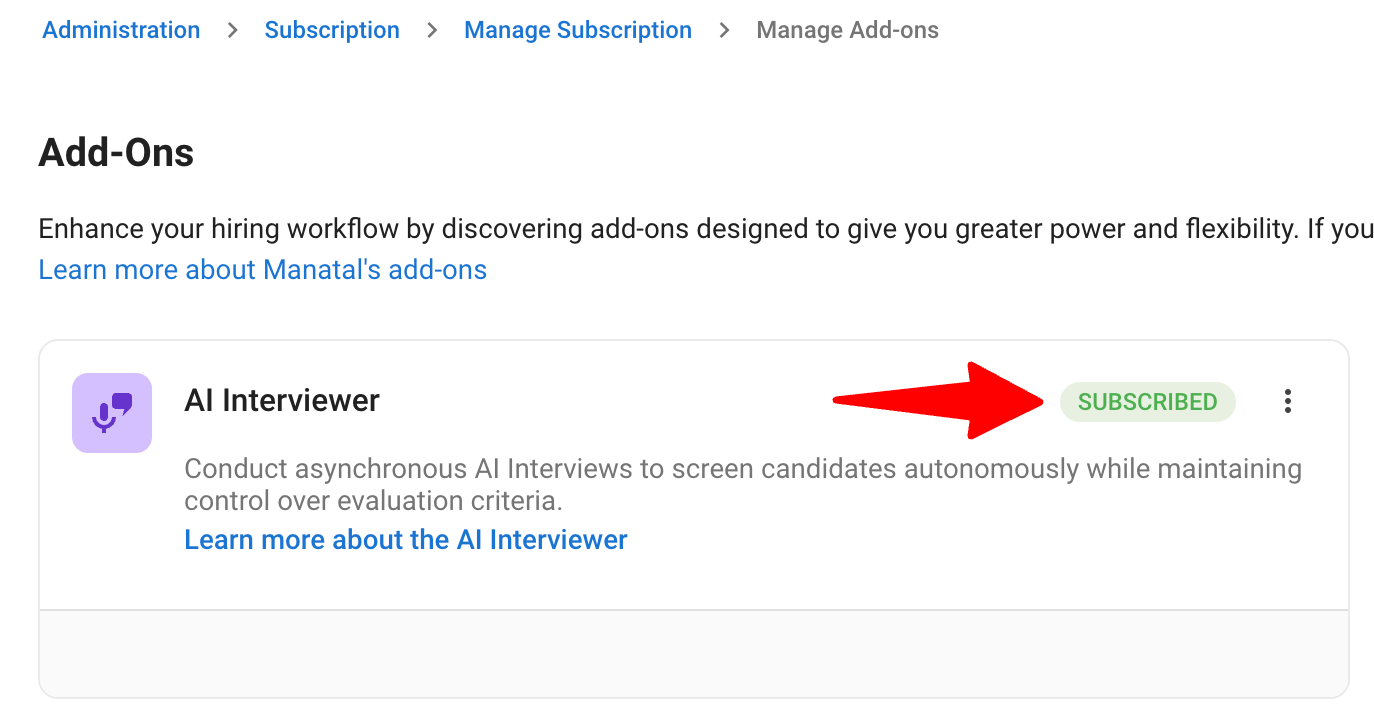
Once your payment is successfully processed and the feature is enabled, the add-on's status will automatically update to "Subscribed" or "Purchased".
NoteSubscribed will show for a monthly/annual subscription, and Purchased will show when a user buys one-off credits.
Method 2: Support-Assisted Subscription
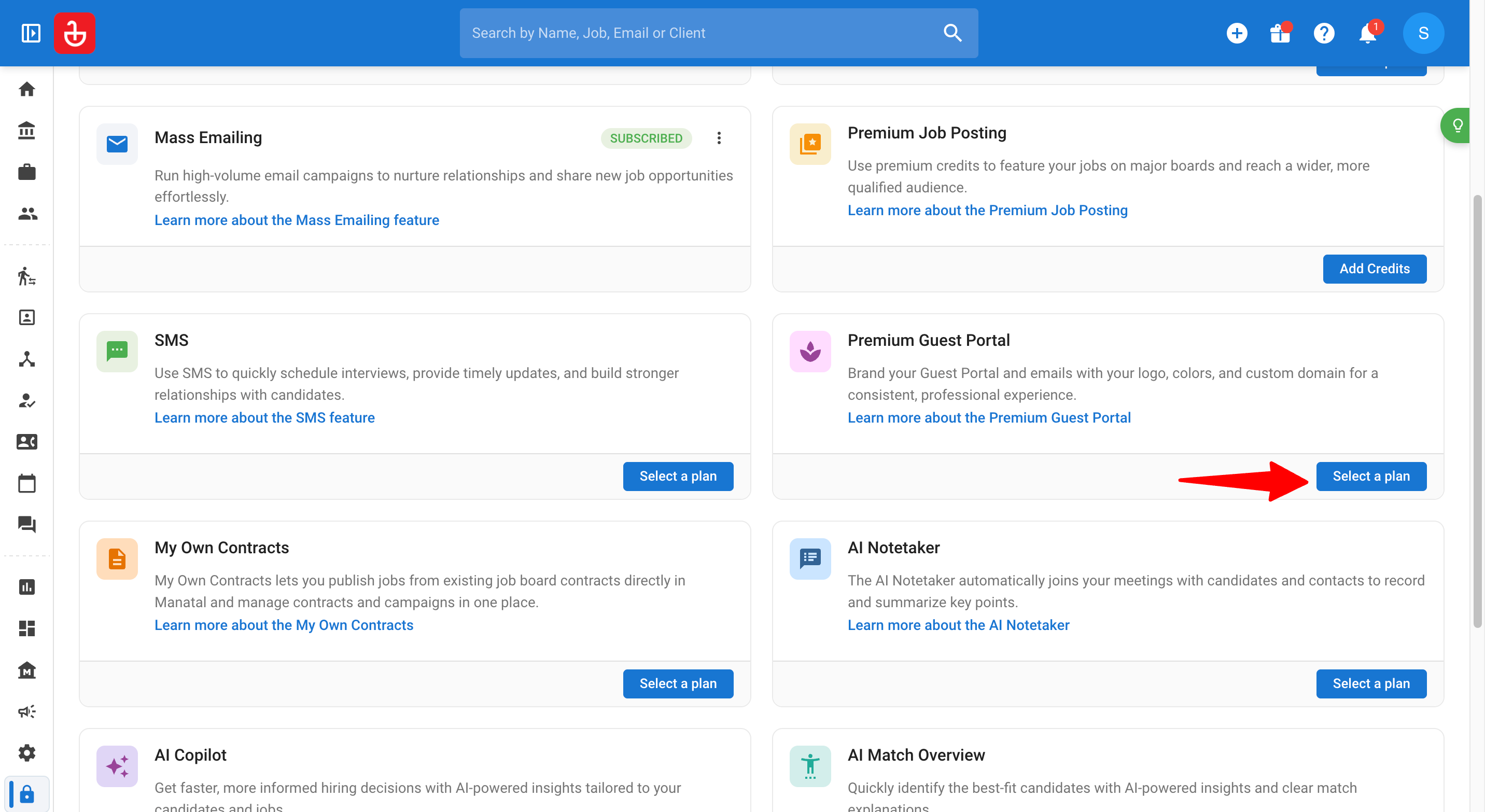
- On the 'Manage Add-Ons' page, click on the add-on you are interested in that requires support assisted subscription, such as the Premium Guest Portal.
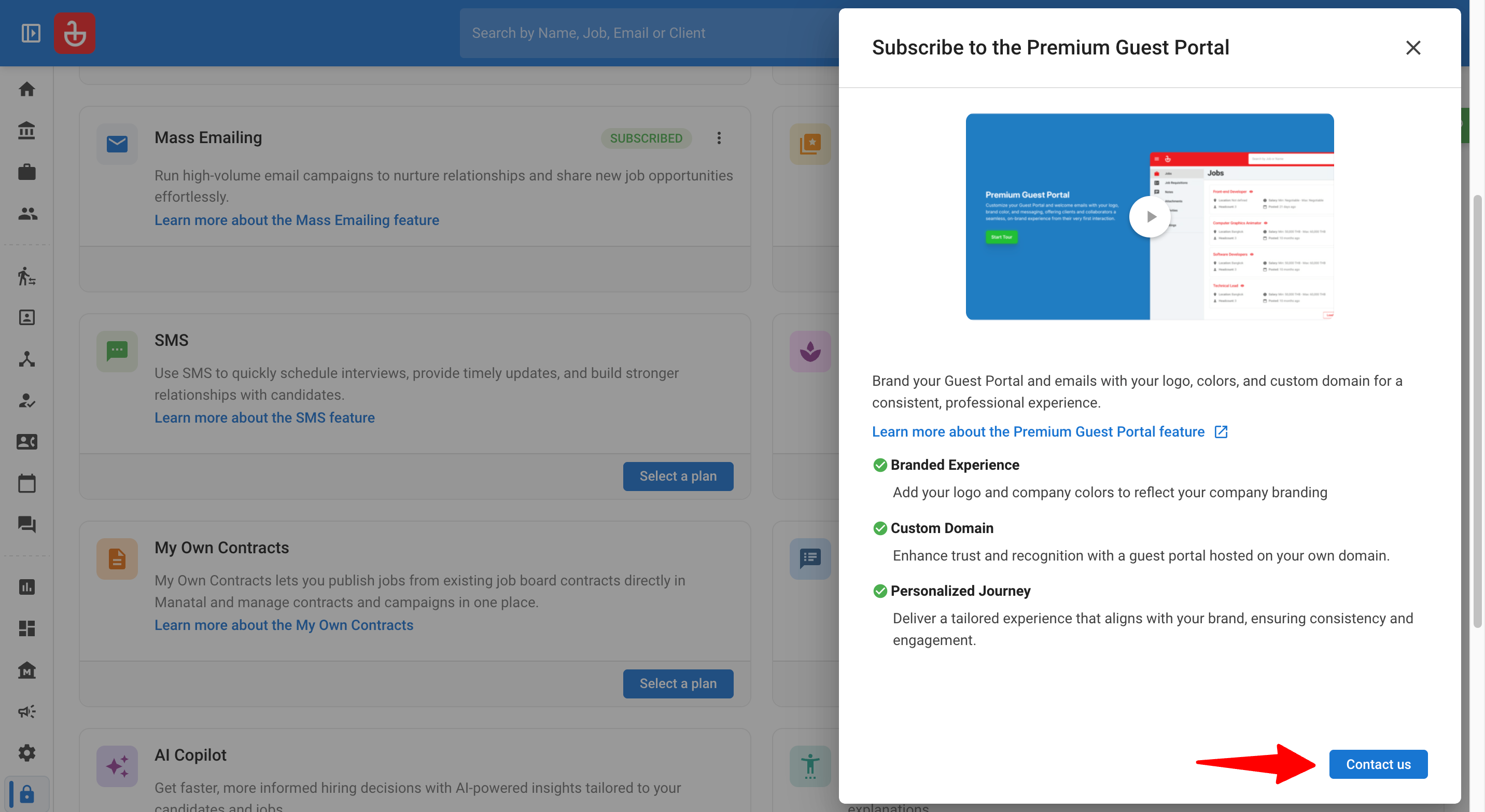
- Review the features summary and click on "Contact us".
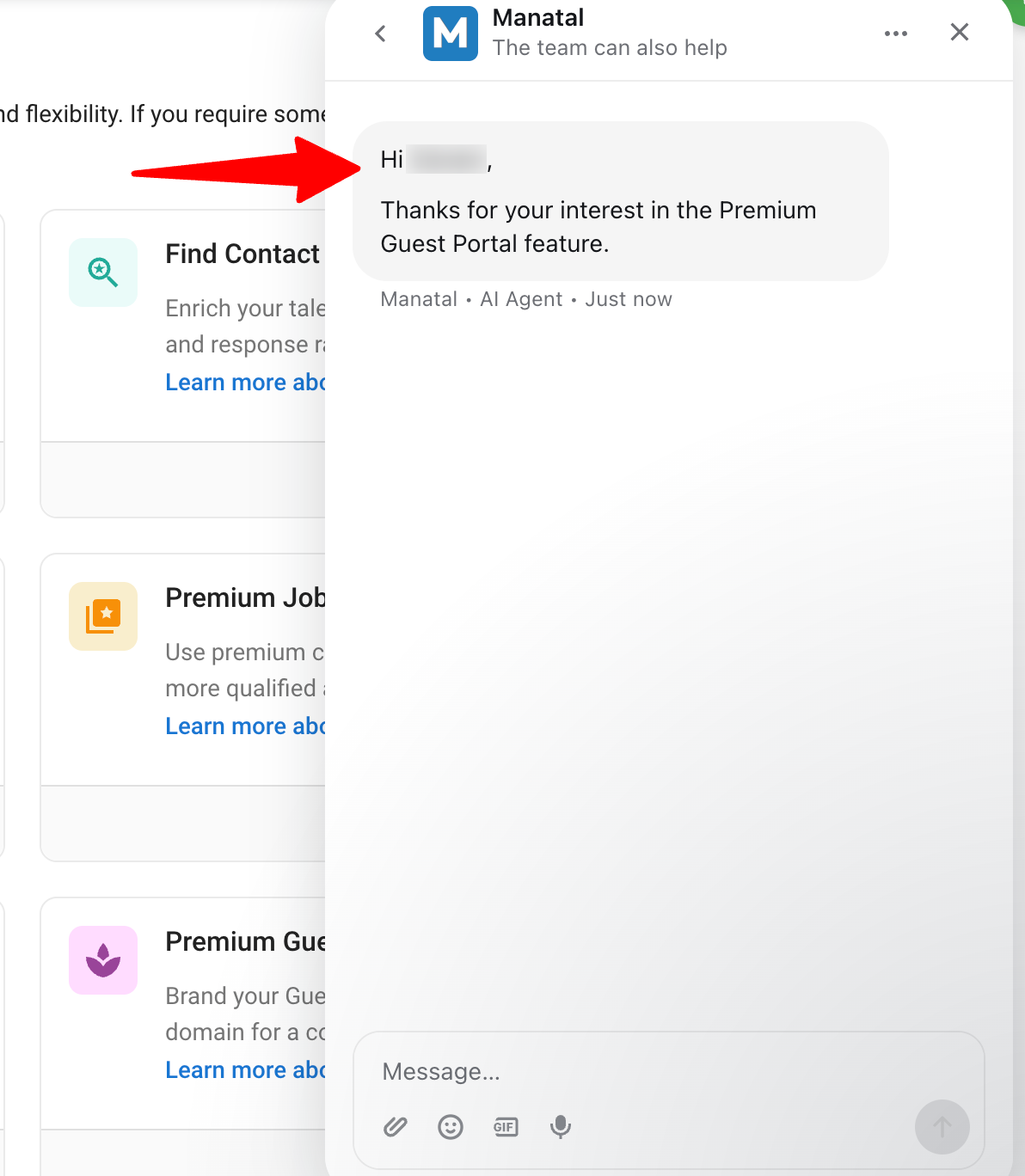
- You will be routed to a chat window where our support team will manually process your ticket, enable the feature, and add your credits.
Managing Your Add-Ons
-
Head to the following page. Alternatively, click on "Administration" from your side menu, open the "Subscriptions" category and then the "Manage Add-ons" category.
-
Locate your active add-on (marked as "Subscribed" or "Purchased") and click the three dots next to it.
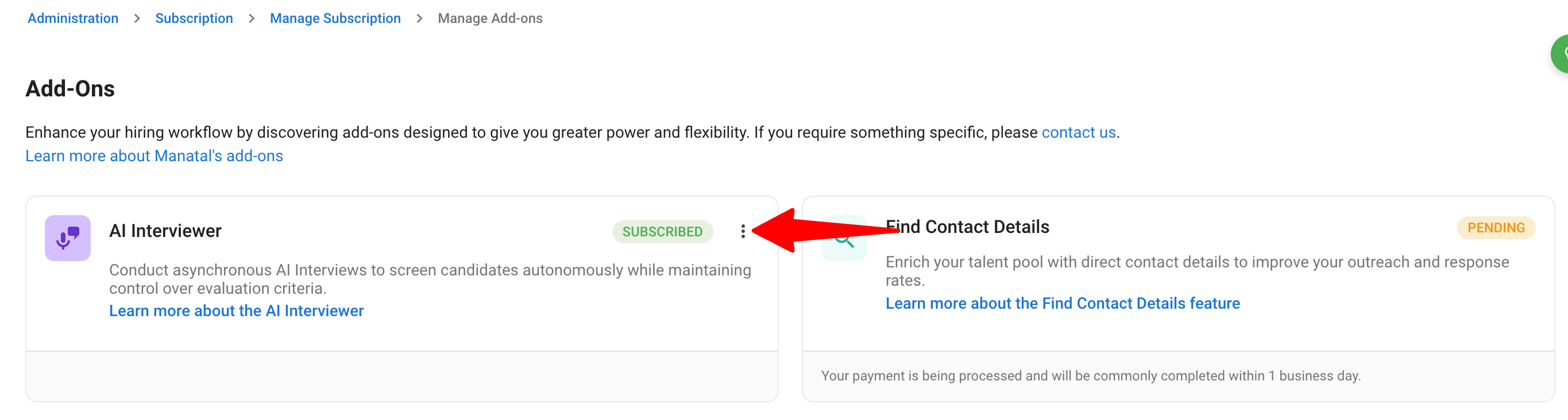
-
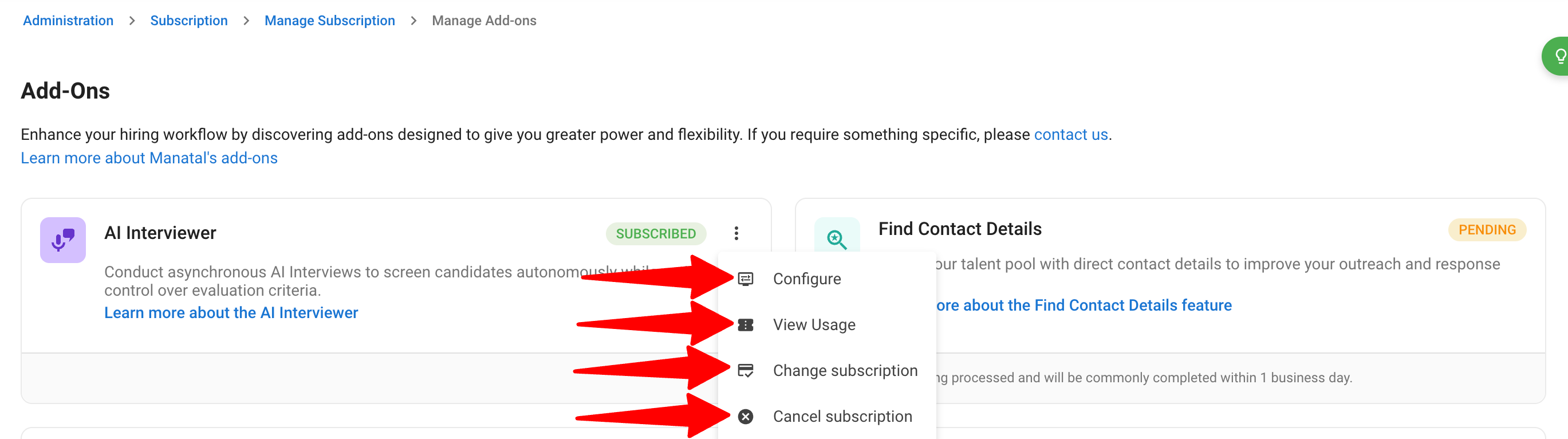
Depending on the specific add-on, you will see some or all of the following options:
- Configure: Redirects you to the specific settings page for that add-on.
- View Usage: Redirects you to the usage tracking page for that add-on.
- Change subscription: Puts you in contact with support to modify your plan.
- Cancel subscription: Puts you in contact with support to process your cancellation.
FAQ
Q1. For a Direct In-App Purchase, will my credit card be charged as soon as I click "Subscribe" or "Add Credits"?
- No. After you submit your request, our team manually processes the charge to your card before enabling the feature.
Q2. Are add-ons billed on a separate invoice from my core Manatal plan?
- Yes, the invoice for add-ons will be separate from your main Manatal subscription.
Q3. How will I know when my purchase request has been processed?
- You will receive a confirmation email from our Support team. For first-time subscriptions, this email will also confirm the feature is enabled; subsequent purchases will simply confirm your payment.